When I reviewed the XTAR VX4 about a year ago, I had no idea how much I would enjoy using it or how often I’d end up recommending it to friends. But not everyone needs a charger with four slots. With the XTAR VX2 Pro, there’s now a smaller version of the VX4 with two slots — and a few improvements as well.
The most significant improvement: the charging current and mode can now be set individually for each slot. There’s also a storage mode that supports 1.5 V Li-ion batteries. But also much has stayed the same — including the convenient USB-C port.
You can find the German version of this review on my website: SammysHP Blog › XTAR VX2 Pro
The device was provided by the manufacturer for this review. Thank you very much!
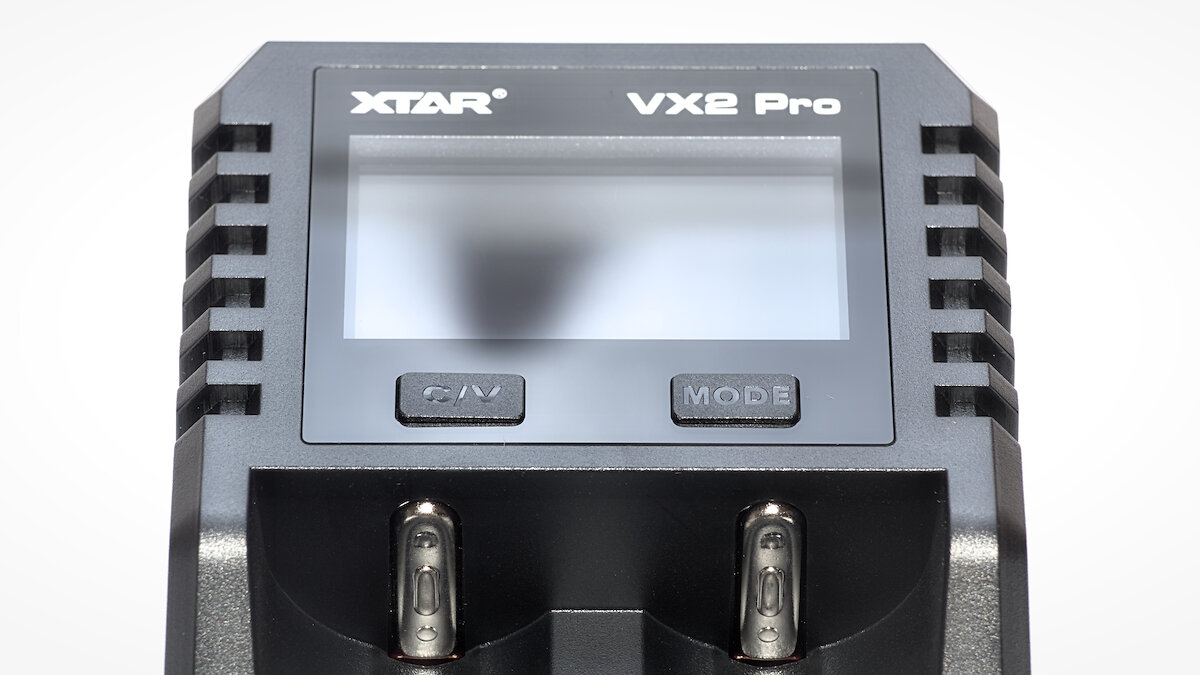
Overview
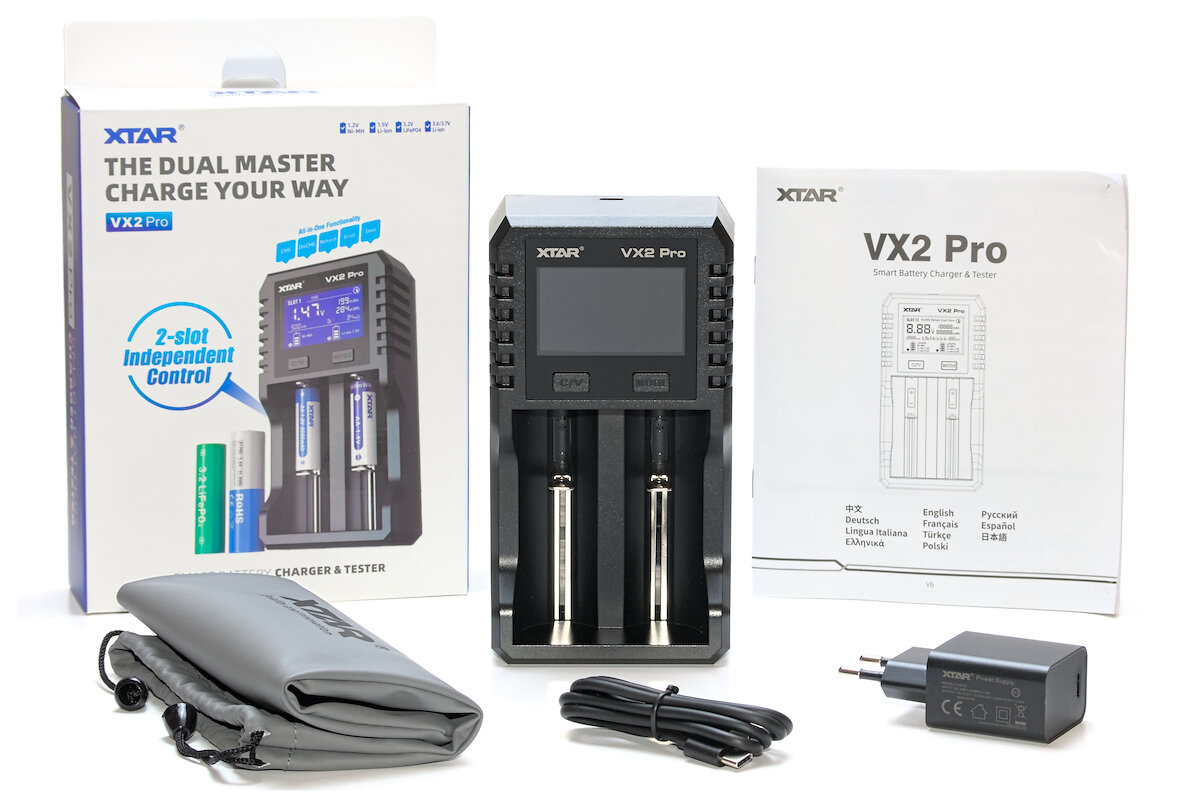
The XTAR VX2 Pro is available either on its own or as a set with a 20 W USB-C power adapter (5 V 3 A / 9 V 2.22 A / 12 V 1.67 A). The detailed manual includes eleven languages (CN, EN, RU, DE, FR, ES, IT, TR, JA, EL, PL) and is easy to understand. A bag for storage is also included in the box.
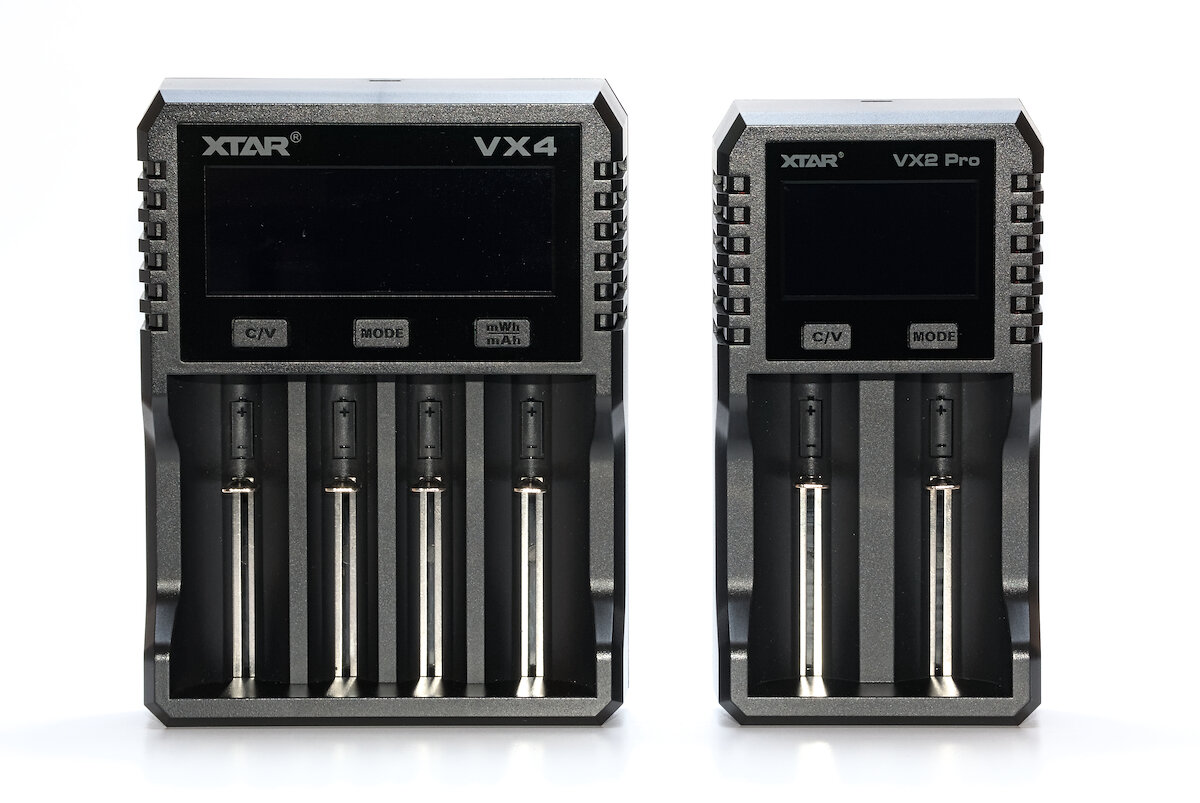
When compared directly to the VX4, the difference in size is immediately noticeable: measuring 166 × 88 × 41 mm, the VX2 Pro is about four centimeters narrower and slightly shorter. It weighs 205 g, making it roughly one-third lighter. A previously rarely used button — now unnecessary in the new version — has also been removed.
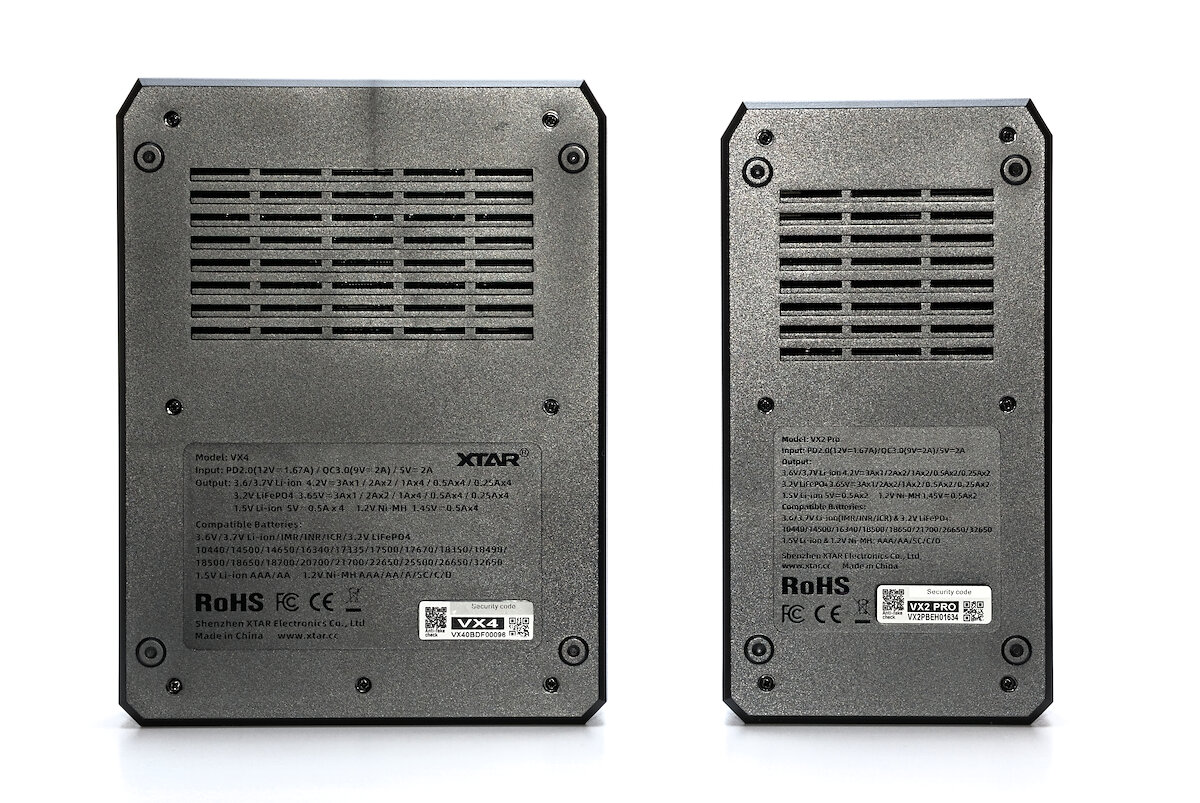
From the back, the two devices are practically identical. At the top there are large ventilation slots to ensure adequate cooling. Further down, you’ll find technical information, including a list of supported battery sizes. Of course, other sizes can also be charged, as long as they physically fit in the device.
The four feet are part of the case and therefore made of plastic. As a result, the charger tends to slide around on the table and usually needs to be held in place when inserting batteries. Rubber feet would have been a better choice.
From the side, both devices look almost identical. Here there are ventilation slots on both sides as well.
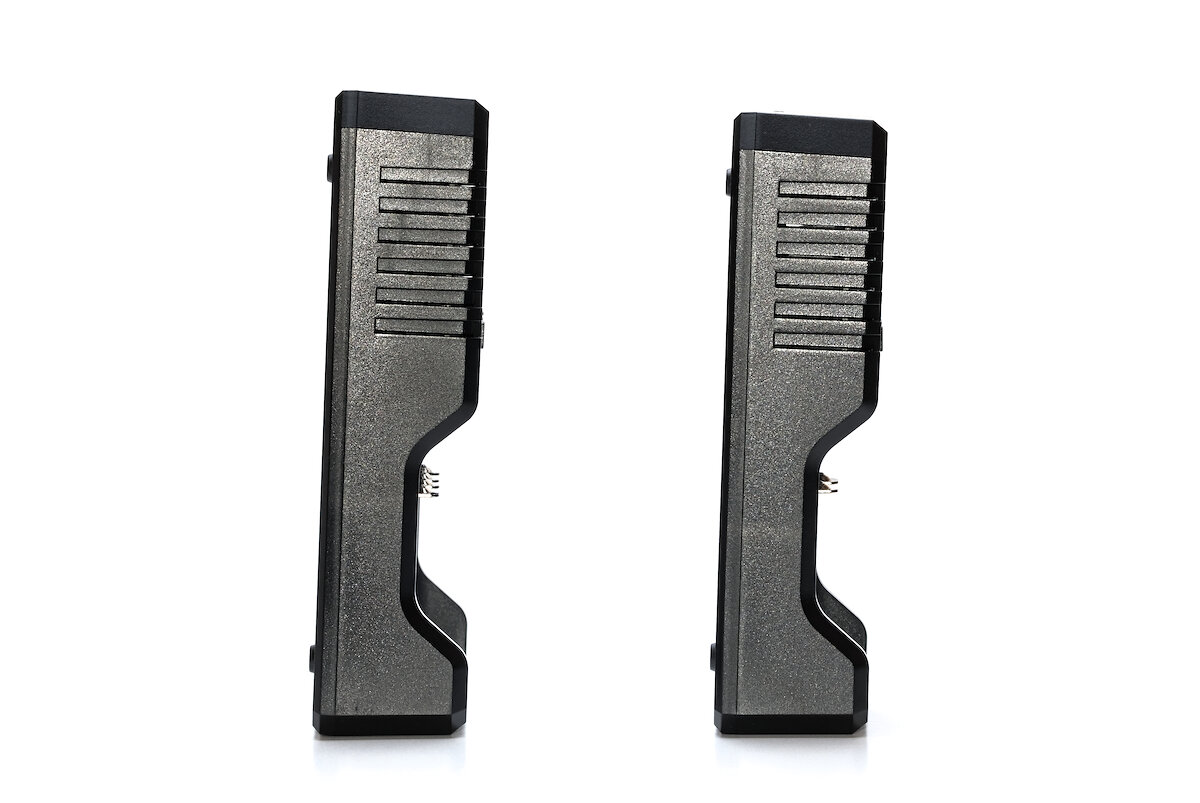
At the top end, there’s a USB-C port for power supply. While the VX2 Pro can also be operated with a standard 5 V USB supply, a power adapter with Power Delivery (PD) or Quick Charge (QC) is required for full charging speed. Most modern smartphone chargers should be compatible, making the VX2 Pro a great travel companion.
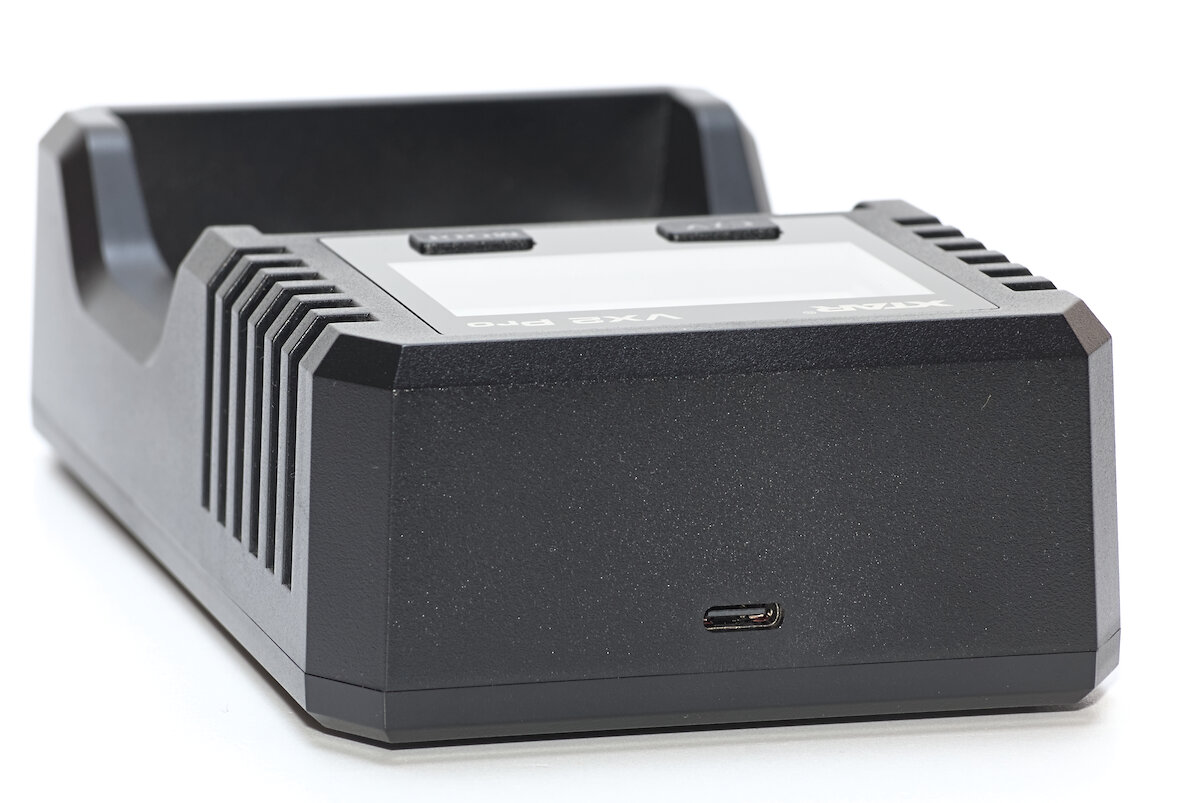
The charging slots measure between 29 and 80 mm in length, supporting a wide range of battery sizes. Even protected 21700 batteries with built-in USB charging fit easily. At about 34 mm, the width of the slots is generously sized.
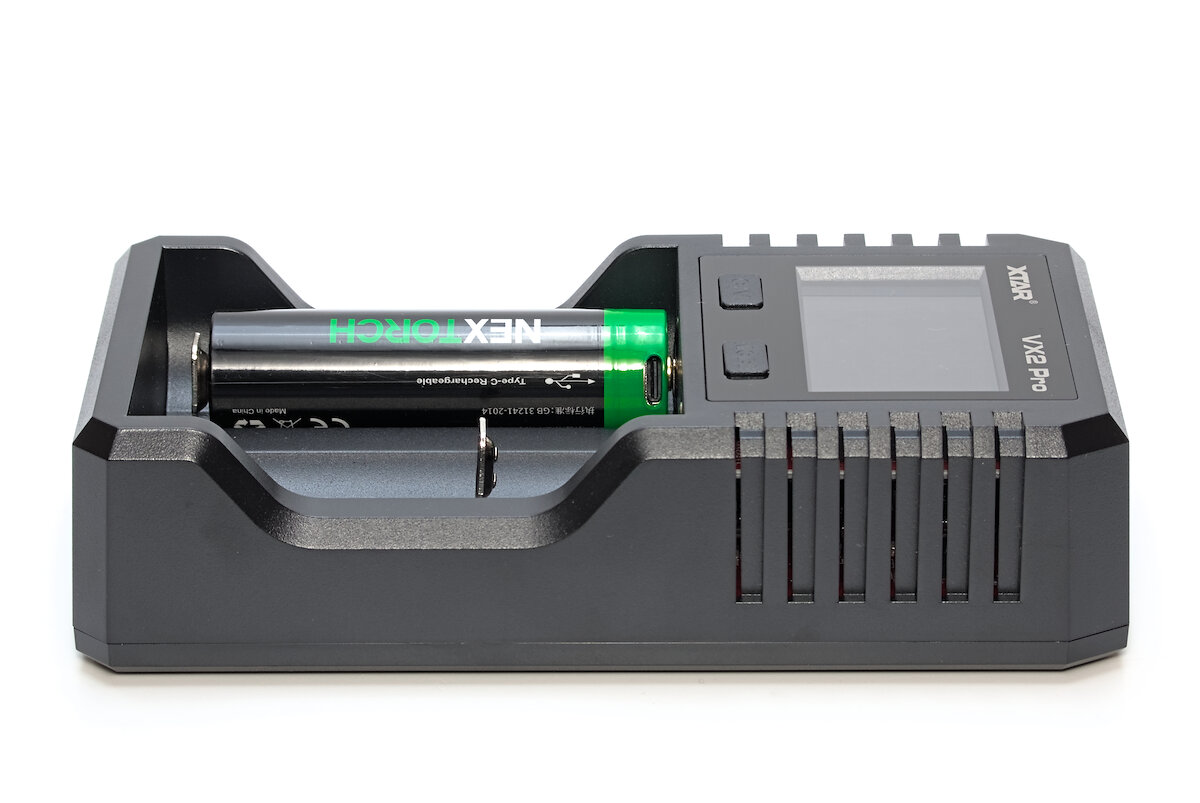
The following battery types can be charged with the VX2 Pro:
- Li-ion
- LiFePO₄
- NiMH
- 1.5 V Li-ion
The battery contacts are fantastic: small bumps on both sides ensure reliable contact even with different battery sizes. The only exception might be flat-top batteries with a protruding shrink wrap, which can sometimes cause contact issues at the positive terminal. For thinner batteries (like AAA), it’s also a good idea to take a closer look, as they may need to be slightly lifted at the negative terminal.
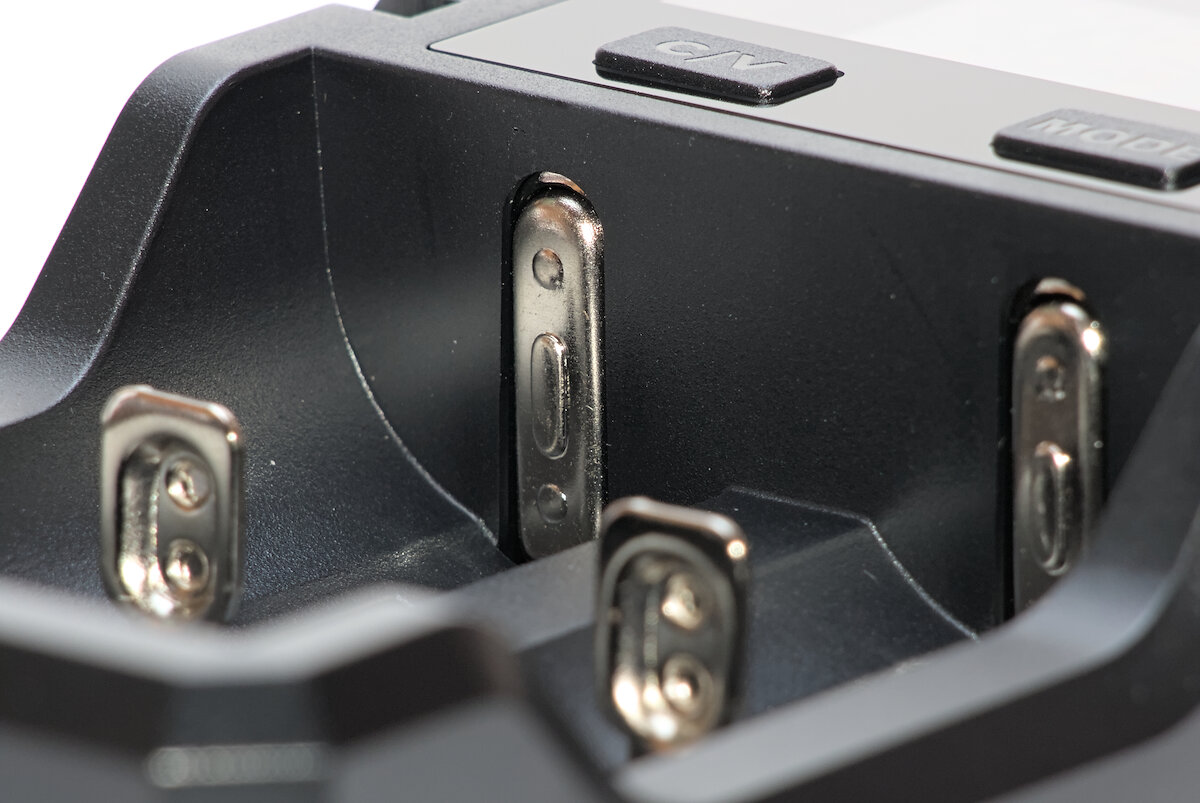
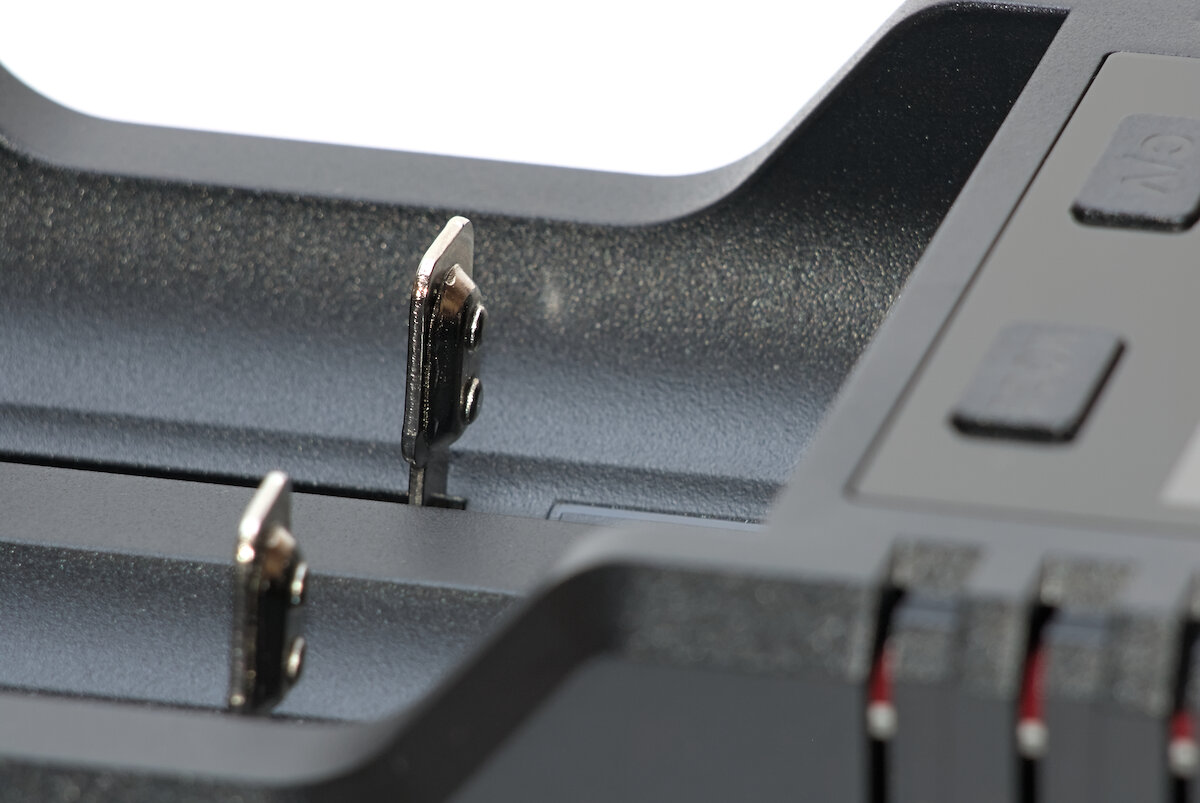
The sliders move smoothly without sticking, making it easy to insert batteries one-handed without having to manually pull the slider back first.
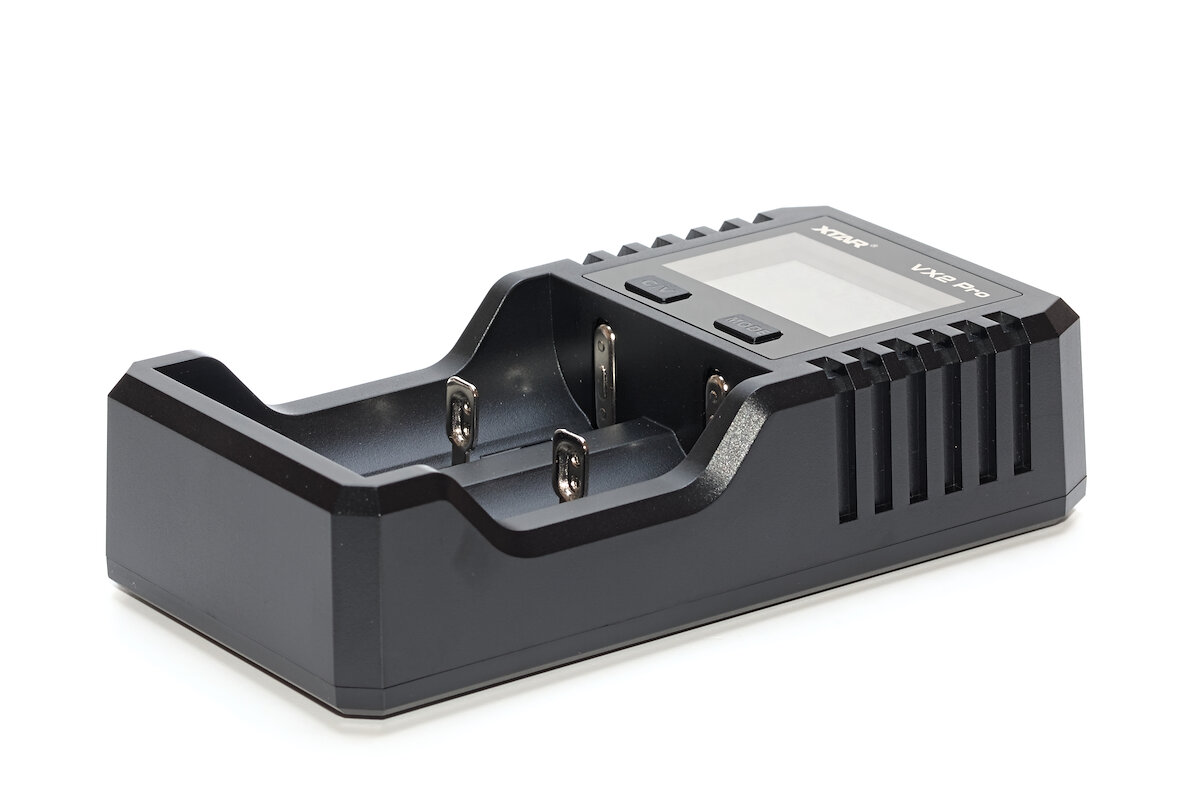
The device is well-made and its case feels sturdy and durable.
User interface
Compared to the VX4, the display has changed slightly: it now shows the values for only one slot at a time, but with more detail. A short press of the MODE button switches between the two slots. The display provides the following information:
- real-time voltage
- real-time current
- selected charging current
- internal resistance of the battery
- mAh and mWh (at the same time!)
- selected mode (Charge, Discharge, Refresh, Grade, Store)
- battery type
- bar graph
At first glance, it might all seem a bit overwhelming, but you’ll quickly get the hang of it. The advantage is that all the information is always displayed, eliminating the need to switch between different views.
Thanks to the high brightness and good contrast of the white text on a blue background, the display is easy to read even in sunlight. After one minute, the brightness automatically dims to a lower level.
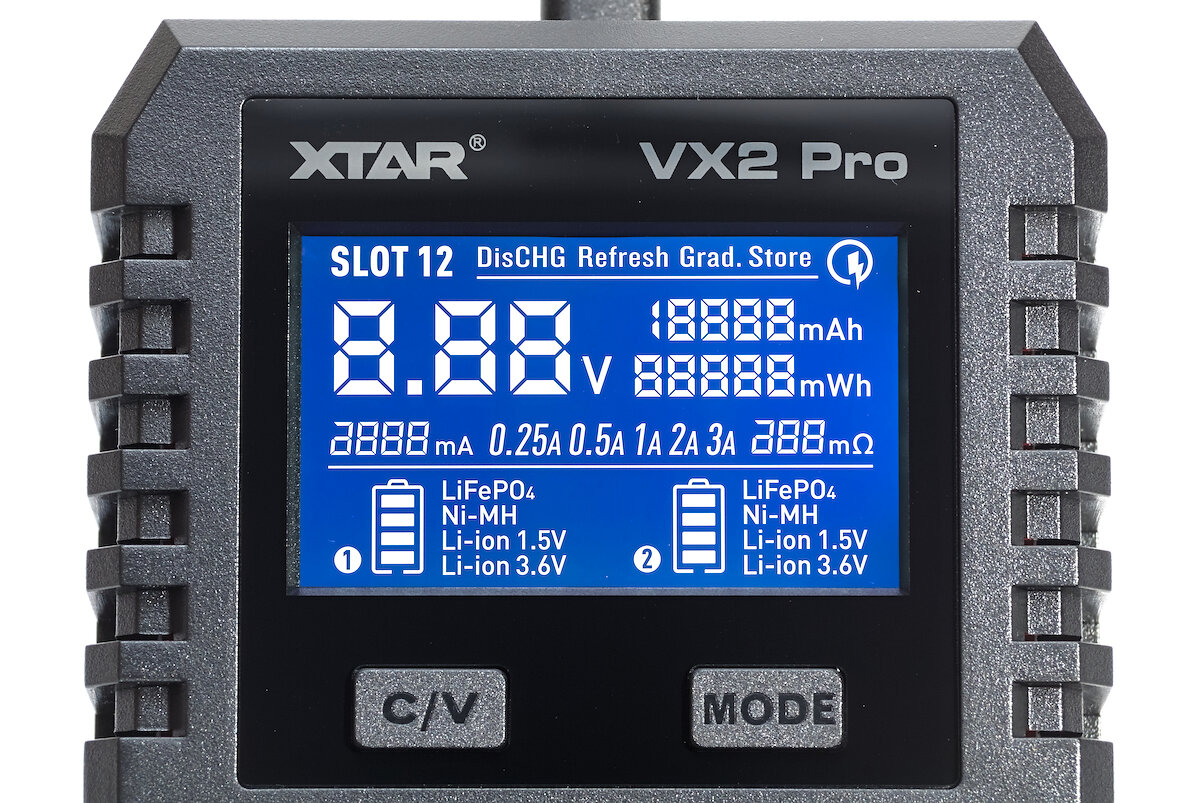
Below the display are the two buttons used to operate the charger. However, depending on the lighting conditions, the labels can be difficult or even impossible to see. When pressed, the buttons produce a nice audible and tactile click.
Two buttons, many functions – yet easy to use. In most cases, all you need to do is connect the charger to a power supply via USB and insert the batteries. The charger will handle most of the settings automatically. However, you can also manually select special functions or the desired charging current if needed.
| Button | Short press | Long press |
|---|---|---|
| C/V | Manually select charging current | Switch between standard and LiFePO₄ charging mode |
| MODE | Select charging slot | Select mode (Charge, Discharge, Refresh, Grade, Store) |
The biggest new feature is that settings can now be adjusted separately for each slot. This means you can charge two completely different batteries with individually chosen parameters – and even use different functions at the same time, such as charging and discharging.
The selected function as well as the LiFePO₄ charging mode are retained even if disconnecting power. This can have both advantages and disadvantages: on one hand, you don’t have to set all the settings every time; on the other, it’s easy to forget to switch back to the “Charge” function.
Charge
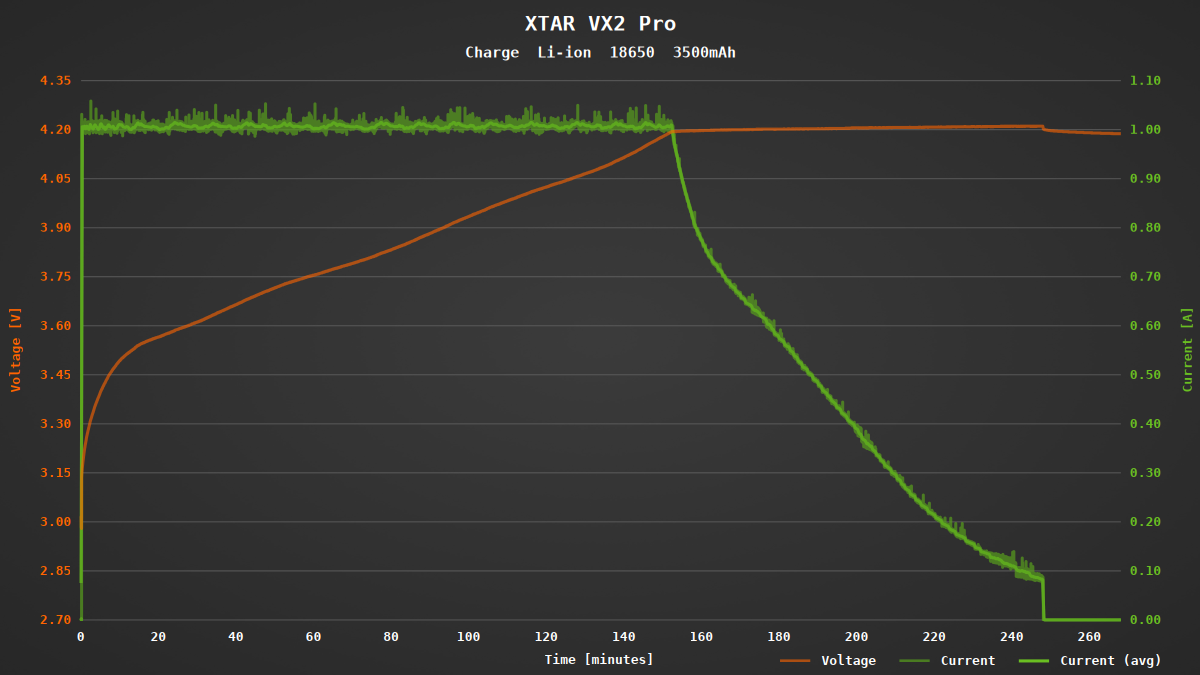
Li-ion batteries can be charged in the VX2 Pro at 250, 500, 1000, 2000, or 3000 mA. By default, the charging current is automatically selected based on the measured internal resistance of the batteries. However, you can also set it manually if you prefer. In earlier XTAR models, the current could only be limited but never set higher than the automatically chosen value. Since measuring internal resistance can be unreliable with poor contact, some batteries could only be charged at low currents. In this respect, the new model is a significant improvement.
The full charging current of 3 A is only available when charging a single battery and the power adapter provides sufficient output. Two batteries can be charged simultaneously at 2 A each.
When using the CC/CV charging method for Li-ion batteries, two factors are especially important: the charging voltage should not significantly exceed 4.20 V and the charging process must end when the current drops sufficiently low. The VX2 Pro reliably meets both of these requirements. Although the charging current shows slight fluctuations, these are not problematic in practice.
In LiFePO₄ mode, the charging voltage is reduced to 3.60 V according to the manual. Otherwise, the charging process is the same.
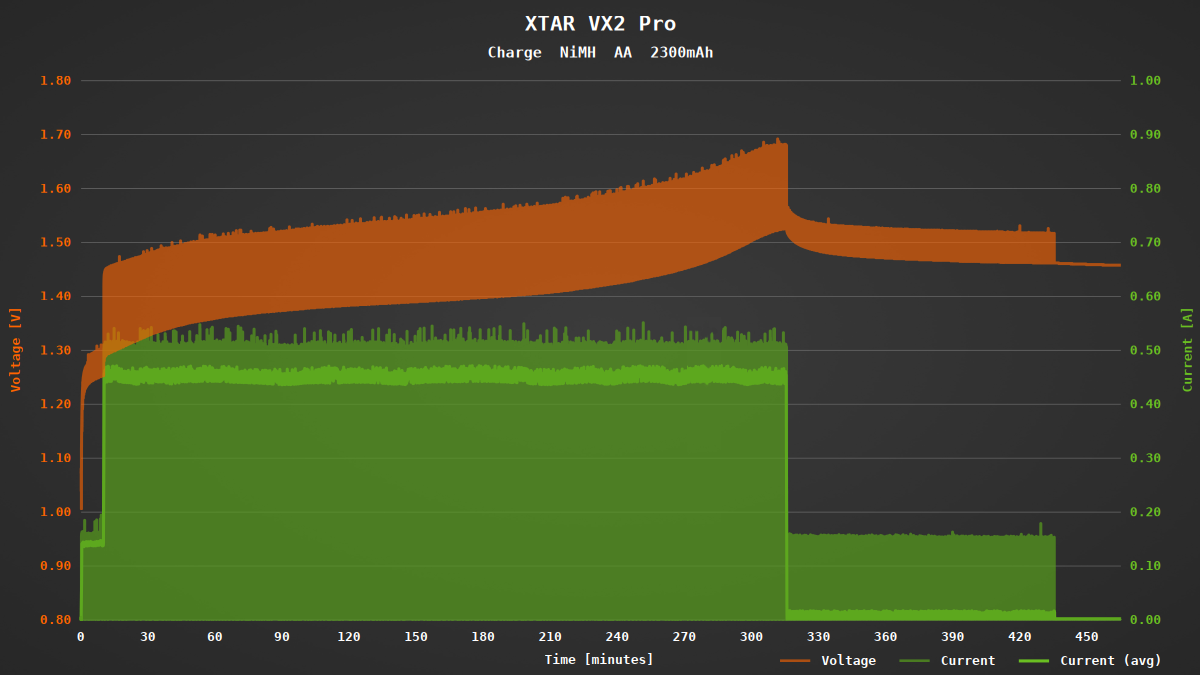
Unlike Li-ion batteries, NiMH batteries are charged in the VX2 Pro at a fixed current of 500 mA. Depending on the cell’s capacity, this current may be either too high or significantly lower than what’s technically possible, which affects the charging time accordingly.
When charging NiMH batteries, charging is paused regularly for a short time to measure the open-circuit voltage of the battery. In the VX2 Pro, this happens every two seconds. The resulting fluctuations in the graph are completely normal and part of the standard charging process.
During the first few minutes, charging takes place at a reduced current of about 150 mA. In this phase, the device checks whether the battery is actually a NiMH cell and whether it isn’t already fully charged. Afterward, the charging current is increased to 500 mA.
Ideally, the -dV/dt method is used for charge termination, though it doesn’t work reliably with all batteries and requires a sufficiently high charging current. In my tests, the VX2 Pro performed well, only terminating slightly early. Termination is followed by a two-hour trickle charge phase.
Another battery type, often simply referred to as 1.5 V Li-ion battery, features an integrated voltage regulator that provides a constant output voltage of 1.5 V. Typically, it also includes a built-in charging controller, so charging only requires about 5 V at the battery contacts. The VX2 Pro supports this battery type as well, supplying up to 500 mA charging current.
Discharge
All battery types can also be discharged using the VX2 Pro. The discharge current is fixed at 300 mA. As a result, you should plan with plenty of time for the discharge process – especially with high-capacity batteries, as it can take several hours to complete.
For Li-ion batteries, the discharge process stops when the voltage reaches 2.75 V. For NiMH batteries, it stops at around 1 V. 1.5 V Li-ion batteries are discharged until their built-in protection circuit is triggered.
Refresh
This function performs up to four charge and discharge cycles to help regenerate batteries and restore their capacity. The exact number of cycles depends on the condition of the batteries. This mode is available exclusively for NiMH batteries – other battery types are simply charged until they are full.
Grading
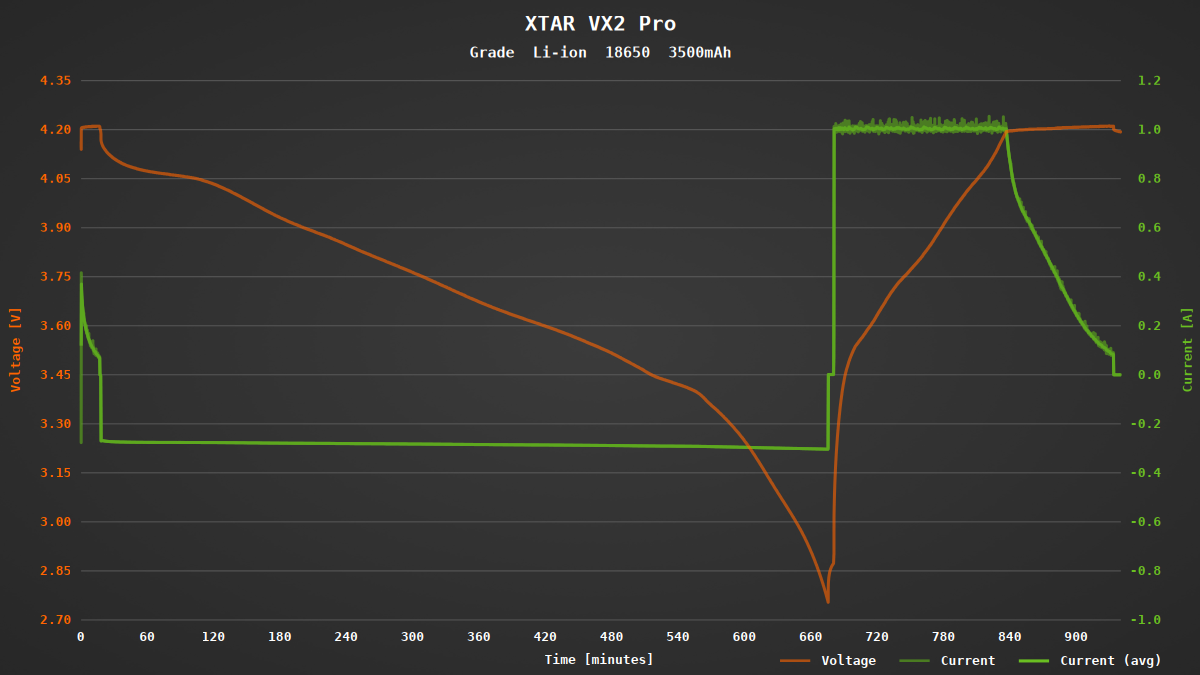
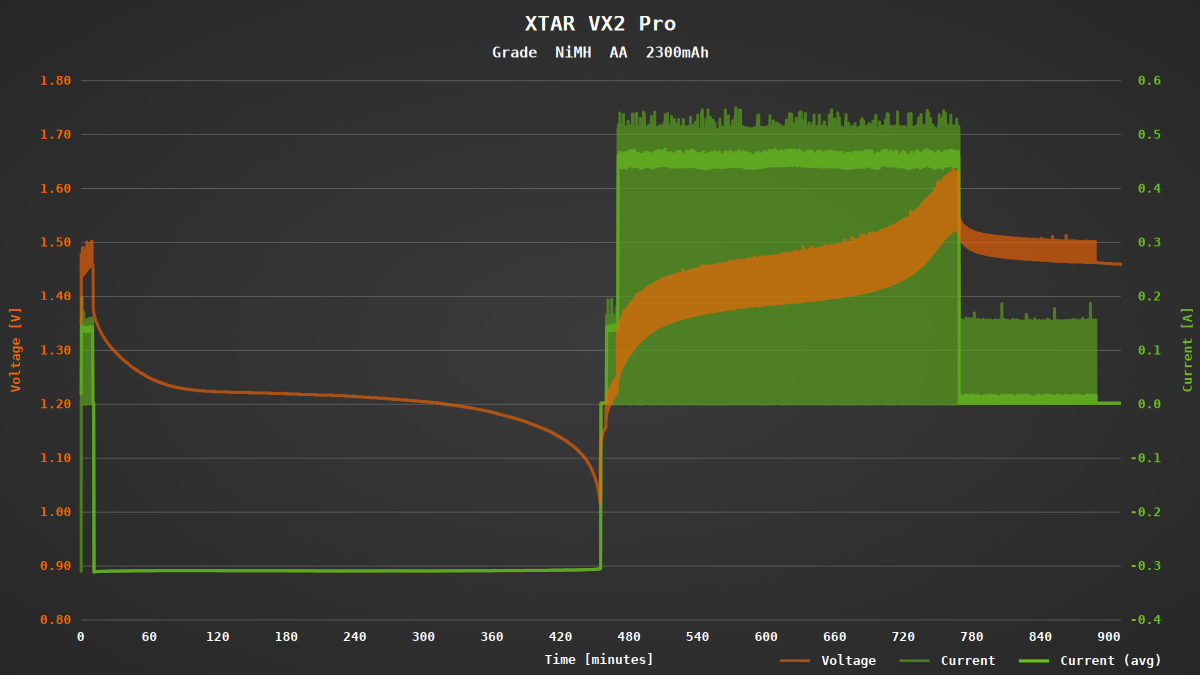
During capacity testing, the batteries are first fully charged and then discharged while their capacity is measured. Afterward, they are charged again so they’re ready for use. Finally, the measured capacity is displayed in both mAh and mWh on the screen.
Between the discharge and the subsequent charging process, there is a five-minute pause to allow the battery voltage to recover.
Due to the low discharge current, a full cycle in my test took over 15 hours. For large 21700 batteries with high capacity, the process can easily take twice as long.
Store
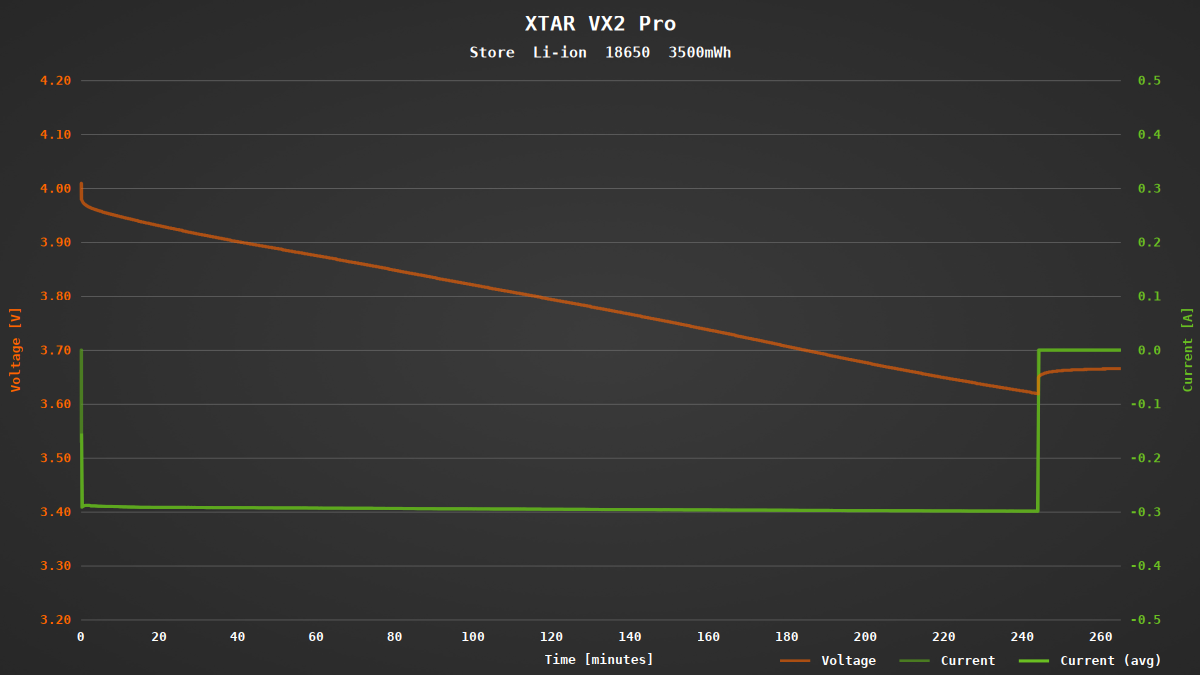
To maximize their lifespan, Li-ion batteries should be stored about half-charged in a cool place. The VX2 Pro’s storage mode brings the batteries to the optimal voltage by either charging or discharging them as needed.
Since NiMH batteries are best stored fully charged, I didn’t take a closer look at how the storage mode behaves with this battery type.
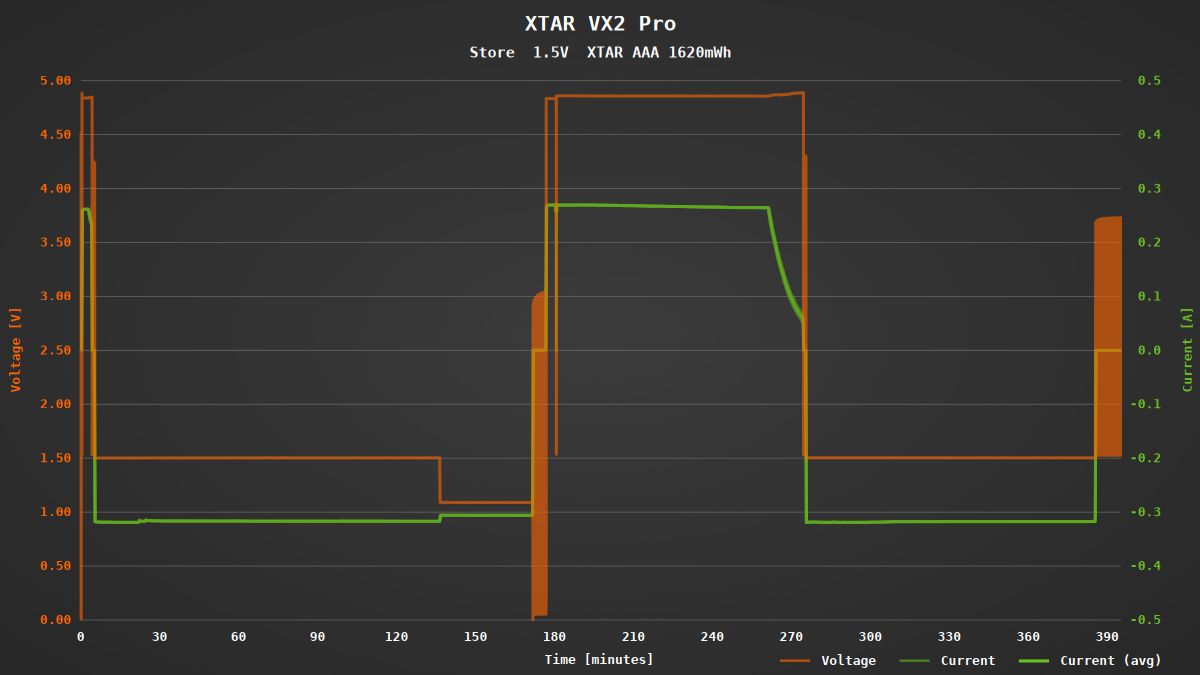
With 1.5 V Li-ion batteries, the challenge is that the actual cell voltage can’t be measured externally due to the built-in voltage regulator. The VX2 Pro handles this in a rather creative way: first, the battery is briefly charged, then fully discharged to measure its capacity. After that, it’s fully charged again, followed by a partial discharge to bring it to storage level. Unfortunately, this is a fairly time-consuming process.
Internal resistance (IR)
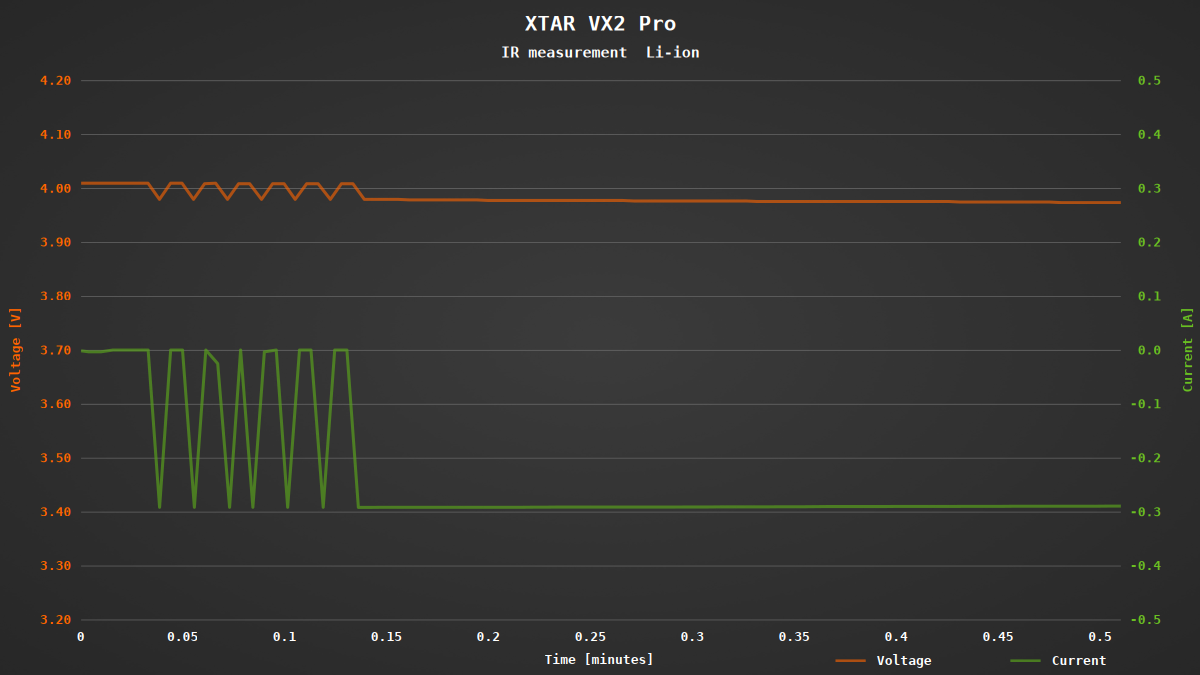
As an additional feature, the VX2 Pro offers the ability to measure the internal resistance of batteries. This not only helps determine the appropriate charging current automatically, but also provides insight into the overall health and condition of the battery.
After inserting a battery, it is discharged with six short pulses. The device calculates the internal resistance based on the resulting voltage drop. However, this method only provides approximate values, as contact resistance alone can cause significant deviations. For more accurate results, a more complex four-wire measurement would be necessary.
Conclusion
The XTAR VX2 Pro is an excellent multi-charger for Li-ion, NiMH, LiFePO₄ and 1.5 V Li-ion batteries. As a compact version of the VX4 with two charging slots, it takes up very little space and – thanks to its USB-C port – is perfect for travel.
Compared to the VX4, several improvements have been made: both the charging current and the mode can now be set individually for each slot. Additionally, the device offers modes for discharging, capacity measurement and a storage mode. The charging current can be manually adjusted in five steps from 250 mA to 3000 mA, with an automatic selection option available as well. NiMH batteries are always charged at 500 mA, regardless of the settings.
The biggest limitation, in my opinion, is the discharge current being limited to 300 mA. However, considering the device’s passive cooling and compact design, this is quite understandable.