I’m going to try that version again like you suggested.
ok
https://toykeeper.net/torches/fsm/anduril2/anduril.2021-12-13.emisar-d4v2.hex
worked second time around and all is well! Thanks for the assistance!
Awesome, glad you got it working.
Just did the K1 W2 green that arrived in the mail today. Awaiting nightfall lol
I’ve been playing with my K1 SBT90.2, comparing it with my K1 W1 Green. Its like a light saber vs a fat light saber  I know it serves me no useful purpose, but since I work at night, I take my break and go for a late night walk. I like to see how far I can light up some trees with them. Good times!
ok first flash yesterday and today running my own firmware with all my preferred default settings baked in. very cool!
I bought my light September of 2020. It’s a D4V2 with an XP-L HI V3, 5000k. I had hank install the KR4 driver in it. Have they released any updates for this combo? Anduril 2? I believe I have anduril 1 currently. I always get confused because of the driver.
Would it be noctigon kr4, kr4-219? Can I update from anduril 1 to 2 simply by updating? What’s the difference between no get, regular kr4 or kr4-219? I’m assuming kr4 due to driver installed and not flashlight model.
Emisar D4V2 Ti Quad 18650 High Power LED Flashlight w/ KR4 Driver
SWITCH BACK LIGHT TINT
Warm white
LED & Tint
Neutral White - XP-L HI V3 3A, 5000K
Anduril 1 and 2 are just like operating systems. You can switch at will if the hardware is supported, which it is. Anduril is updated a handful of times a year, but I wouldn’t bother flashing more than once a year with the latest unless you REALLY want one of the new features.
Most likely you would just use the standard KR4 target.
No-FET eliminates the FET channel for something like the E21 which can’t handle high current.
219C limits the FET to 60-80% as certain Nichias will fry with 100% FET.
I updated to Kr4 anduril 2 but get no turbo
Did you read the Anduril 2 manual? MANY functions have changed and there are loads of new options.
http://toykeeper.net/torches/fsm/anduril2/anduril-manual.txt
There is new behavior for turbo that can be set 3 different ways within the UI. By default 2C from on goes to the ramp top, to access turbo you must ramp to the top of the ramp, then double click.
Yes, thank you. I tried to get to the thread before someone replied lol. I was in “simple ui”
Thank you for the instruction.
Instead of using cmd commands in the first post, I successfully updated my D4v2 and KR4 using GUI version of AVRDUDE. I thought it was much more convenient, so I would like to share it.
Here is what I did.
1. Install Zadig (USB driver) as described in the first post.
2. Download portable AVRDUDESS 2.14 ( AVRDUDESS – A GUI for AVRDUDE | Zak’s Electronics Blog ~* ). Run avrdudess.exe and set the following options.
2-a. In “programmer” select USBasp.
2-b. In “Port” select usb
2-c. In “MCU” select ATtiny 1634
2-d. in “Flash” select your .hex file ( I downloaded my hex file from here: Index of /torches/fsm/anduril2 )
3. Place the pogo pins on the pads then hit “Detect” in MCU Panel. If the pins are properly placed, it will say it detected ATtiny1634.
4. Hit “Program!” if you get ATtiny1634 Detected message.

The whole process took about 13 seconds in my case. For me, the only hard part was to properly align 6 pogo pins, especially for KR4 because the pads were placed deeper into the tube. The less exposed pads made it hard for me to use high power magnification.
Also, I tried to read the original hex file and save it. However, it resulted in an error. After the error the programmer did not work properly for a while. I was able to use the programmer again after I reinstalled the driver and restarted the computer. I do not recommend you try to read the hex file unless you know what you are doing. I saw several instances where people had problems when they tried to read the hex file off their flashlight. When I tried reading hex file off of my flashlight, it was successful in reading the hex file, but it failed saving and displayed errors.
The above instruction on AVRDUDESS is modified version of the instruction by thefreeman ( WTS : Flashing adapters for Attiny1616 (Sofirn/Wurkkos) - #2 by thefreeman ). His instruction was for his flashing kit and I revised it a little for it to work with the flash kit from Hank. Thank you thefreeman!
Finally, I would also like to thank the OP for maintaining this thread.
Thankyou. As I wrote "This is a collaborative project, "
Oh neat thanks didn’t know they had a GUI for AVR tool.
Hello all! I’ve got an Emisar DW4 with boost driver upgrade.
Could somebody please confirm which include file I should use? [I’m guessing “cfg-emisar-d4v2.h”, but I don’t understand if the “nofet” version has anything to do with the boost driver upgrade]
Many thanks for any help you can give! Gord
The flashlight will tell you which config you need. Do a version check (15C). The last four digits are the model number. Then compare it with this list:
Perfect; many thanks!
Hi all,
I’ve had a D4V2 for a couple of years. Originally it came with anduril 1 and I successfully reflashed it using the android approach to anduril 2 last year. I just tried to update it to the latest version, and it is now just coming straight on with 2 LEDs constant on and rotating aux lights and the button does nothing. I tried to reflash my old file I used last year and still the same (pic below). I used the standard D4V2 hex file as this is what I successfully used last time.
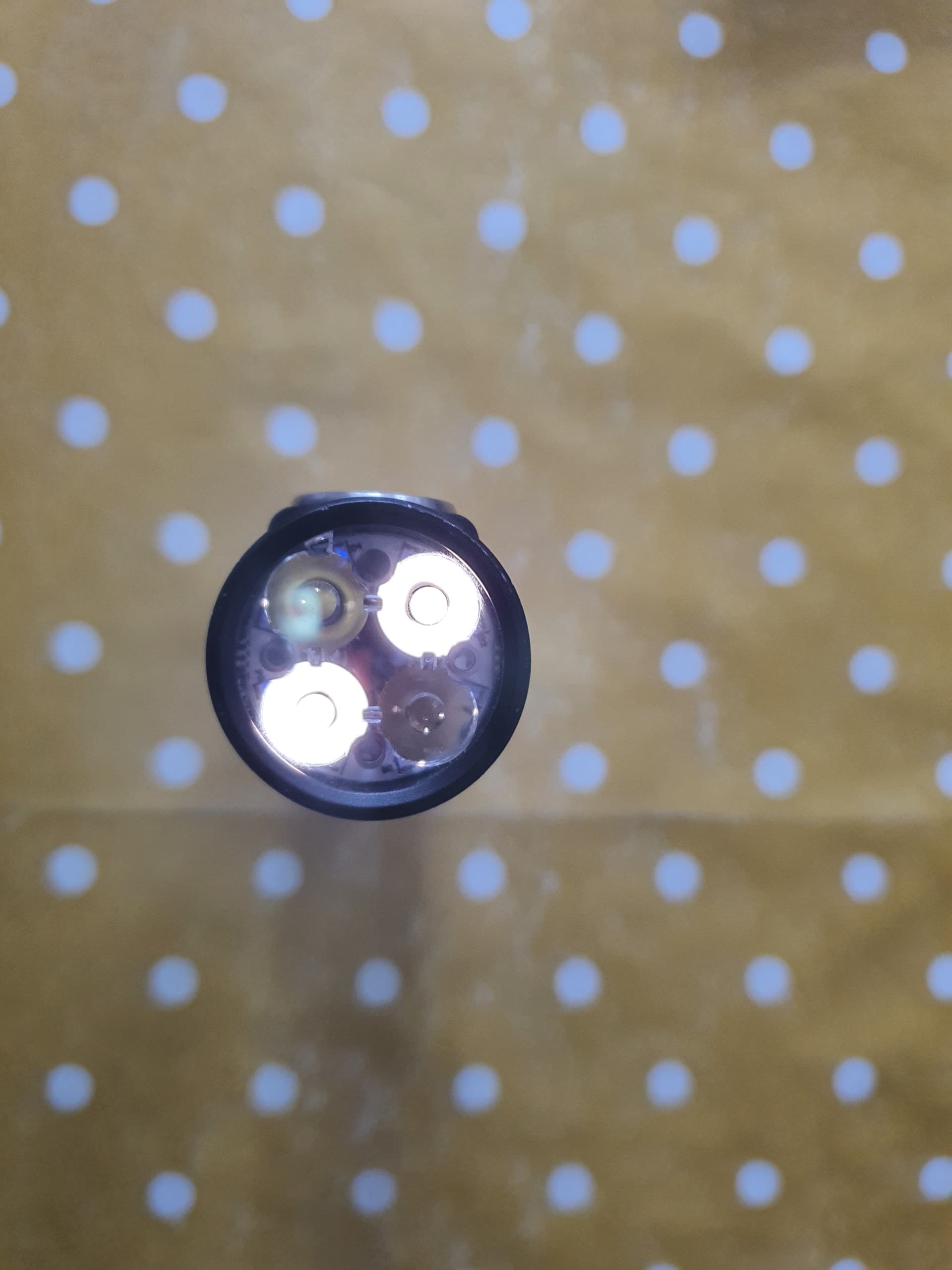
It is dual channel nichia 519a / sst 20 with the purple driver (see pic below). Anyone have any idea what’s gone wrong or if I’m using the wrong hex file?
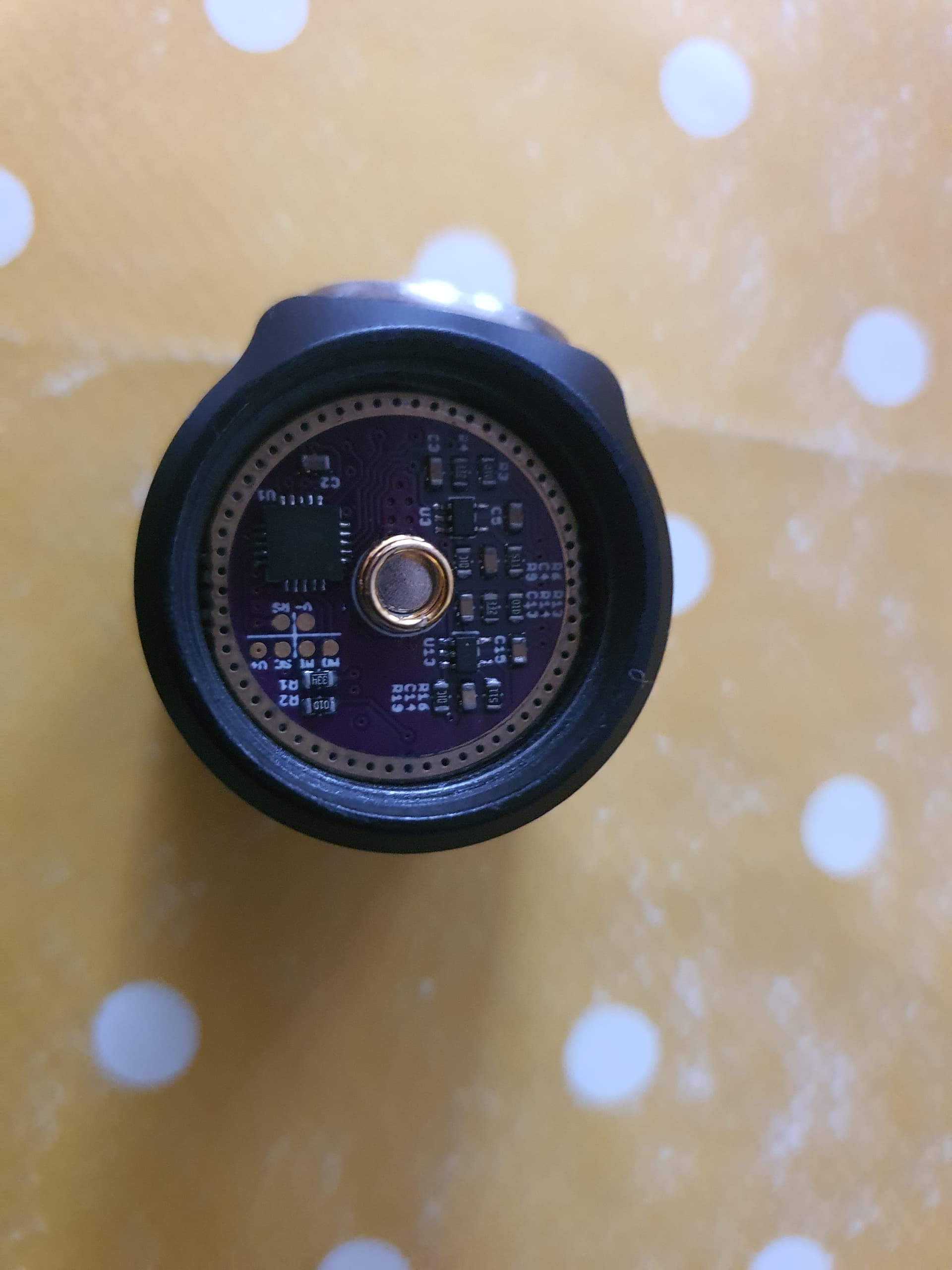
Edit: Yes I should have read the model number first  but I guess it’s too late now, after my easy first experience I guess I was overconfident!
Thank you!
Stephen