No, with Win 10, they are just delaying the pain until you want to install apps from the store. That’s when you still have to Google to find a work-around. :person_facepalming:
Ahum 
think you do know why they did and nderstand that if google, amazon, MS, Apple, Dropbox etc etc all cut it back you (or ok most people) are in need of a subscription, maybe not for the OS, but payment service, data service,specialistic software service etc etc.
There you go, you see it happen and still think it won’t fly because an OS would not be subscribed to? Maybe, probably, bot for a consumer it does not make a difference in terms of costs if the OS is free (Chrome OS, Win10) but other software has a monthly pay to it. My point is not OS subsription, no my point is subscription, it is what the industry wants for many many years and it is taking shape pretty fast.
I really don’t expect companies to provide me free cloud storage. Frankly, I’m surprised Google provides such a large amount for free.
I do expect the basic OS to remain a fixed cost, without any rental component. But the apps, and on-line services… why would they be free? In the past, we’ve always had to buy applications (on floppy discs, or CDs or DVDs). Buying the digital version of applications in the Windows store (or Apple store or Android store), is really no different.
I get that, really.
And it is totally understandable companies want to maximize profits and dependability helps with that
I just hate to be dependable on companies
ON a sidenote, this cracked me up just now:
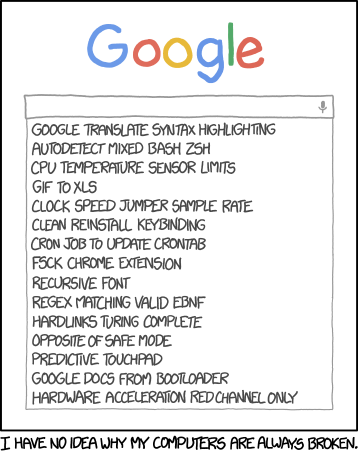
Somehow Windows 10 got scheduled to upgrade my computer in 2 days. I just canceled it.
I already know that some of the very important programs that I use constantly do not work with Windows 10. I have already cloned my boot drive and let the Windows 10 install take place, and what a mess!
BTW, a couple of years ago I found a guy on CraigsList selling brand new 250GB WD drives for $10 each. I bought all 10 he had for $90.
They have always come in handy, I clone boot drives and put them aside. I have clones of several computers with the free Windows 10 put aside for the future. When it comes time, I can then clone one to an SSD and then let the updates begin.
Your cloning software can successfully upgrade a HDD image to SSD? It’s not just a simple copy/paste like it is for HDD -> HDD or SSD -> SSD.
I have a Cirago dual bay hard drive docking station
However it is also a hardware based cloner
No computer connection is needed. Just put the drive you want cloned in slot 1 and the second drive in slot 2. Press the clone button and drive 1 is cloned. It is also very quick.
Here it is on Amazon, shop around you should be able to get it for less
No mention at either of those links about SSD. Like I said, HDD -> SSD is more than just a simple bit-by-bit copy. The SSD needs certain optimizations in order to function at its best.
All I can tell you is that it works for me. And my unit is at least 3-4 years old
OK, so you’ve cloned HDD -> SSD before! Great! Undocumented feature, I guess!
Now that I think about it, maybe not. All of my SSD’s are 240G. The extra drives that I have are 250G. So I have been cloning SSD to HDD. I may have cloned SSD to SSD, I don’t know.
BTW in the cloning process, the destination is supposed to be larger than the original, like 240 to 250.
Sometimes, if the drives are identical it works also. Sometimes not.
EDIT:
Yes, it is clear to me now. I have not yet cloned to an SSD. In order to do that I would need an SSD larger than 250GB. I was assuming that by the time I needed to do that, 256GB or 480GB drives would be the new sweet spot for price to size ratio.
Just make sure that you have already activated the Windows 10 upgrade on each machine (not hard disk) that you will eventually want to run Windows 10. Microsoft keeps a record of the machine it has upgraded to the free Windows 10. It probably bases the machine ID on MAC address or motherboard or something like that. I don’t think it cares about the hard drive at all.
If your machine isn’t activated, you won’t be able to run Windows 10 on it later, even if you put a cloned hard drive with Win10 into it.
Once you’ve activated Windows 10 on a machine, you can roll it back to Windows 7 or whatever. Microsoft keeps the record indefinitely, so you can upgrade it later, after the free period is over (this summer).
Many SSD’s come with software that allows you to clone your hard drive to the SDD, so you don’t have to reinstall anything. I think the software does a pretty good job at optimizing things. Of course, you still have all the junk accumulated on the drive, so there’s nothing like a complete reinstall of Windows to freshen things up. But, if you don’t want the hassle, a clone will work.
The only requirement is that your SDD has to be bigger than the used space on your HDD. It doesn’t have to be bigger than the entire HDD volumes. Cloning a 250GB HDD to a 240GB SDD should work fine, unless your HDD is 95% full.
Today I got another 240G SSD drive from Best Buy, PNY brand. I used my hardware cloner to make a perfect copy, SSD to SSD of my 240G OCZ boot drive. So it seems that the cloner can clone to SSD’s
What I did was first make a clone of my Windows 7 boot drive.
Then I let it upgrade to Windows 10. Even though I started with Windows 7 Pro, it upgraded to only Windows 10 HOME.
Once Windows 10 got activated and the serials from my machine got sent to Microsoft’s Cloud, I then did a fresh install from a Windows 10 disk I downloaded from Microsoft. After that install, my computer was activated because that machine was previously activated with the Win 10 update and it’s serials were in the cloud.
In other words, once a computer has been activated there is no need for serials because Microsoft knows that computer has previously been activated with a Win 10 install.
I’ve used Macrium Reflect to do my drive cloning… and being I work in IT, I do a lot of it.
I’ve gone straight from HDD to SSD… to get it onto a smaller destination volume, I’ve had to resize the partitions, or leave out the recovery or HP_tools partition…but it works.
Sometimes, the SSD wont boot on the host machine, you need to rebuild the MBR… Macrium has a rescue cd you create, boot from that with the cloned drive installed, and you can just use their “Fix Windows Boot Problems” option. It works.
Being in IT, I’m sure you understand, but for others, I’ll go ahead and say this. I looked up Macrium Reflect, and it does claim to be able to clone from HDD to SSD if you format the SSD correctly first, then copy at the files level rather than the raw image. At least that’s the way it read to me. So, still not automatic, but not too hard either.
I believe you are correct. Not hard, but maybe not automatic either. Just a “gotcha” to be aware of.
I used Macrium to make and image of my HD and then successfully moved it to an SSD. There are a couple tweaks you need to make in the settings for it to work, at least for me the 2x I did it. That’s not exhaustive use by any means but indicates it is possible.
Not somehow - they’re using a new trick, update window is hacked and clicking the ‘X’ means accepting the update. It’s basically a malware.

If you don’t want to update, don’t close the window but click “here” and cancel the update.
just works.
Nice. I know a couple of people that would have liked this option. But it’s too late now. Maybe this will help someone here.