Disclaimer: Banggood provided me with this flashlight free of charge. This had no influence on the review. All measurements were done with hobbyist equipment and may therefore contain errors or deviations.
Introduction
When Banggood offered this flashlight for a review, I was quite curious about what to expect. It suits my taste good, but can the light deliver on its promises? Hopes were high!
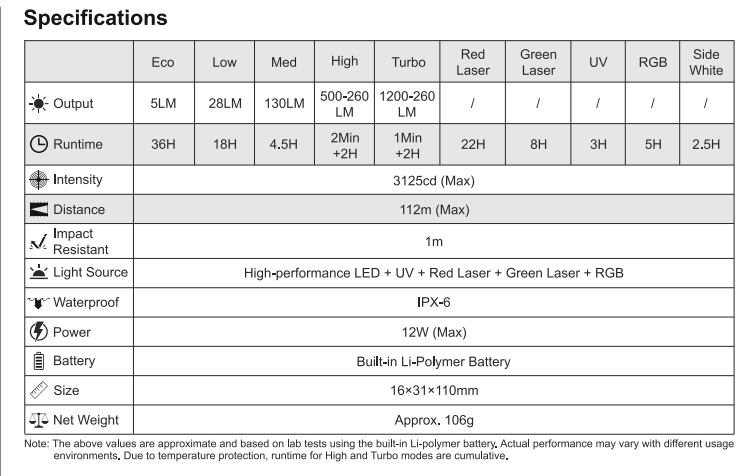
Specifications according to Lumintop / Banggood
You can find all details about the flashlight here:
Lumintop moonbox 3.0 1200lm 112m range multi-function smart flat edc flashlight led screen mini rgb atmosphere light 365nm uv light usb-c charging strong magnetic side working light for hiking camping outdoor emergency Sale - Banggood.com (no affiliate link)
Package Contents and Impressions
The light arrives in a rather small, simple white box with a turquoise accent. The Moonbox rests in a white plastic tray. Underneath, you will find a lanyard, a USB-A to USB-C cable, and a multilingual manual.
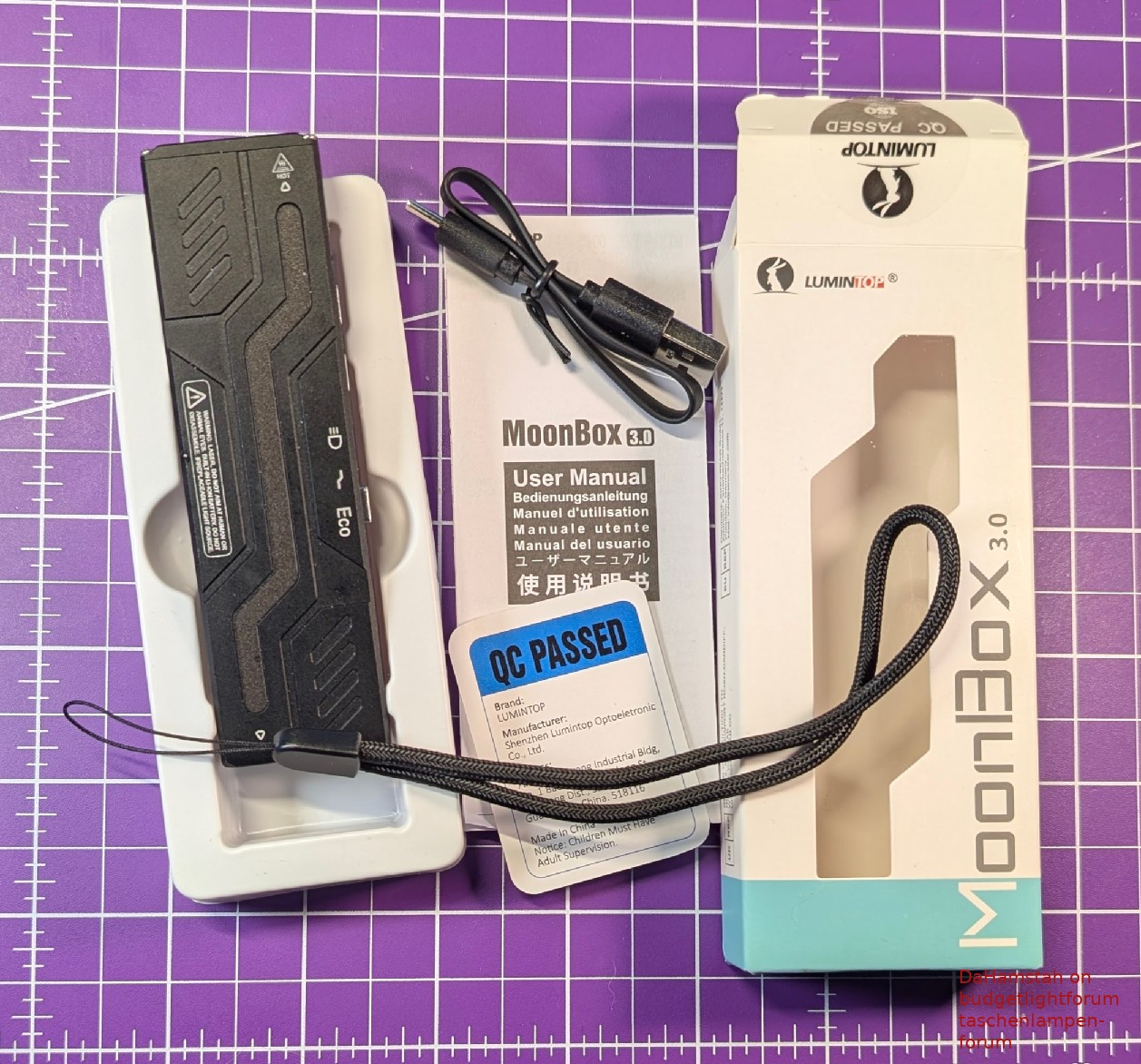
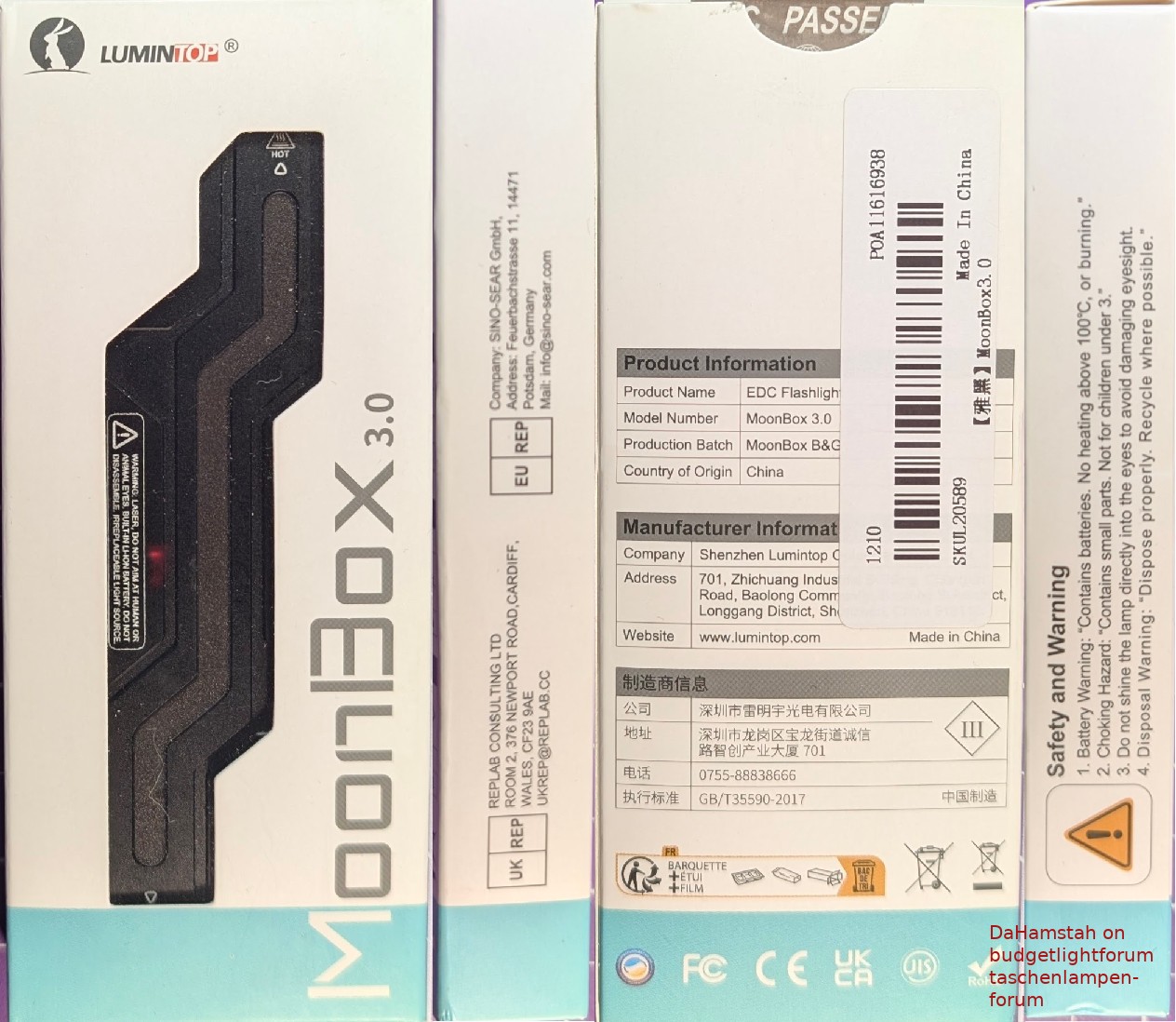
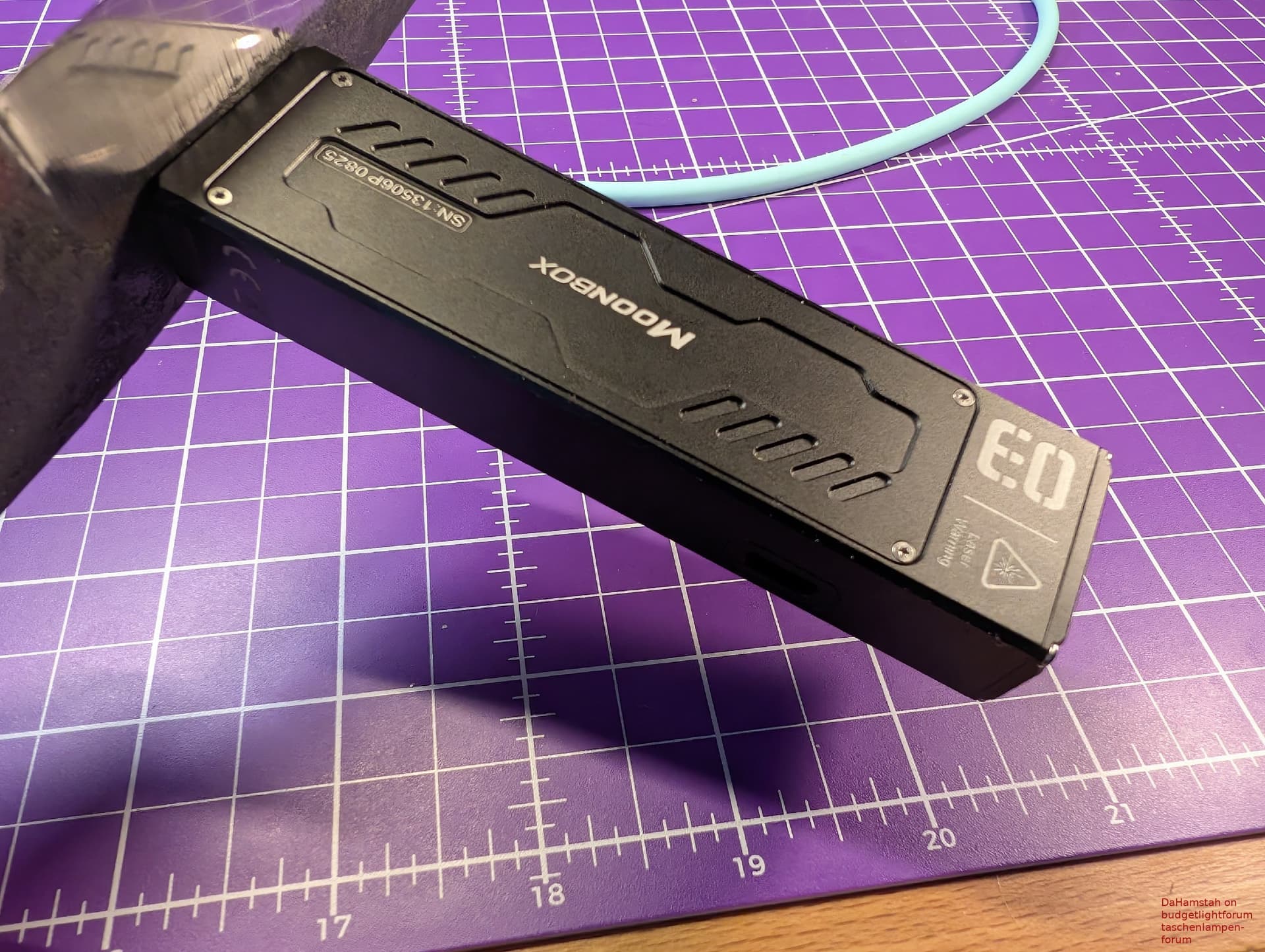
Once you have freed the Moonbox from the packaging, you immediately know why it has “Box” in its name. The light is a rectangular cuboid. A… box. No curves, but also no sharp edges, as they are all cleanly chamfered. Despite the unusual shape, the light feels great in the hand.
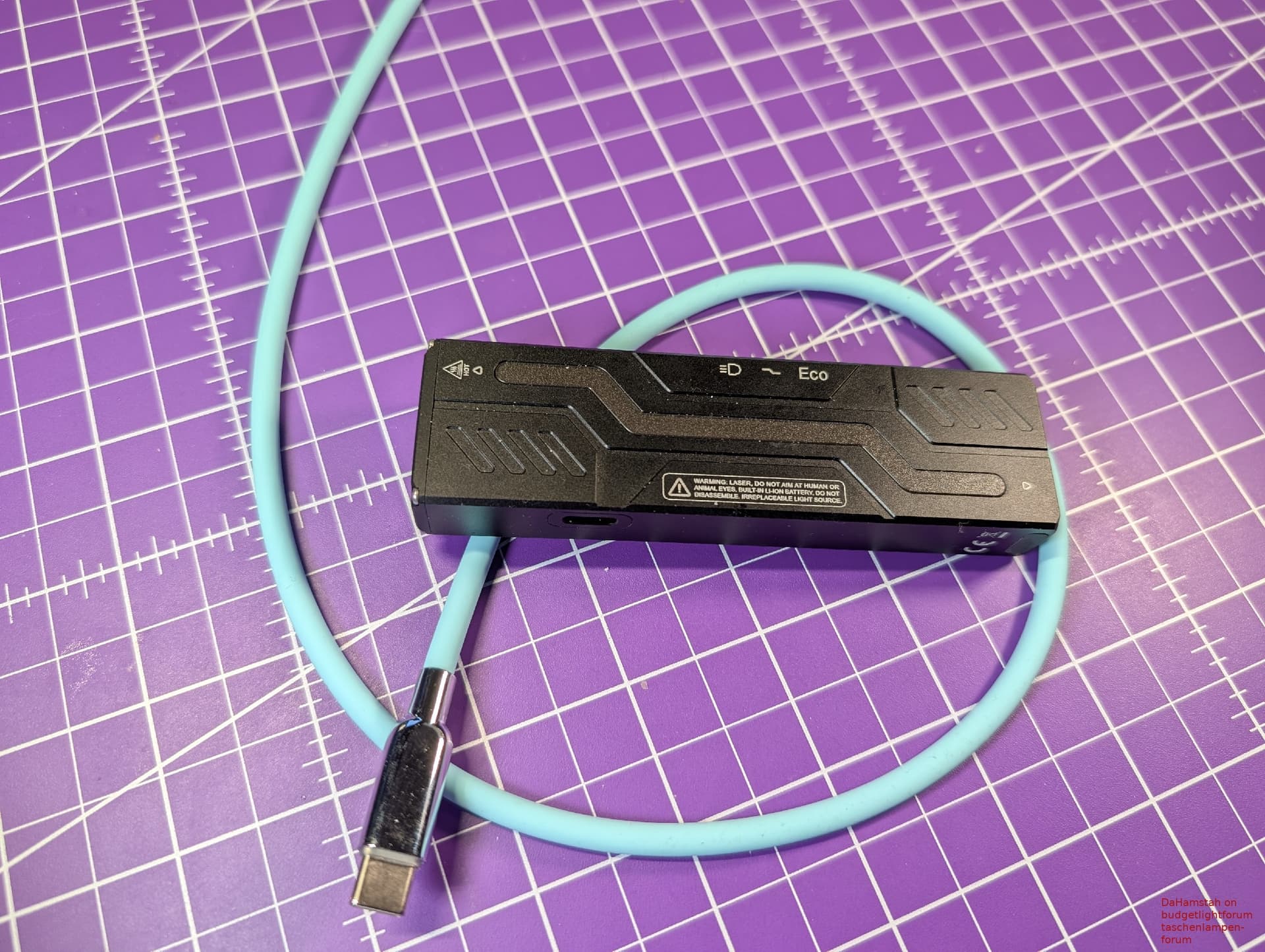
My version is black (there are multiple colors available), the anodization is flawless and satin-finished with a good grip. Thanks to the many indentations, the light is not only quite grippy overall but also looks very high-quality. The buttons have a good pressure point and the slider clicks cleanly into every position and is firm enough to prevent accidental adjustment. Lumintop definitely put effort into a nice appearance. This is complemented by the clean laser engravings, the nicely screwed bezel and the perfectly fitted display and side light.
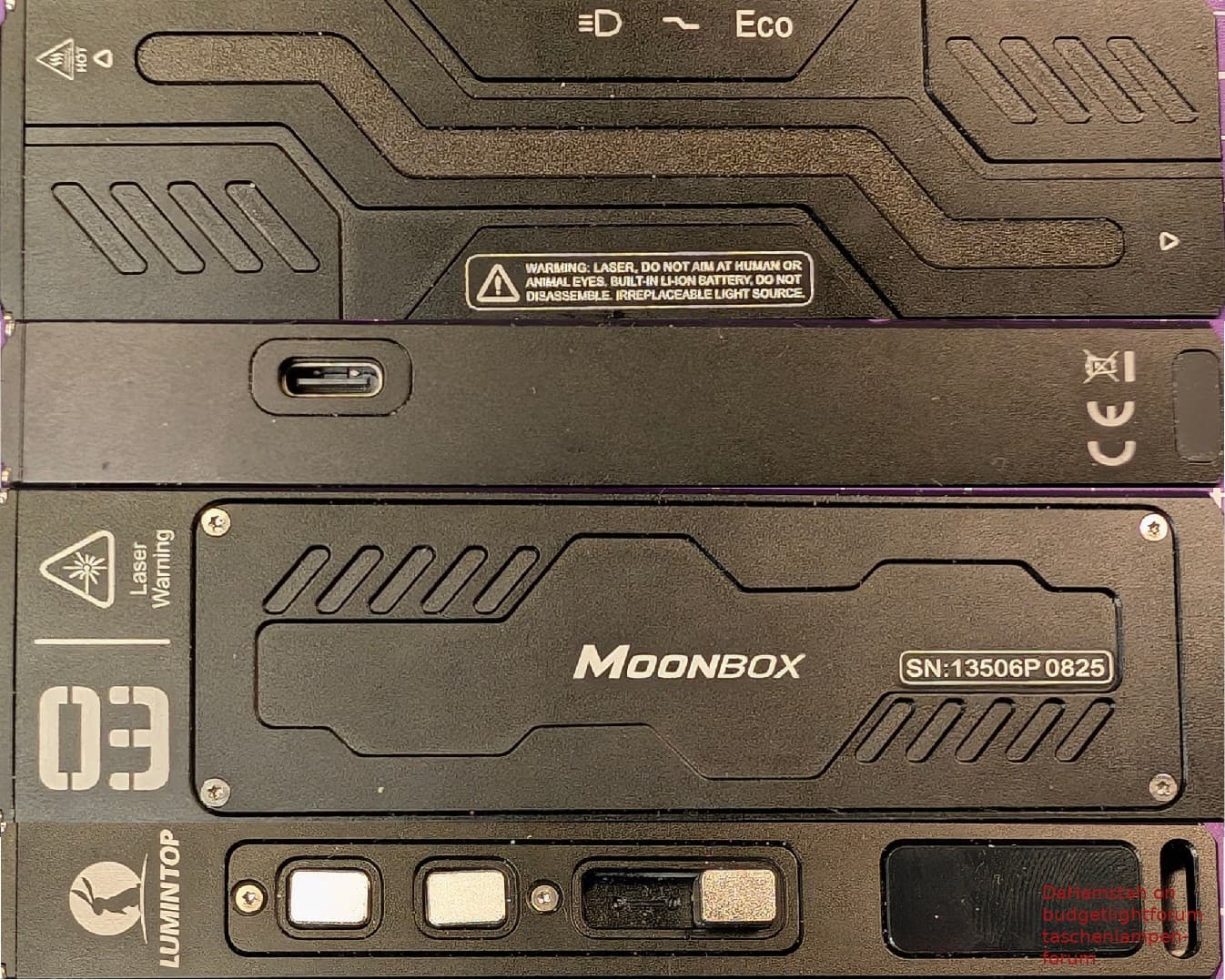
However, I have to mention two minor things:
The buttons have some lateral play and are therefore sometimes not perfectly lined up to the edges of the housing and on my unit, there is a glue residue under the side light, though it is only really visible at a relatively sharp angle.
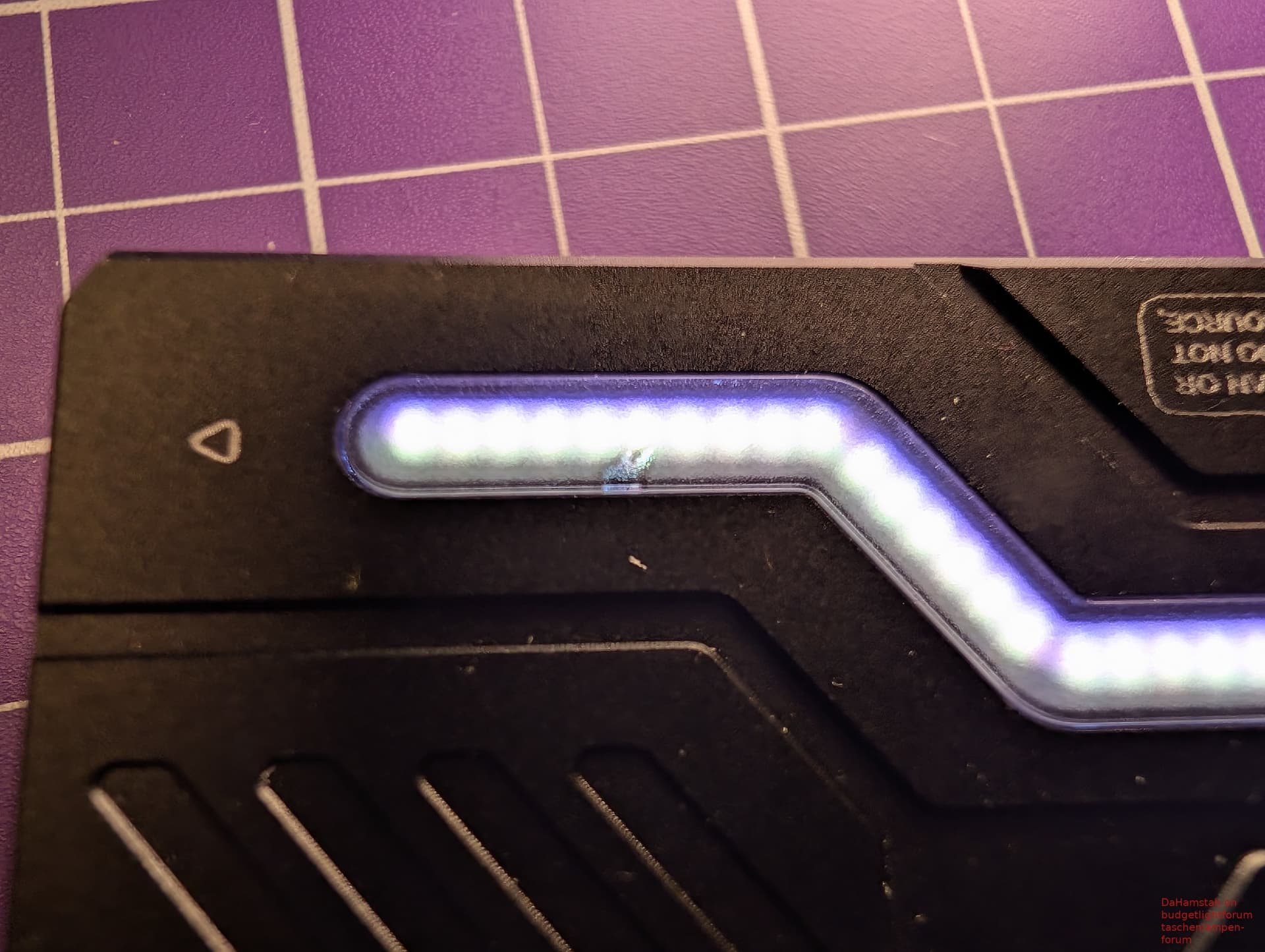
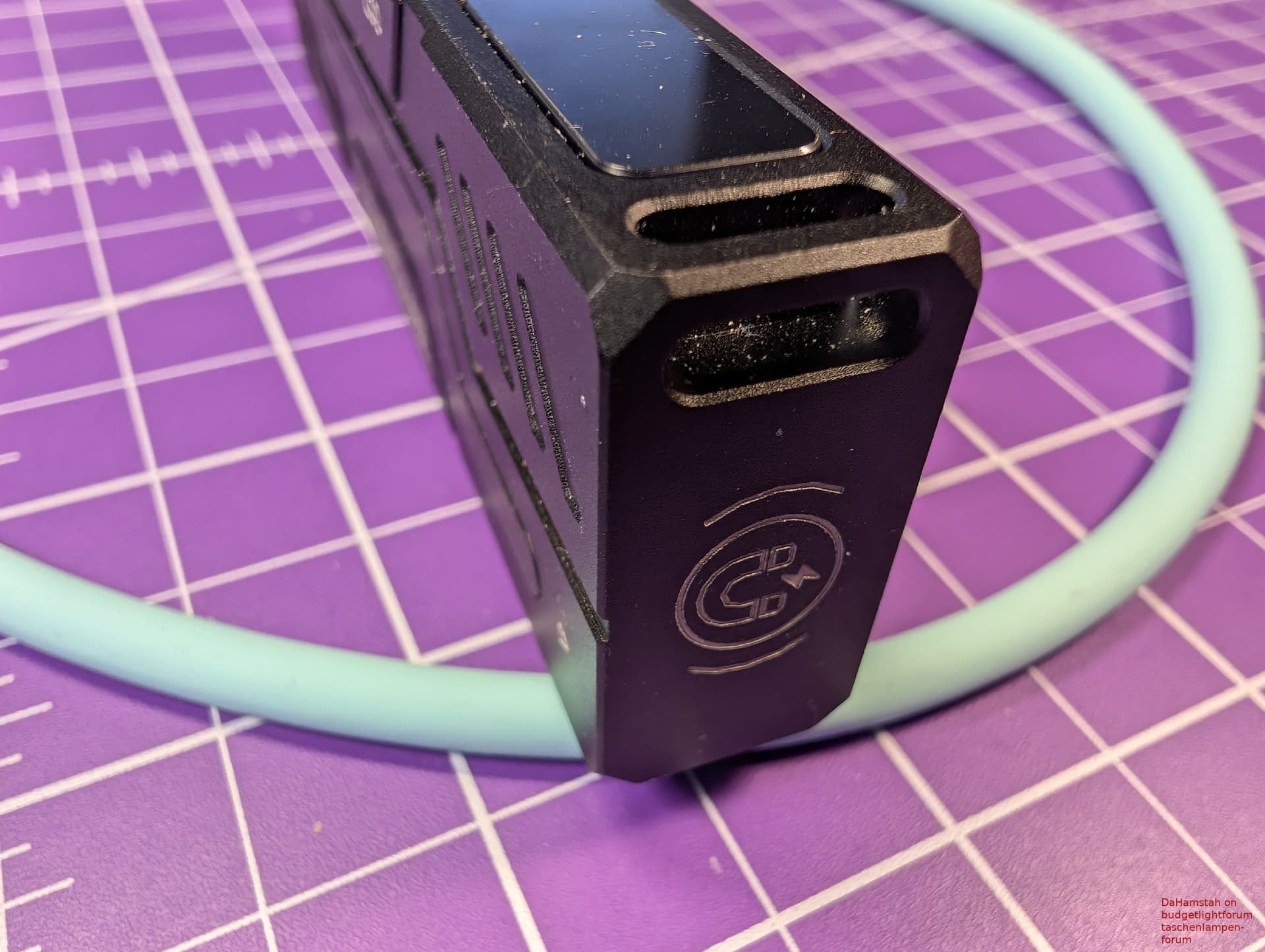
Looking at the front end of the light, you see a purple-coated glass. Underneath, there is quite a lot going on. You’ll find the main light, a UV light, a green laser and because one laser isn’t enough, a red laser as well.
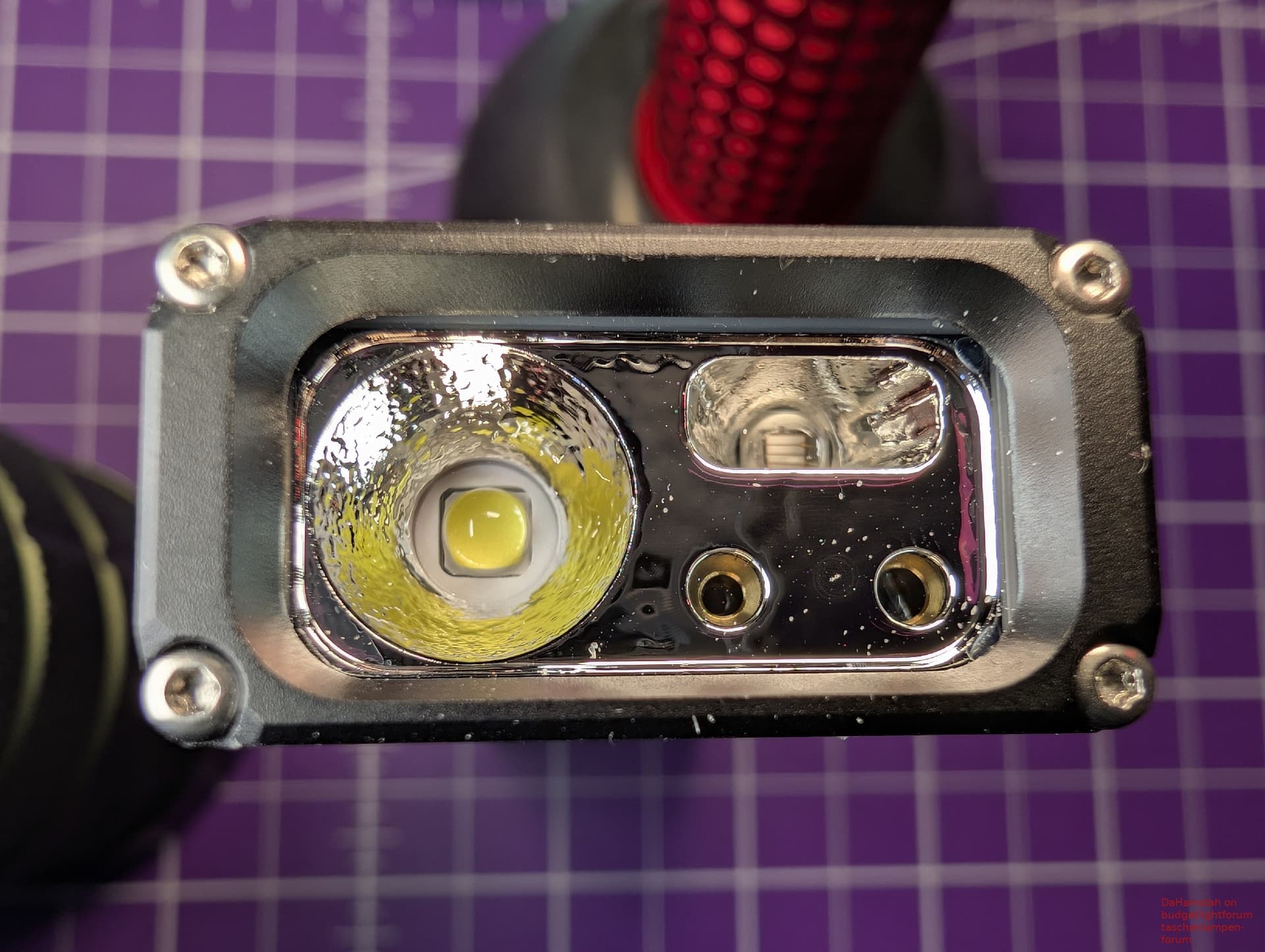
On one of the wide sides, there is the RGB light, on the other, there is a screwed-in cover. Of course, there is also a USB-C port, without a cover. This doesn’t bother me as it works for phones, too. According to Lumintop, the battery is a 1500mAh LiPo. During charging, the charge status is nicely animated on the side light.
There is certainly a lot going on with this little light!
Size
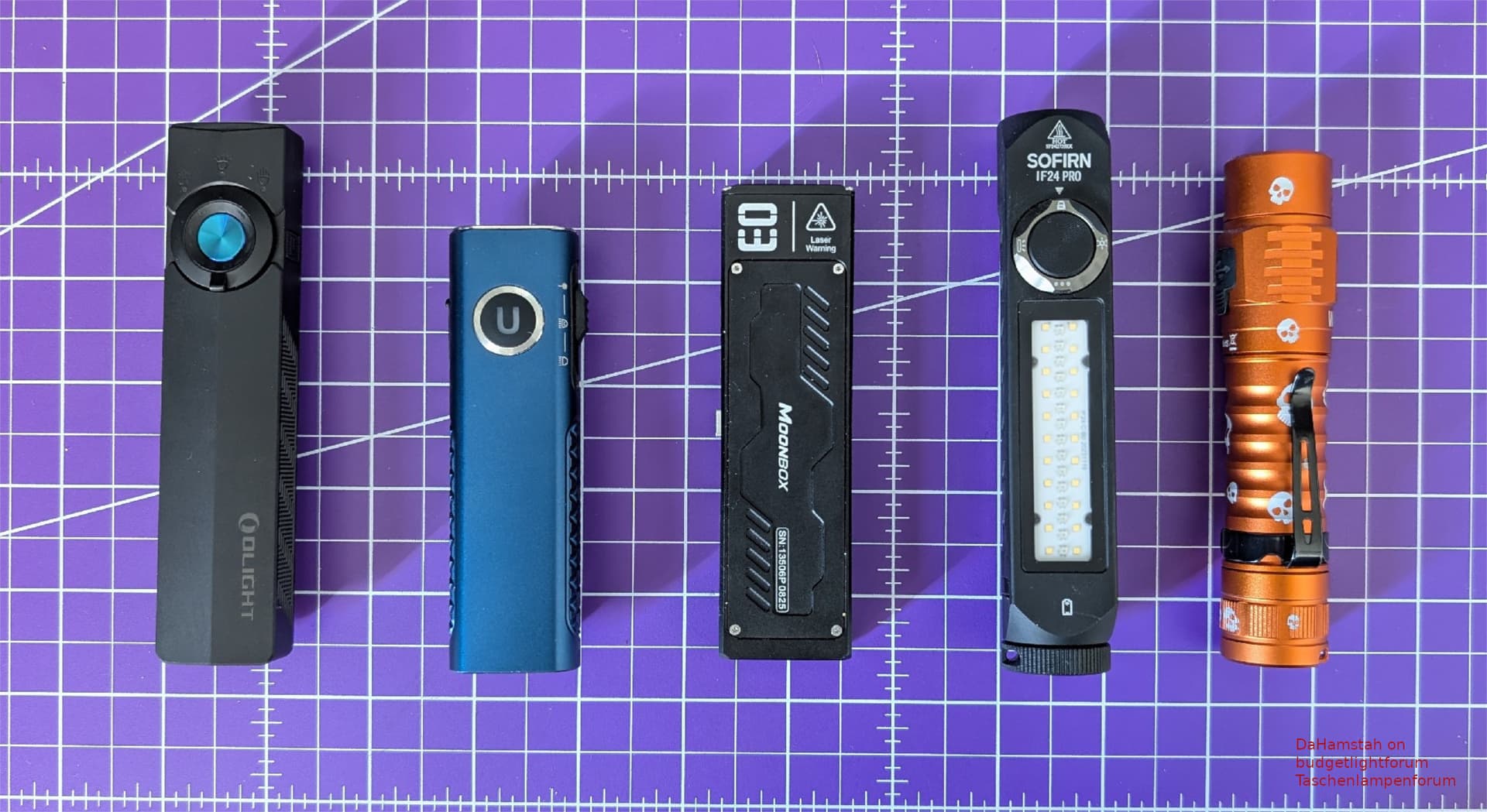
Olight Arcpro, Trustfire X3 Mini, Lumintop Moonbox 3.0, Sofirn IF24 Pro, Wurkkos FC11C
My scale showed a lean 107g for the light.
The dimensions according to my calipers are 11 x 1.62 x 3.1 cm.
Carrying and Attachment Options
- Lanyard: A simple lanyard is included. There is a large lanyard eyelet next to the display.
- Clip: The light comes without a clip, and there is no way to attach one. On one hand, that’s a shame, on the other hand, the light is so slim that it can be carried in a pocket as is. Visually it’s cleaner this way and I think implementing a nice clip would be rather difficult. Still, it would be practical for pocket carry.
- Magnet: There is a rather strong magnet at the end of the light.
- Pocket carry: In a pocket, the light is nearly unnoticable due to its slim silhouette and chamfered edges, both in trouser and jacket pockets.
UI (Operation)
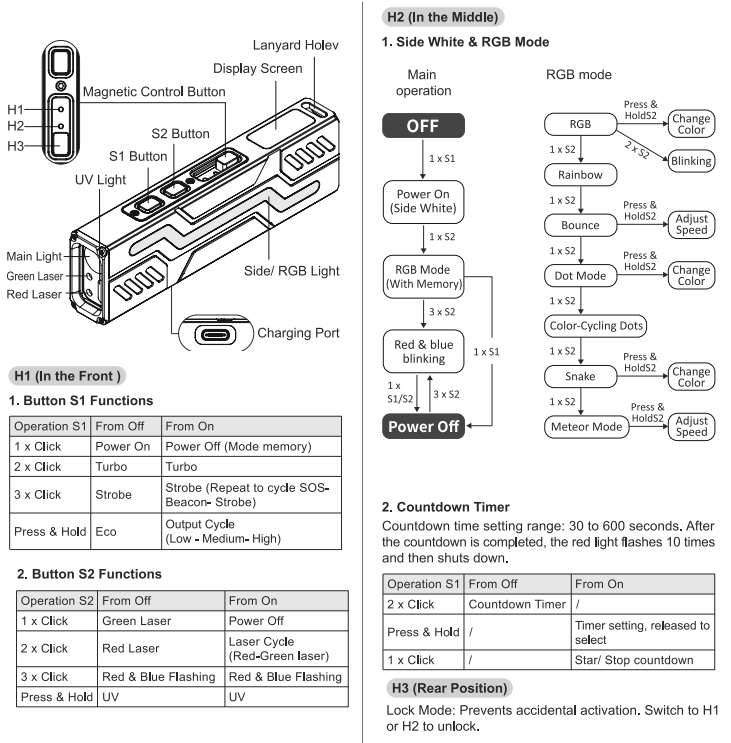
The UI is surprisingly simple and largely intuitive:
- If the slide switch is set toward the magnet, the light is locked. Pressing the button closer to the slider only turns the display on briefly, pressing and holding the other button (closer to the front) activates Momentary Eco.
- In the middle position of the slider, the front button activates the white side light. From there, the rear button switches to RGB mode. A click on the front button turns the light off, holding it changes the color or speed, depending on the mode. A click on the rear button cycles to the next mode. In any state, a triple-click on the rear button triggers the Police Strobe.
- The Timer: Double-click the front button from off. Hold to set the time (30, 60, 120, 180, 300, and 600 seconds are available). A click on the back button jumps back to 30s, and a click on the front starts the timer. The side light and the display then count down nicely. At the end of the timer, the light flashes red.
- If the slide switch is set toward the head, the front button controls the white light with a “Standard UI”:
- Click for On/Off (with memory).
- Hold from Off for Eco.
- Hold from On for mode change (E-L-M-H-E…).
- Double-click from Off or On for Turbo.
- Triple-click for Strobe (each further triple-click cycles through Strobe - SOS - Beacon).
The rear button controls the lasers and UV:
- From Off: Click for green laser, double-click for red laser, hold for UV, triple-click for Police Strobe.
- From On: Click for Off, double-click to switch between lasers, hold to switch to UV, triple-click for Police Strobe.
Many things can be combined. Police Strobe can be switched on independently of everything else but cannot be switched off separately, that only works by a click on the rear button, which then also switches off the laser/UV. White light can be combined with either of the two lasers and the laser color can be toggled. White and laser can be controlled completely independently. UV can only be combined with Police Strobe.
It might sound a bit complicated, but except for the timer, I figured out all functions without the manual during the first five minutes while playing with the light, so it is quite intuitive.
Beam Profile and Measurements
Do you have to make sacrifices in performance for a light that packs so many features?
A clear: It depends. Anyone expecting perfect regulation or high continuous output will likely be disappointed. However, considering it is a small, relatively light flashlight with many functions, it quickly becomes clear that there has to be a limit somewhere.
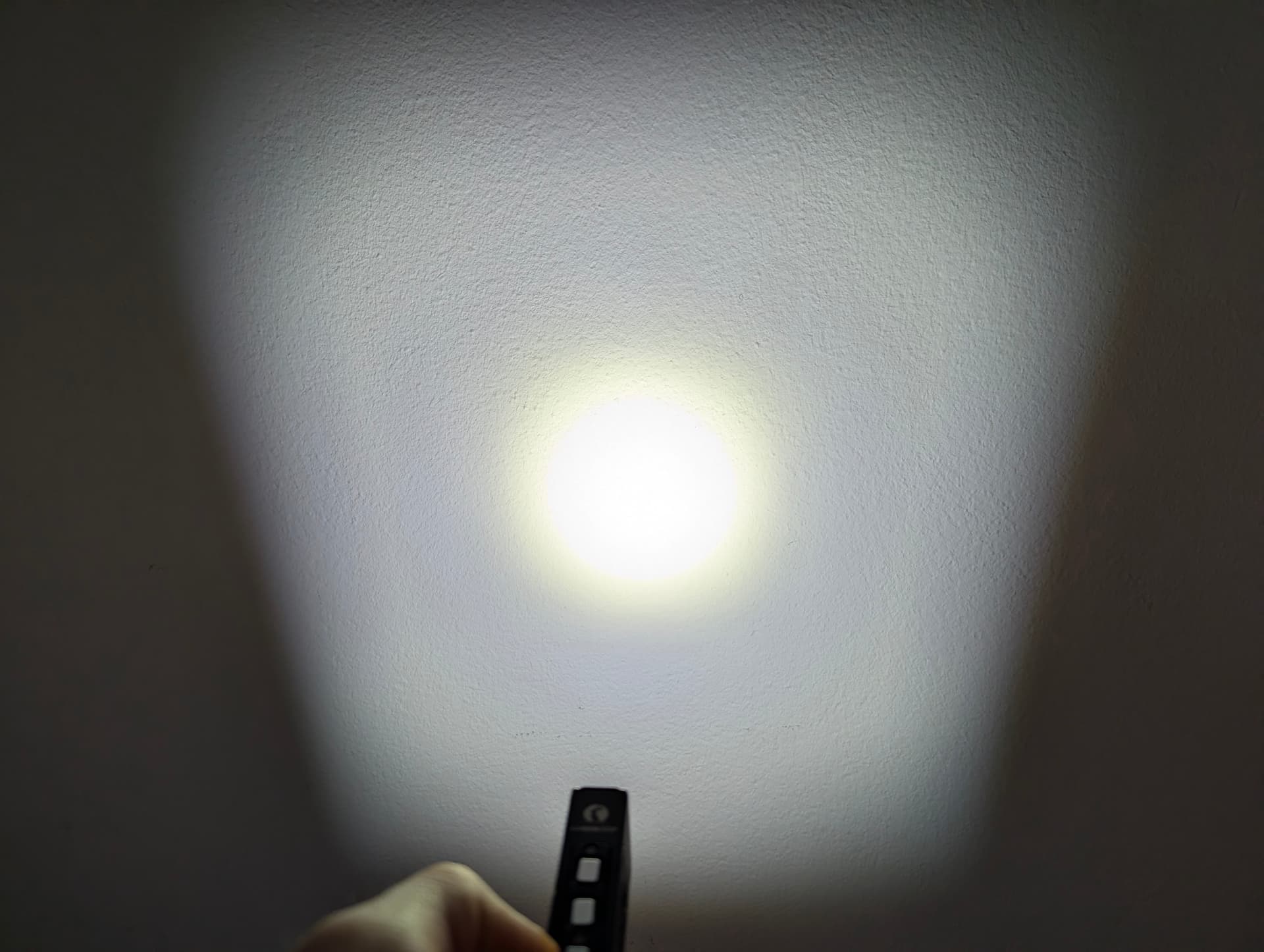
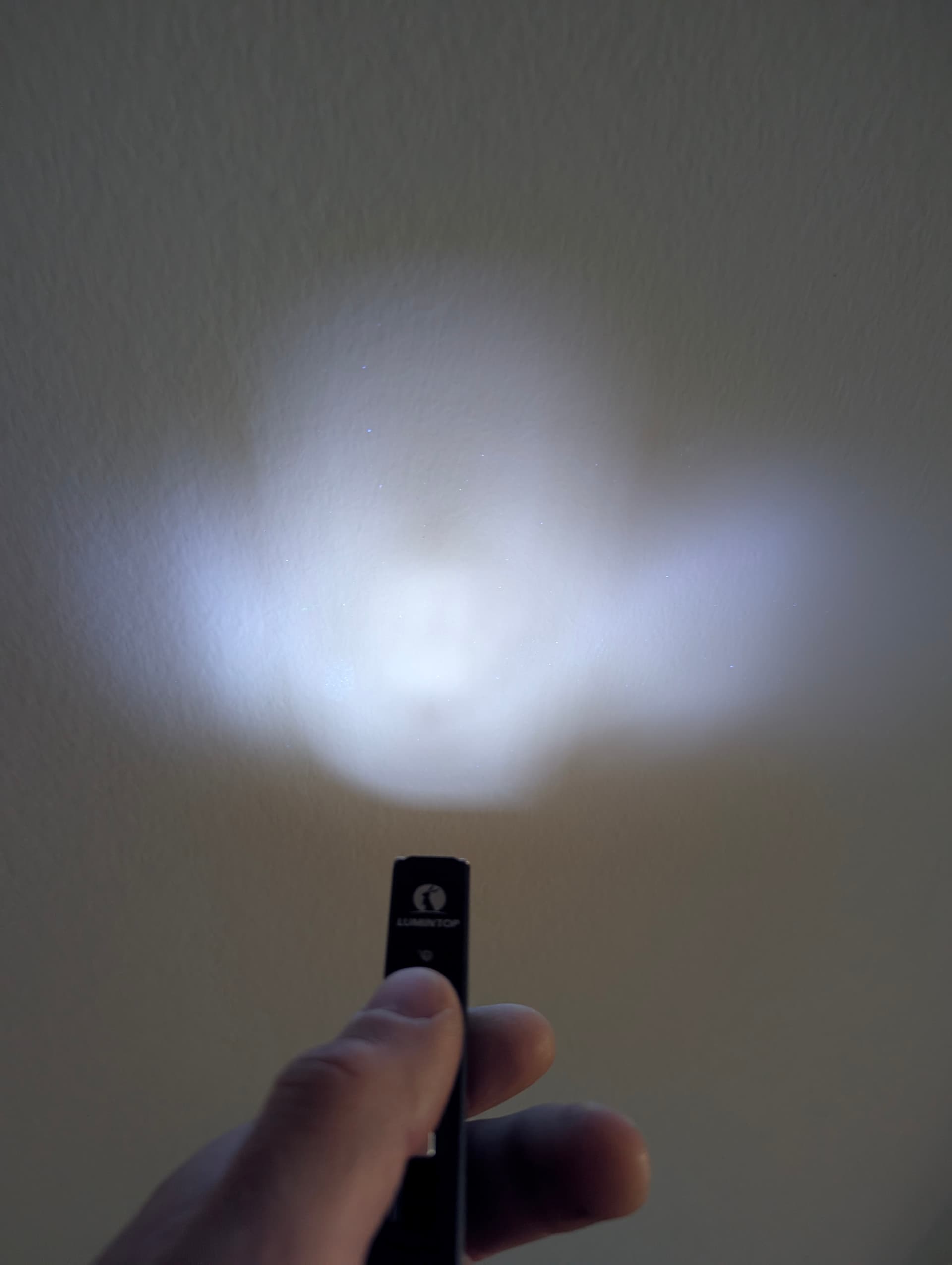
This is not the case with the beam pattern, which is good, at least for the white light. The spill is cut off squarely, but that never bothered me. Otherwise, there is a large spot that is slightly warmer than the surrounding spill. The transition is soft, and there are almost no artifacts. If you want to be precise, there is a faint ring in the spill, but you only really see it on a white wall. It wasn’t visible to me on my purple desk mat or the black wall.
The UV light looks quite uneven and wild at close range. After a few decimeters, however, this is no longer noticeable and it works perfectly.
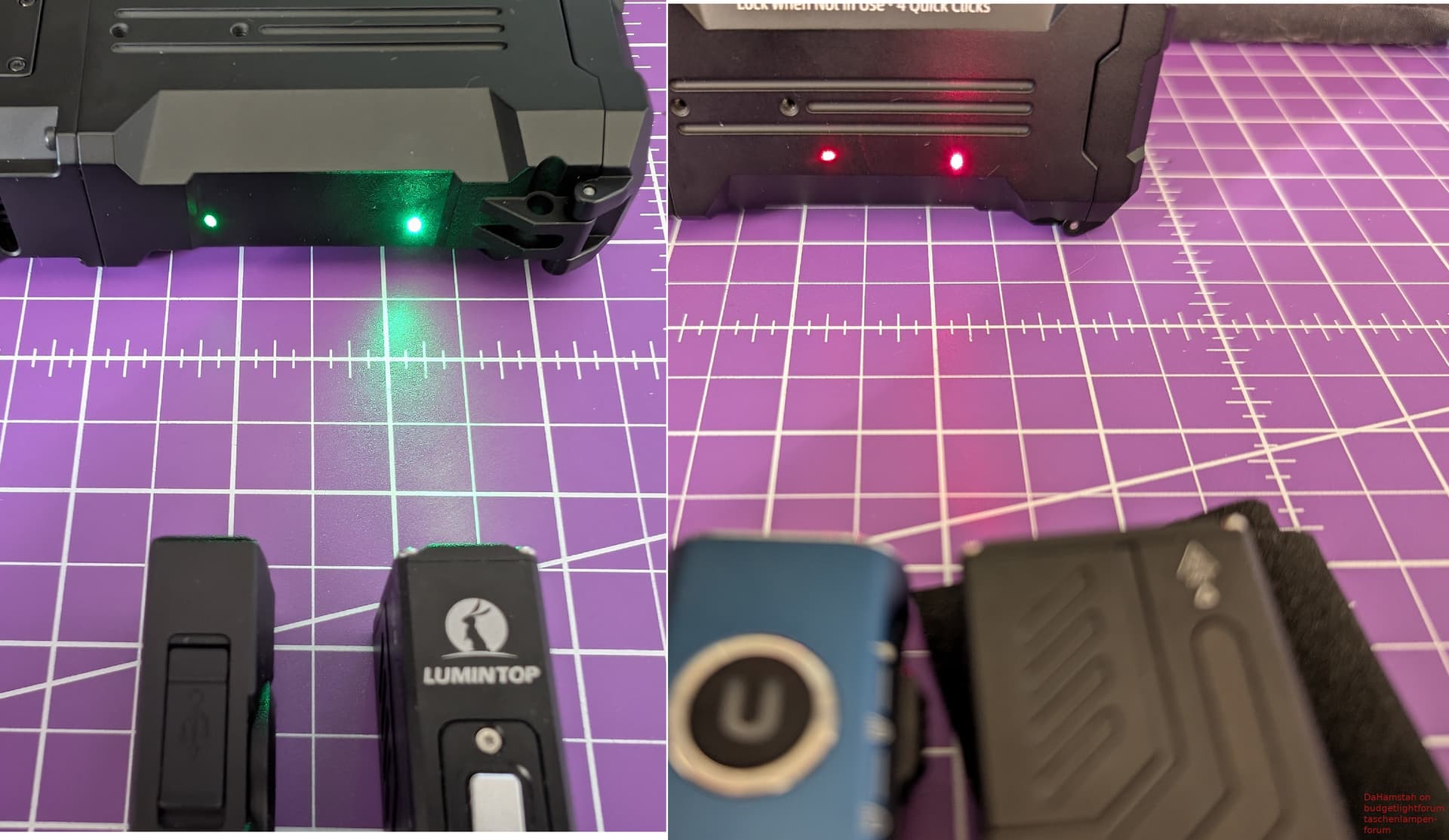
The lasers are both flawless and quite powerful. The green one, in particular - it clearly beats the Olight Acrpro. The red one is slightly brighter than that of the Ultrafire Mini X3. Both can be easily spotted over 20-30m even during the day, the green one significantly further than the red.
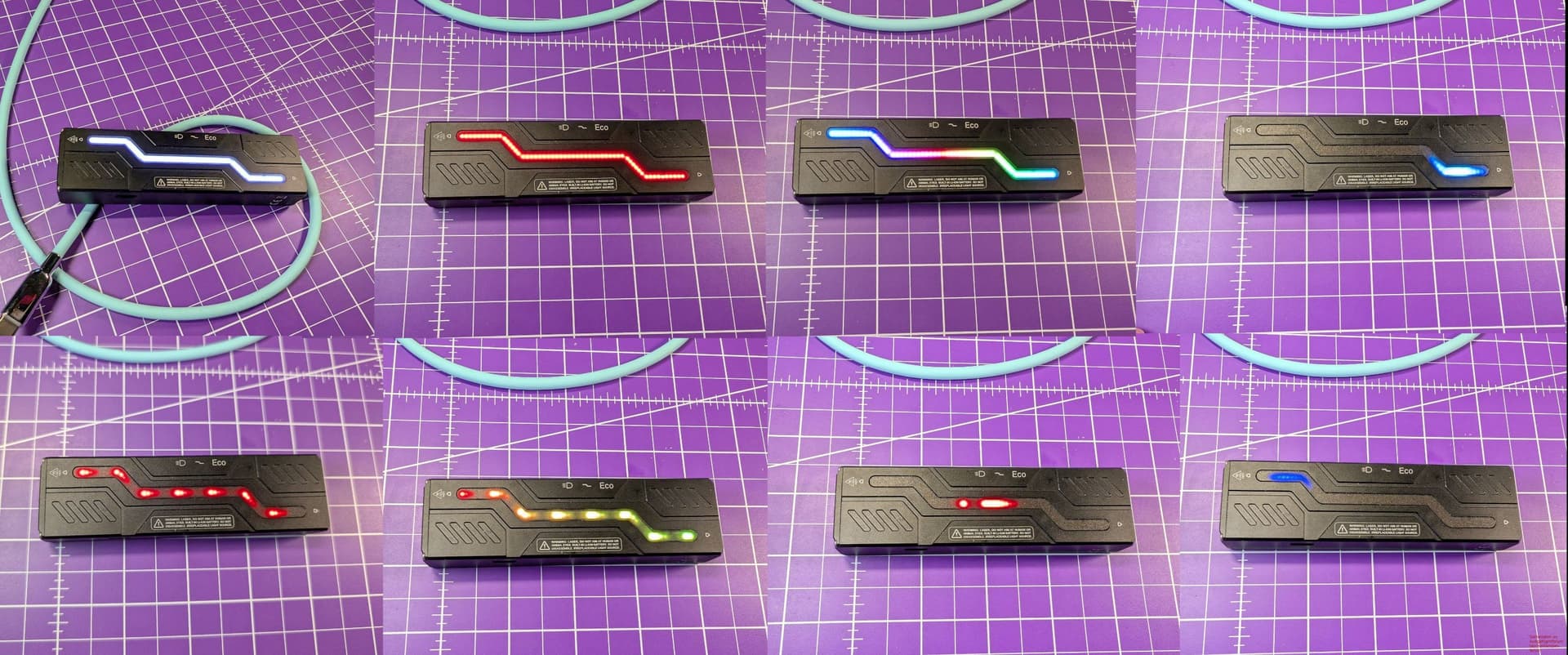
The side light is purely an ambient/mood light. The “white” is an RGB mix, my Lightmaster doesn’t provide CRI or CCT for it. It can be described as cool white and under 5 lumens. Unfortunately, I cannot measure the output with my setup. The RGB functions are nicely done, highly adjustable, and I really like them.
Lumintop specifies 1200 lumens for the light and my sample fulfills that promise, and with 1150 lumens after 30s, the light is still well within my measurement tolerance according to ANSI. After one minute, the Moonbox steps down fairly quickly to approx. 300 lumens and then slowly drops further to 175. After that, it descends a bit faster until the light continues to shine at 1-3 lumens. My measurement ends at 3 lumens, after which the light continues to run for a good while.
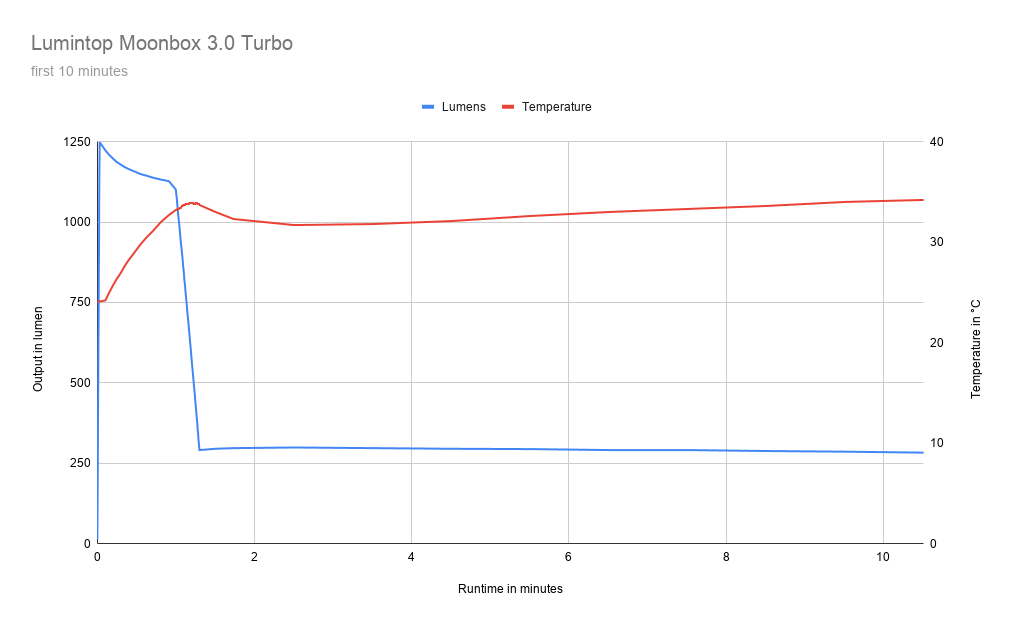
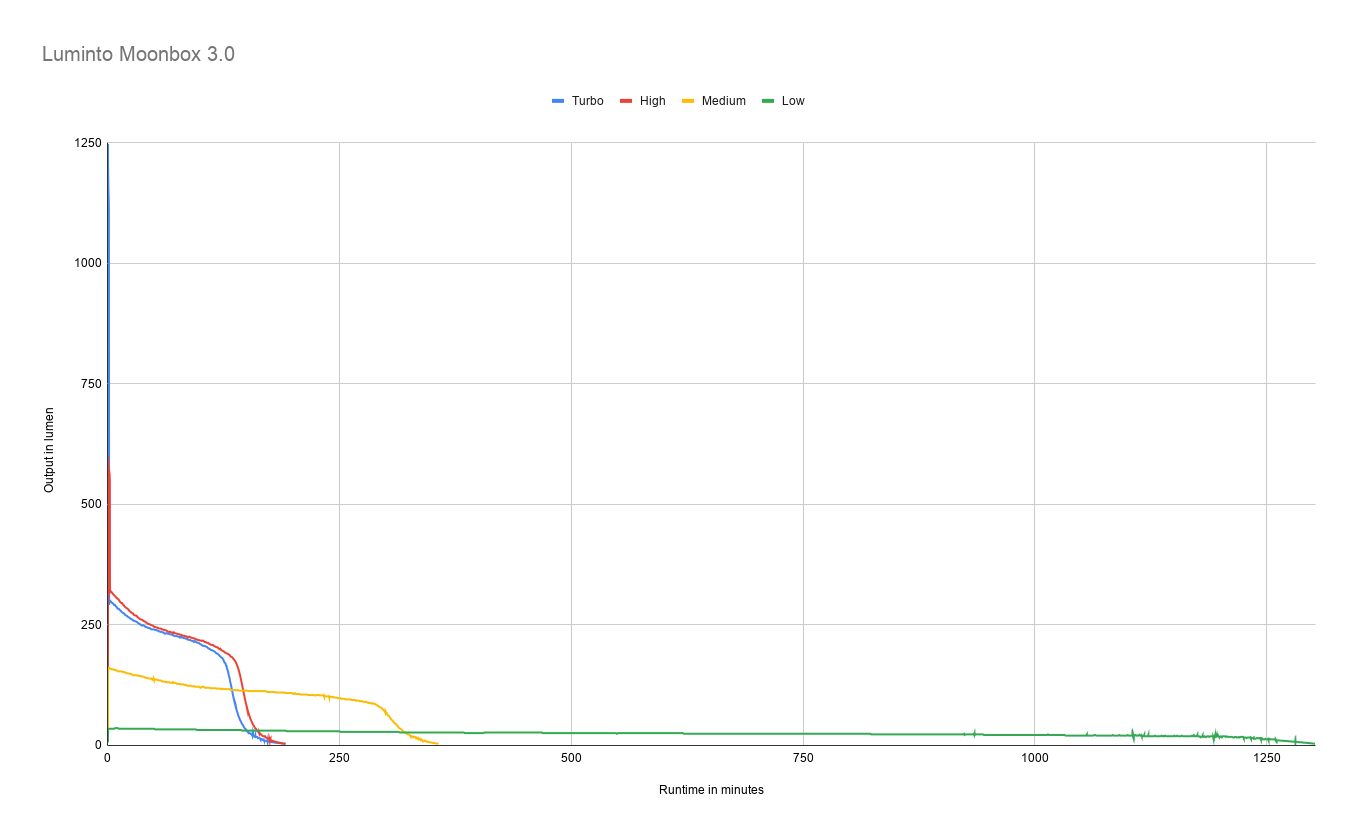
Below are Lumintop’s specifications compared to my measured values:
| Eco | Low | Mid | High | Turbo (30s) | |
|---|---|---|---|---|---|
| Lumintop Specs | 5 | 28 | 130 | 500 | 1200-260 |
| My Measurements | 5 | 33 | 160 | 580 | 1250 (1150) |
- CCT is approx. 5500K across all levels.
- CRI is 68.
- DUV is 0.009 across all levels, but the tint appears more yellowish than greenish.
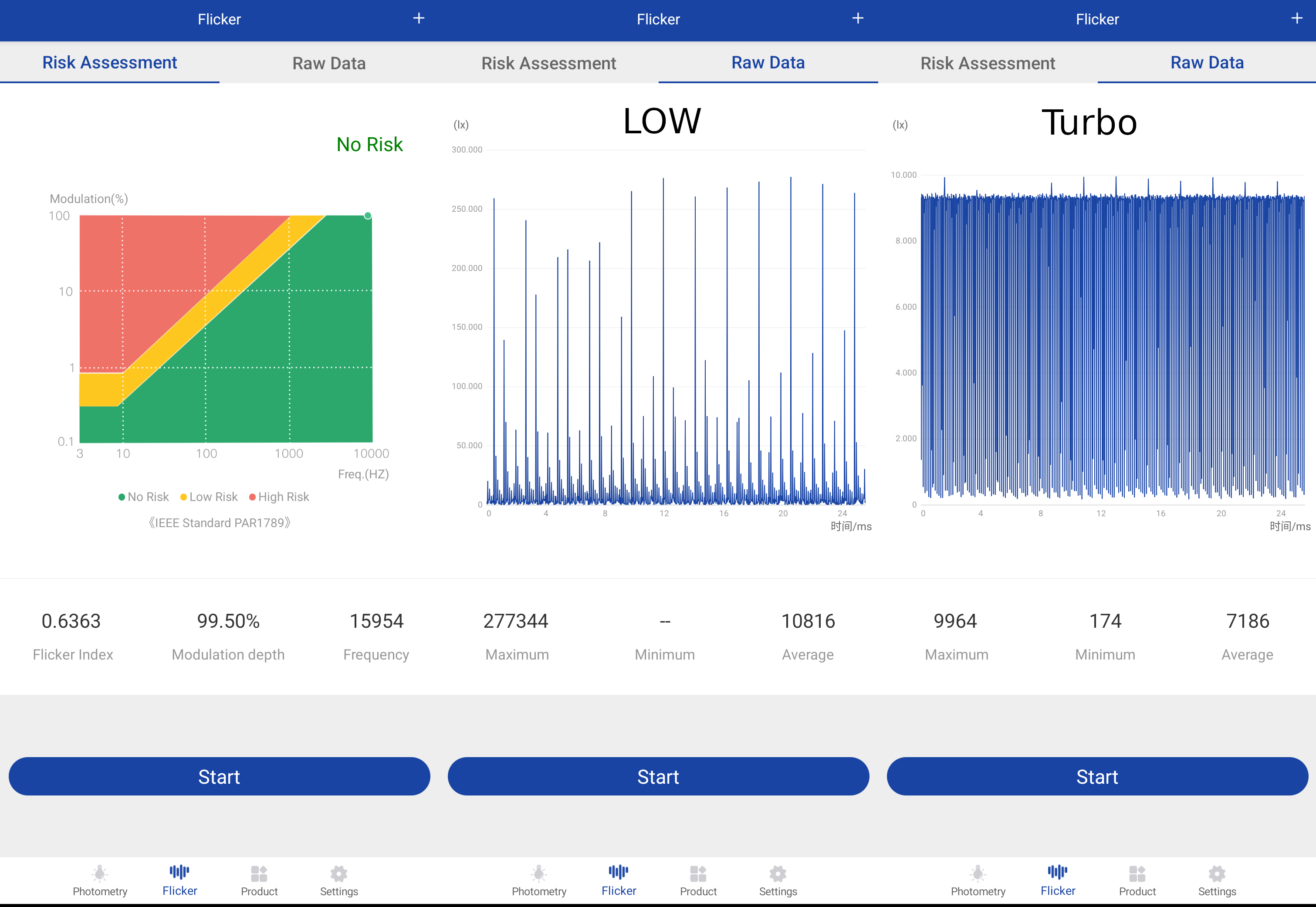
- PWM was not detectable for me, either with a camera or the eye.
- Flicker looks similar across all levels; I’ve included the raw data for Low and Turbo for anyone interested.
Summary
Looking strictly at the measurement results, one could certainly find grounds for criticism. Positive DUV, unregulated - these are often unpopular traits. They bother me on many lights, too.
But the Moonbox is different. It’s less serious, almost playful. Yes, that sounds strange, but I really don’t know how I should explain it better.
The light often ends up in my pocket, even if I only need the white light and would actually prefer a clip. Because the white light really isn’t bad, the UI is great, and it feels good in the hand. And when you want a “toy,” the light offers plenty.
The moonbox really surprised me in the most positve way!
So, if you are looking for a hardcore, heavy-duty tool, you should look elsewhere. But for anyone who wants to expand their collection with an interesting and fun light that can also actually be used when needed, I can highly recommend the Moonbox.