I did research some Mini PCs on Amazon a year or two ago, and found some that look like a decent deal, but I’d rather have a full-sized computer.
I plan to build my first computer with my next system, which allows me to pick each component.
I think that’s the best way to go, though it is the most complicated way to go.
go ryzen imo better integrated gpu in its apu. they’re great for casual to decent work depending on the cpu. great as a ‘tv computer/media’ and some gaming. of course nothing will beat a full size computer with a discreet GPU.
I look into it now and then. I’ve tinkered with hooking my phone up to the TV and using a BT mouse and keyboard over the past 20 years. Much better experience with an old laptop hooked up to a TV with the BT or similar wireless keyboard and mouse.
I’ve built my desktop computers since the late 90’s, but usually went for bigger cases. Most of the sub $500 mini PC’s I’ve seen on Amazon have pretty bad specs. Mediocre CPU, ultra slow hard drive, and limited RAM.
I bought an Asus Windows tablet almost 10 years ago that has similar specs and performance to the lower priced mini’s I see available today and won’t deal with that slow performance again.
They have their uses, especially in office environments, but for most people, a standard mid tower would be better suited. I will say that I do like having a mini PC for serving as a PFSense box. Easy to throw behind some furniture or within a cabinet.
I had one (low spec but very low power, for light uses), served a few years, then died suddenly. Not fixable of course. Now heading to the recycling bin.
I would advise to save your money and buy fixable computers.
I work remotely. Any time I’m working while on the road for more than a couple days, I’ll bring a mini, a 24" monitor, and keyboard. I run multiple VMs for work, and a mini with 64g ram is easier/cheaper to achieve than a laptop. With my weaker laptop, I need a good internet connection to use cloud infrastructure instead of local VM.
I have set this up on an amtrak. I have run it off solar as well. Monitor/pc are each 10-20w load.
The thermal design on minis is a lot more forgiving than laptops, so the minis that use the ultra-light CPUs tend to run cool. I don’t think the minis with desktop processors in them are an especially good idea.
I have an asus and an acemagik. Nothing special about either. Linux os.
I got a cheap Intel NUC to drive the living room TV. It has worked well for the past 7 years. Little, quiet, low-power, and works well enough to play videos and browse the web and even do some light gaming. Like, I went through Dead Cells 5BC on that thing.
I also got a generic mini-PC a couple years ago to replace my aging router/firewall/server, and it has been pretty solid. Small, low-power, dual gig-E, and the entire outer shell of the PC is a giant heat sink so it stays cool even without a fan. It’s completely silent, and has enough power to do everything I need from it.
But for my main computers, I use something a bit more powerful. Still on the low end, though. I just don’t do a lot of power-hungry computing. The main resources I need are RAM and storage, and a nice screen and keyboard. I’m fine with a moderate CPU, and I’ve had no need for a GPU until just recently… since it’d be nice to have hardware to run AIs on.
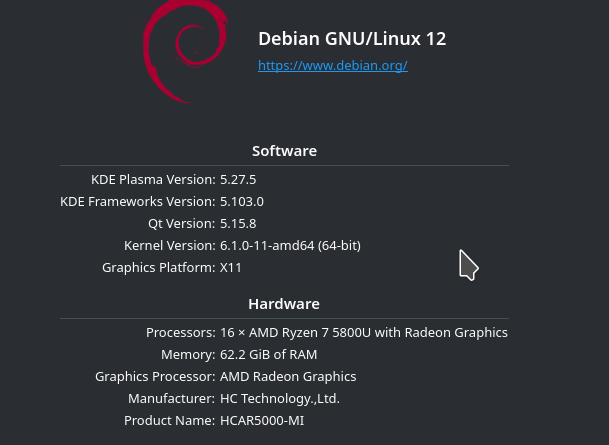
I run a Debian base system with extras added as necessary, with X11 instead of Wayland, and things mostly “just work” and don’t need much power. I usually have hundreds of windows open at a time, many of which have multiple tabs inside (232 in my browser right now, oops)… and it works pretty well even with an old mid-grade PC. A lot of software just doesn’t need the latest and greatest hardware.
Both are “U” series ryzen processors with 8 physical cores, with displayport. The U series are the 15W power sippers. Both got upgraded ram/storage. Model #… Pn50 on the Asus, I think? That one is stashed elsewhere. The AceMagician is “amd6pro”. I have roughly the same setup as the other person.
I use a different browser by default, a lightweight one, and it usually accounts for like a hundred windows, each containing multiple tabs. However, it takes zero CPU while not being actively used, and all those hundreds of tabs use less RAM than just one tab in Chrome.
Plus, of course, 100+ terminals most of the time. It barely takes any resources at all.