LOOP GEAR kindly sent the aluminium LOOP SK03 Pro for review a few months ago.
It’s a fun AA/14500 EDC torch. 
Here is my review:
Here is a video review:
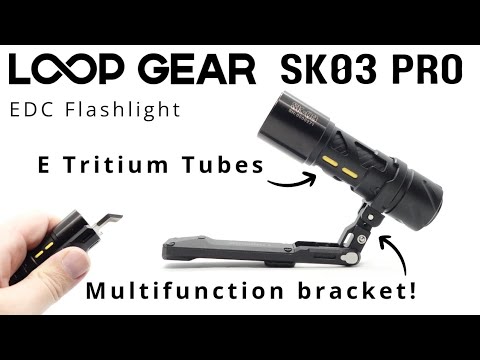
LOOP GEAR kindly sent the aluminium LOOP SK03 Pro for review a few months ago.
It’s a fun AA/14500 EDC torch.
Here is my review:
Here is a video review:
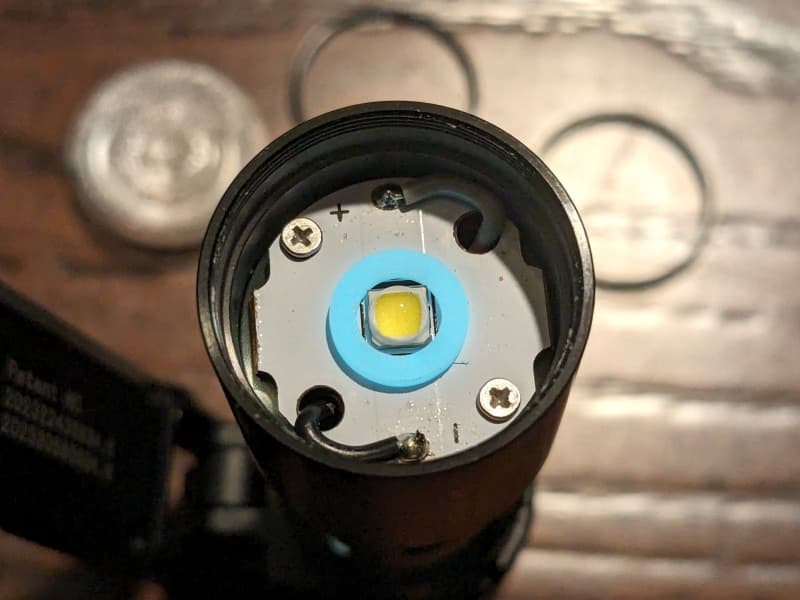
Interesting they went with the Phillips LumiLED for this. My sample back in late 2023 was the non Pro. an early version fresh off Kickstarter (Ti version) and has the XP-G4 which was a nice LED for this light with good output. Not the. best pocket 14500 but an interesting one sure.
EDIT: I unscrewed the bezel with the underside of a mousepad, lifted the o-ring out, and knocked the TIR optic out.
I measured the PWM of the light with a Zoyi ZT-703S oscilloscope using Normal mode.
14500 cell: Main Light (Low, Mid, High, Turbo), Side Lights (Low, High)
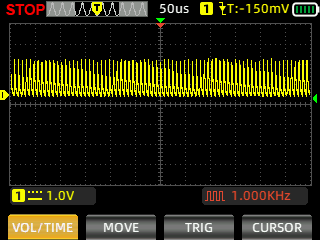
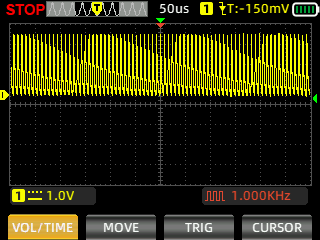
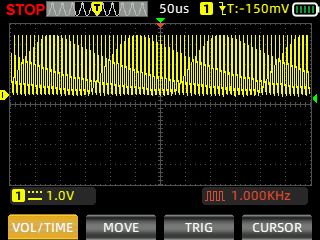
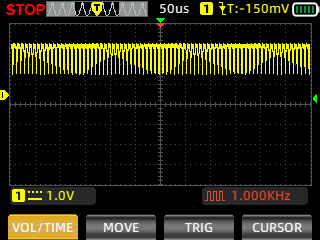
I have used a vertical scale of one volt and a horizontal scale of fifty microseconds to align with the scale used by zeroair.
I measured the PWM again using High Speed mode:
14500 cell: Main Light (Low, Mid, High, Turbo), Side Lights (Low, High)
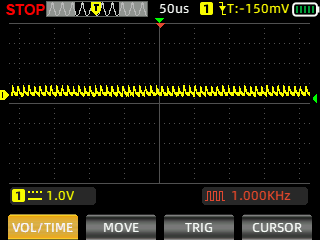
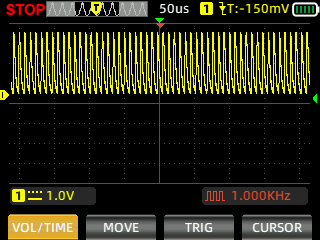
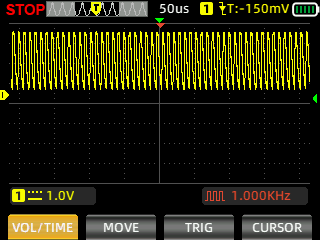
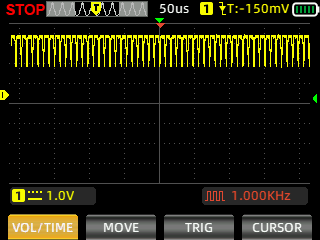
I’m still figuring out how to use a scope. 
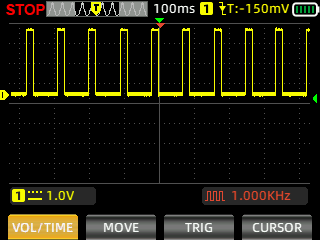
After seeing @selfbuilt’s recent review, I measured the Strobe, SOS and Beacon.
14500: Strobe
Thanks for the shout out.
There are certainly a lot of different ways to try and measured PWM. My first method involved a DMM and a salvaged photocell from a solar pocket calculator. But its dynamic range was very limited.
The best method I have found - by far - is a cool little virtual oscilloscope program that uses your sound card to do the sampling (since it can do up 44kHz). You can find it here. You can manually adjust for the best resolution for the graphs, but it also reads out an exact measure for you, which is great.
All you need in terms of sensor equipment is a cheap dollar-store computer microphone, and a monochromatic LED. Red works best. For some reason white LEDs don’t work (can’t remember why). Open the microphone head, remove the crystal element, and wire or solder the LED onto the contacts instead. When you plug the LED-modified microphone into your computer’s microphone jack, the LED will glow dimly - but now works as an effective sensor for measuring high-frequency PWM, strobes, circuit noise, etc.
Works great on any computer with an actual sound card or a dedicated sound chip. The only issue I’ve found is on newer laptops - the built-in “sound card” feature on the integrated chips are pretty basic and may not give you a strong enough signal (i.e., needs a boost). Can sometimes be done in software, but easier to just get a USB-plug-in external sound card. I had to do that earlier this year when I upgraded my desktop rig to a laptop.
Hope that helps!
Great review. Just dropping my notes.
Aquired Titanium version with Nichia 4000K and Aluminium version with Philips 6500K. Not happy with lack of specs for Nichia, and apparently each reviewer got different emitters, CCTs for sidelights etc., and noone got Nichia. Nichia is warmer than expected, Philips is colder than expected. It’s chaotic. But the device is great. The main flaw is the worst thread i’ve ever seen.

I tried hard to get some metrics for Nichia, but couldn’t find any info. I can measure using my simple tool, I’ve noticed the Nichia is similar, but weaker in turbo (yet one vietnamese reviewer found the runtime is greatly reduced suggesting turbos are the same). And the covers supplied, they also reduce throw based on the color and in homemade sphere they reduce the flood signifficantly:
Loopgear SK03 Pro (Titanium, Nichia 519A 4000K)
Low 200lux 16cd 8m
Mid 2266 178 27
High 6194 468 44
Turbo 17460 1369 74
Side Low 2 0 1
Side High 106 8 6
+white diff 65 5 4Loopgear SK03 Pro (Aluminium, Philips 6500K)
Low 190lux 15cd 8m
Mid 2394 188 27
High 6525 512 45
Turbo 26270 2060 91
Side Low 3 0 1
Side High 120 9 6
+yellow diff 44 3 4
I’d recommend Pro only version with Nichia. There are tons of materials to choose, weight addicts have a bonus RED version which is lighter than other aluminium versions because it’s the only one with inner tube from alumiunium. So it’s RED ALU → ALU → TI → SS in order.