Anyone who regularly works with a lot of rechargeable batteries knows the problem: charging can quickly become a hassle. You constantly have to swap batteries in the charger or adjust settings. The new Gyrfalcon All-88 Pro helps make charging more convenient.
Thanks to its intelligent automatic mode, the device selects the appropriate charging parameters on its own. Experienced users can alternatively adjust all settings manually to retain full control. With eight charging slots, even larger numbers of batteries can be charged conveniently.
You can find the German version of this review on my website: SammysHP Blog › Enova Gyrfalcon All-88 Pro
The charger was provided by the manufacturer for this review. Thank you very much!
Overview and specifications
In addition to the charger, the box also includes a manual and a special USB cable for power. A 65 W USB power adapter is required for operation and can be optionally ordered as an accessory.
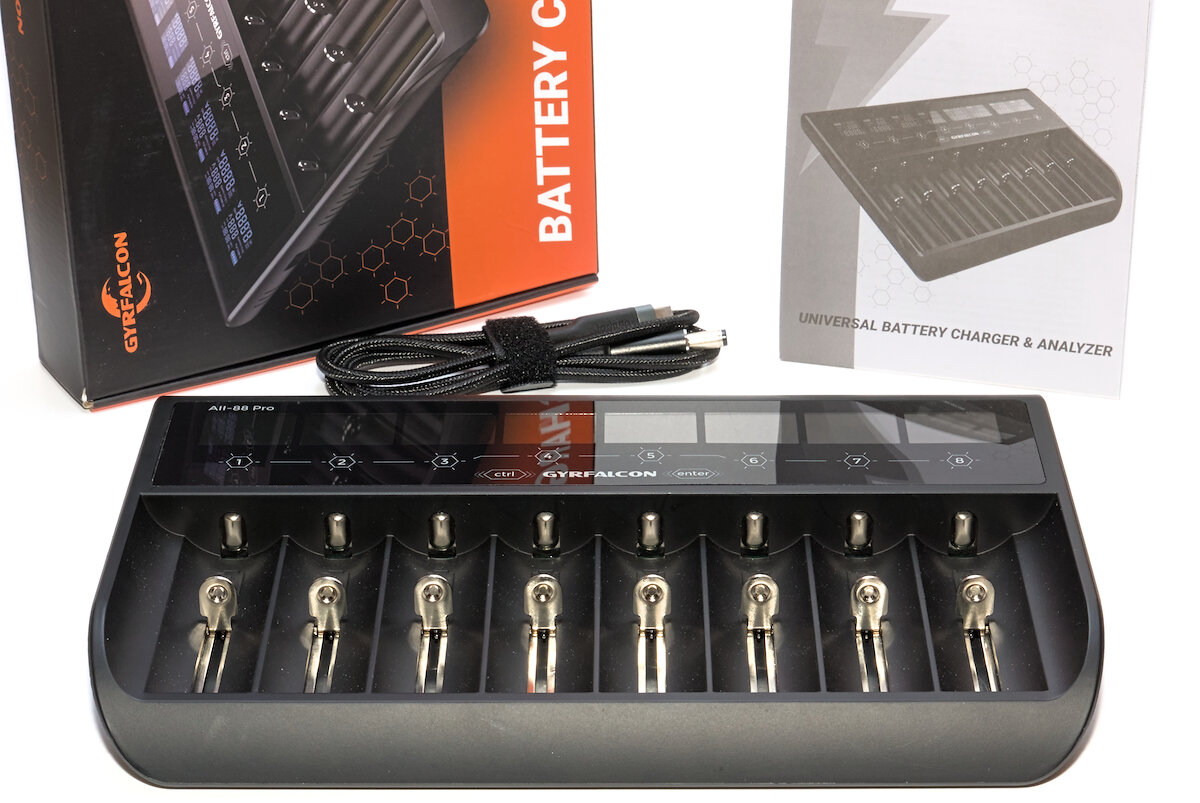
The user manual, available in English and German, includes safety instructions and specifications, as well as a “quick start guide” that explains operation in a concise format.
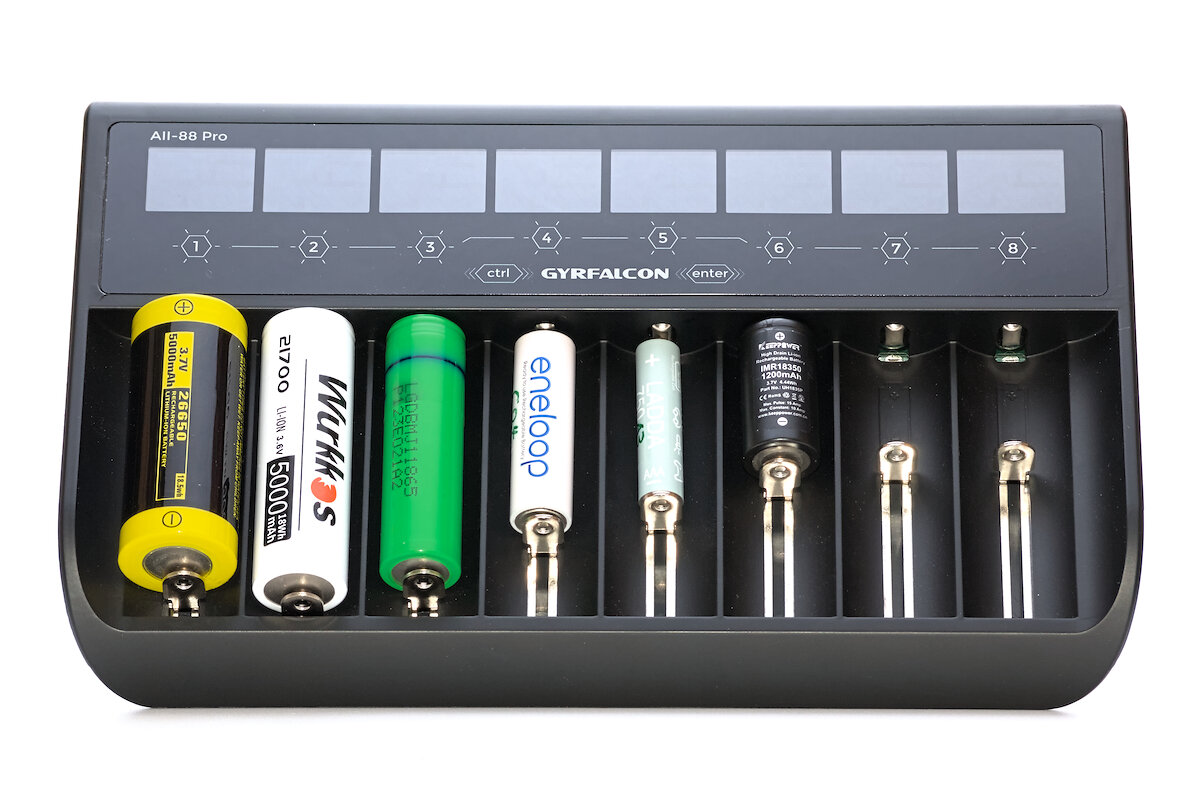
The All-88 Pro comes in a flat, slightly curved design. The upper third is used by the displays and buttons, while the area below is occupied by the charging slots. Its dimensions are 245 × 155 × 33 mm, and without the power adapter, the device weighs 467 g. It feels nice and sturdy.
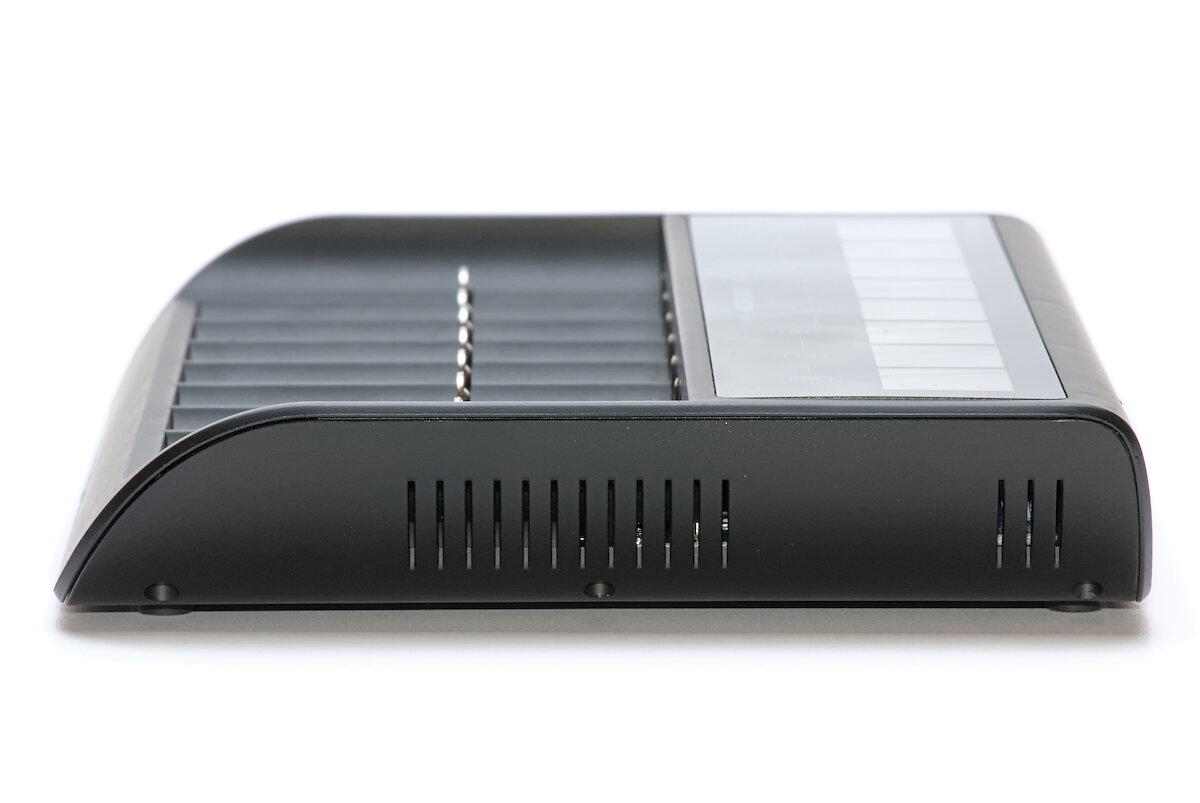
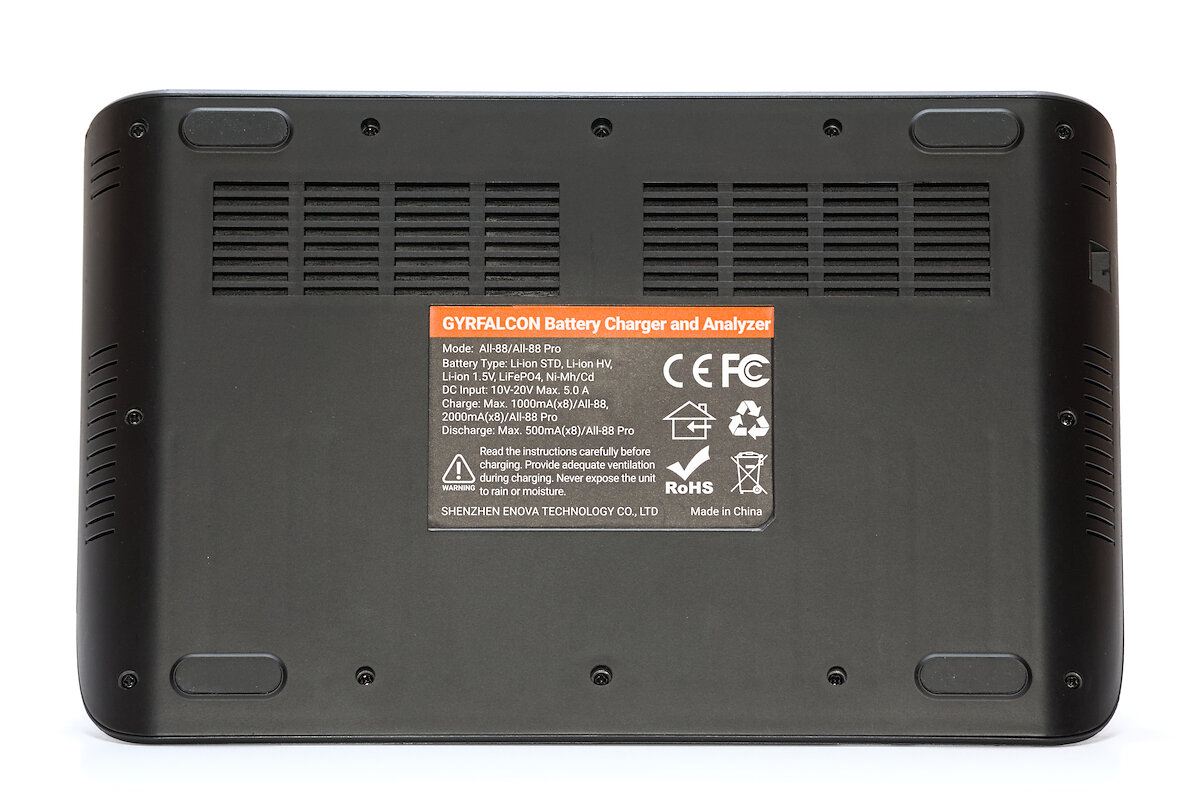
Generously sized ventilation openings on the sides and underside allow for airflow to cool the electronics. The cooling is entirely passive and does not require a fan. Four large rubber feet ensure stable, non-slip positioning.
On the left side there is a 5.5 mm barrel jack for powering the device. Wasn’t USB-C also mentioned in the product description?
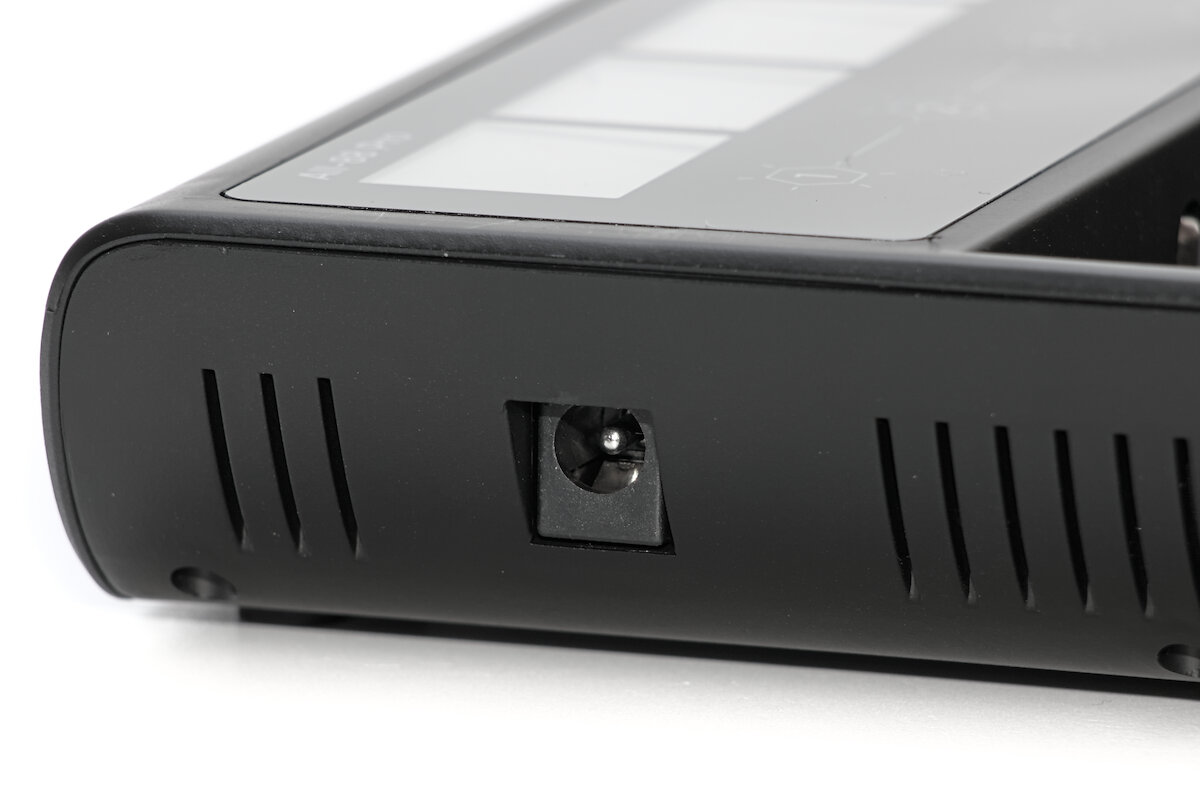
To use the device with a USB power adapter, the included special cable (or a comparable model) is required. It has a 5.5 mm barrel plug on one end and a USB-C connector on the other – and it contains a 20 V USB PD trigger chip. Based on my observations, it seems advisable to always connect the cable to the charger first and then to the power adapter. Otherwise, sparks may occur briefly due to inrush current when plugging it in.
USB-C is so ubiquitous these days, so I find it hard to understand why a corresponding port wasn’t integrated directly into the device. Other manufacturers do it as well – for example, XTAR with the VC8S (also with eight charging slots). Such a cable may make sense as an upgrade for an older device, but not for a newly introduced model.
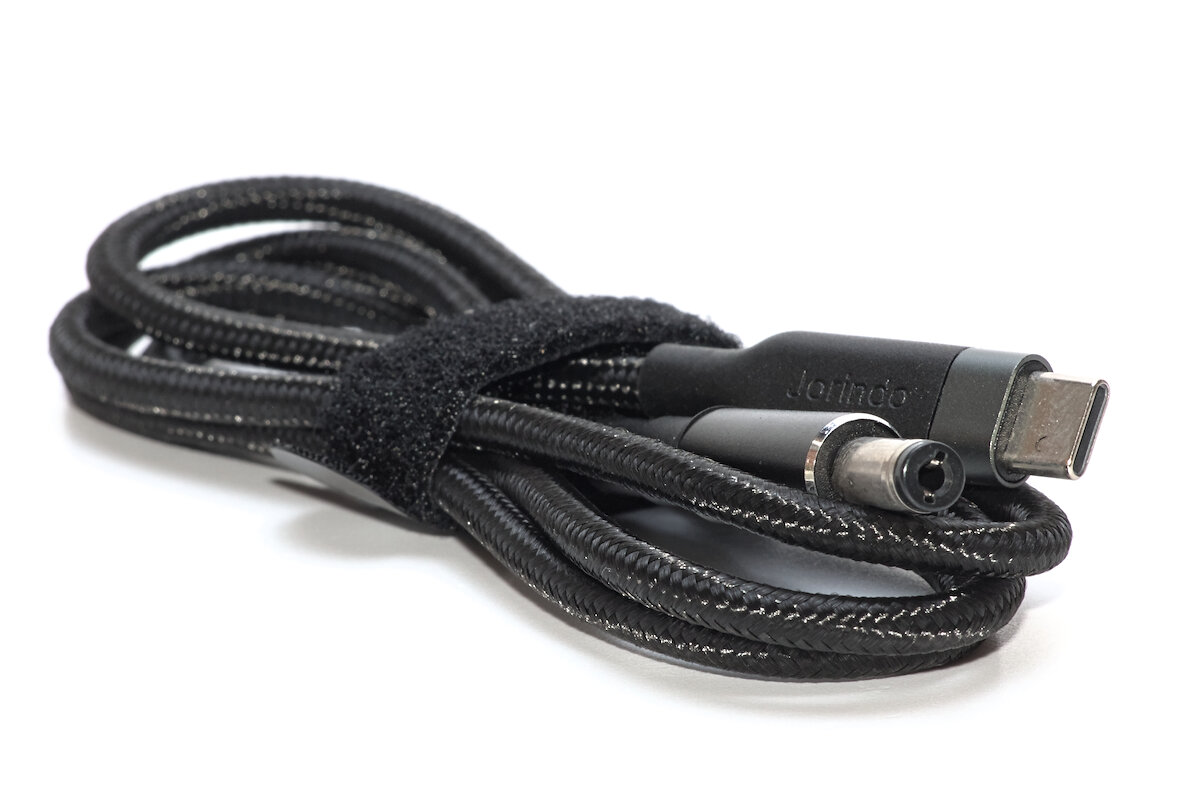
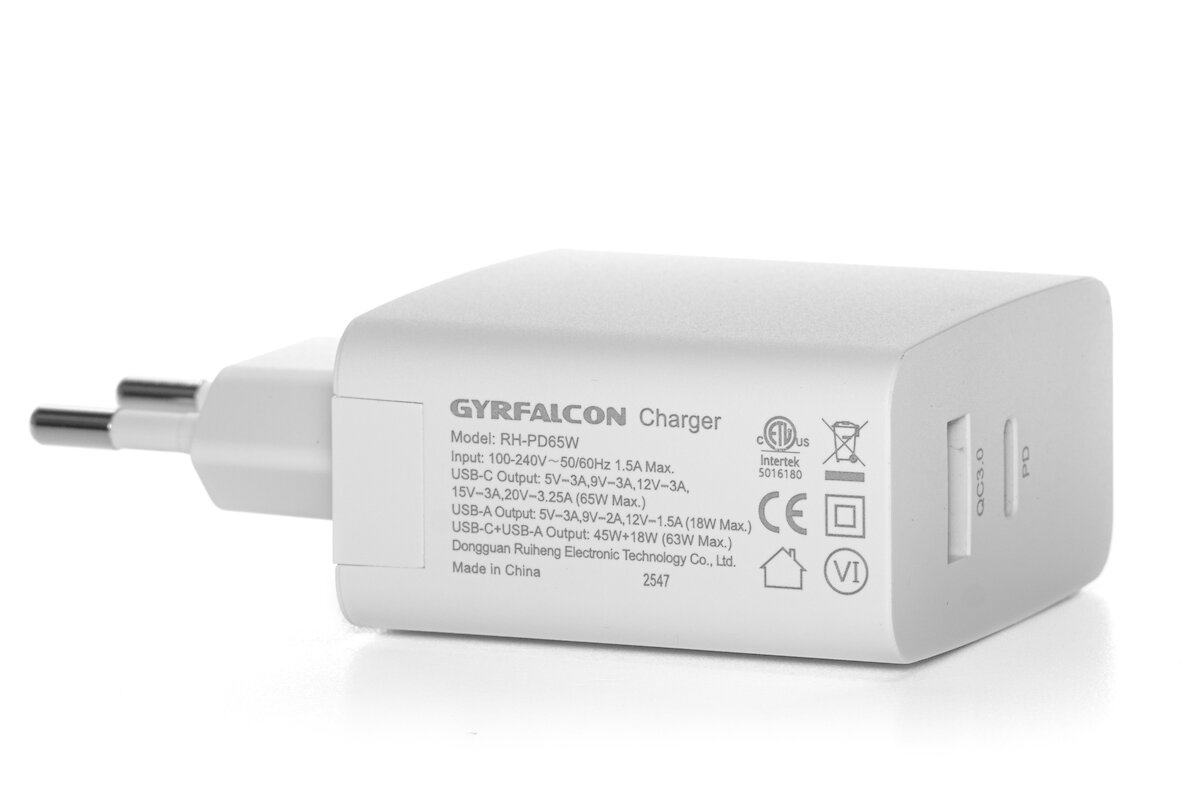
For this cable to work, the USB power adapter must of course support USB PD at 20 V. The optional adapter available from the manufacturer delivers up to 3.25 A at 20 V (65 W) and, in addition to the USB-C port, also features a USB A port.
In theory the All-88 Pro would also work with other power supplies that provide 20 V and sufficient power, so you are not strictly dependent on the special cable and USB-C. However, the manufacturer does not officially offer a suitable power adapter.
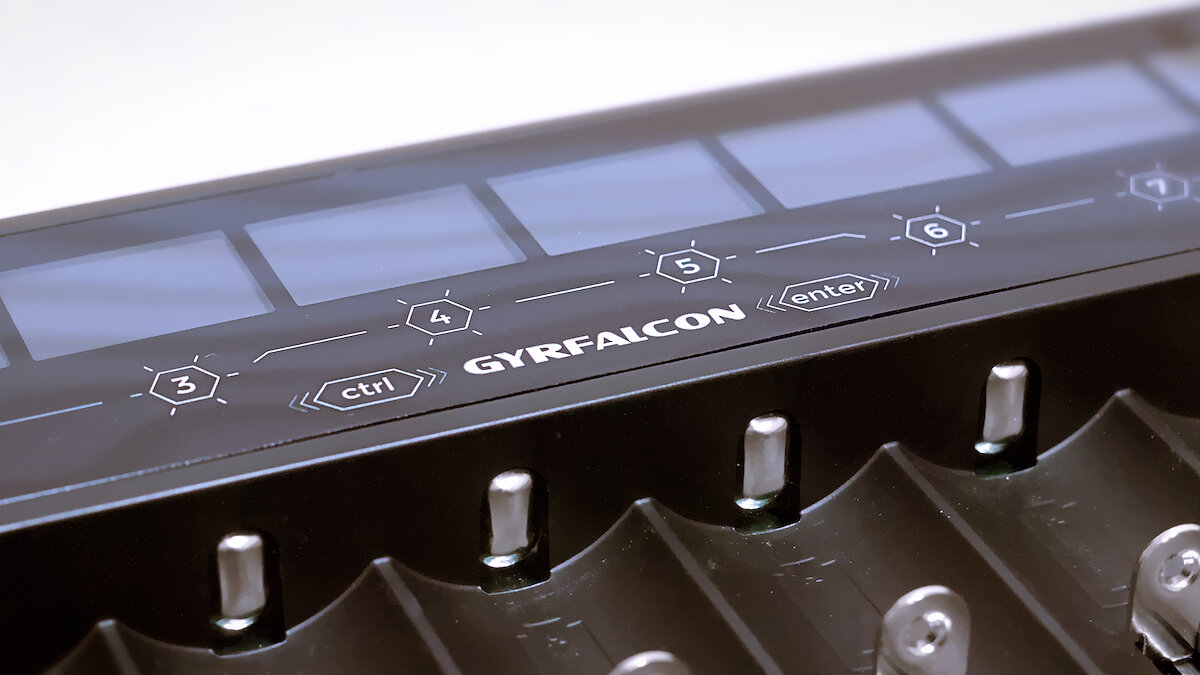
The positive contacts are flat, which can cause contact issues with some batteries that have particularly recessed terminals. In an emergency, you can use a small magnet, although this increases the risk of short circuits.
The negative contacts are better designed, featuring a small nub. Thin batteries may need to be slightly elevated to ensure proper contact.
The sliders are fairly stiff and can feel a little scratchy from time to time. In practice, it is usually easier to pull them back with a finger first and then insert the battery.
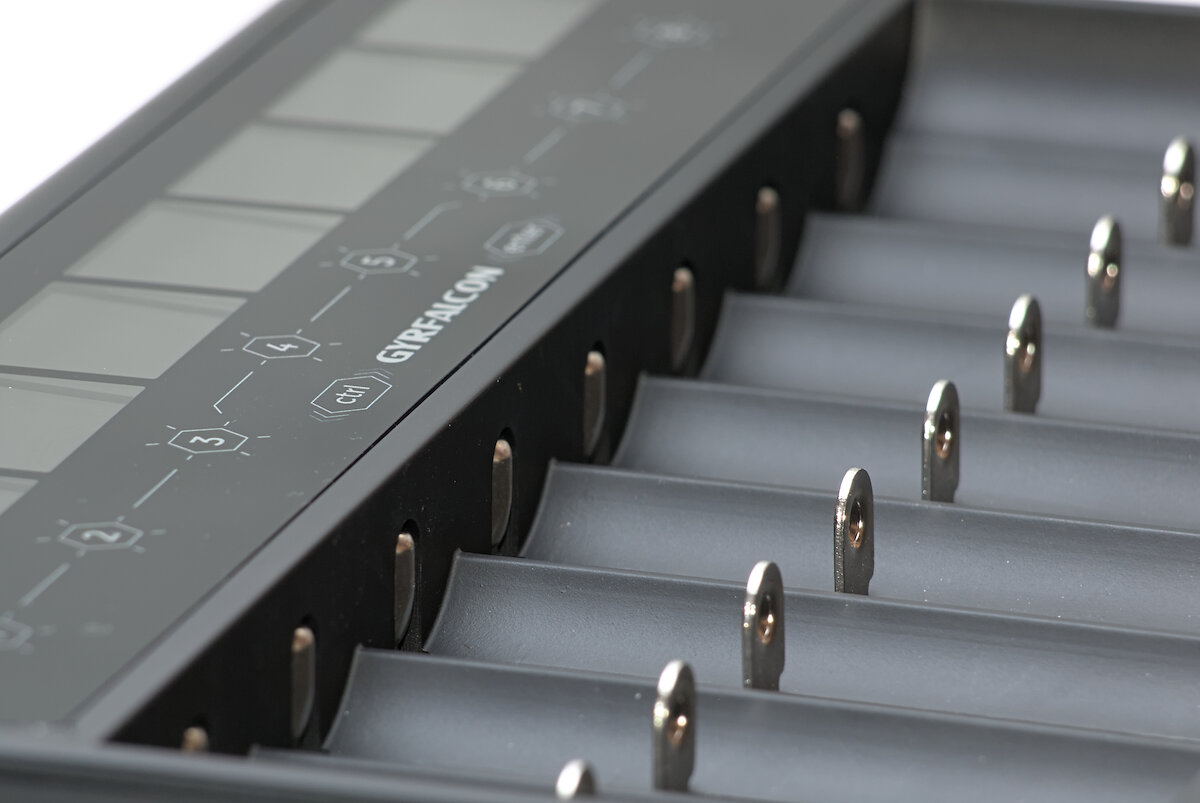
Supported are cylindrical batteries with a length of 31 to 72 mm and a diameter of up to 27 mm. Thicker batteries only fit if the adjacent slots are left empty.
Unfortunately, the slots are a few millimeters too short for protected 21700 batteries. Even some button-top batteries do not fit. The case would actually offer enough space for longer slots without increasing the device’s overall dimensions.
The following battery types can be charged with the All-88 Pro:
- NiMH
- NiCd
- Li-ion
- Li-ion HV
- LiFePO₄
- 1.5 V Li-ion
The charging current can be adjusted from 0.1 to 2.0 A in fine 10 mA increments. With a sufficiently powerful power supply, all eight slots can be operated simultaneously at 2 A each.
User interface
Each of the eight charging slots has its own display, which shows all relevant information about the current process. Depending on the selected function, different elements are displayed.
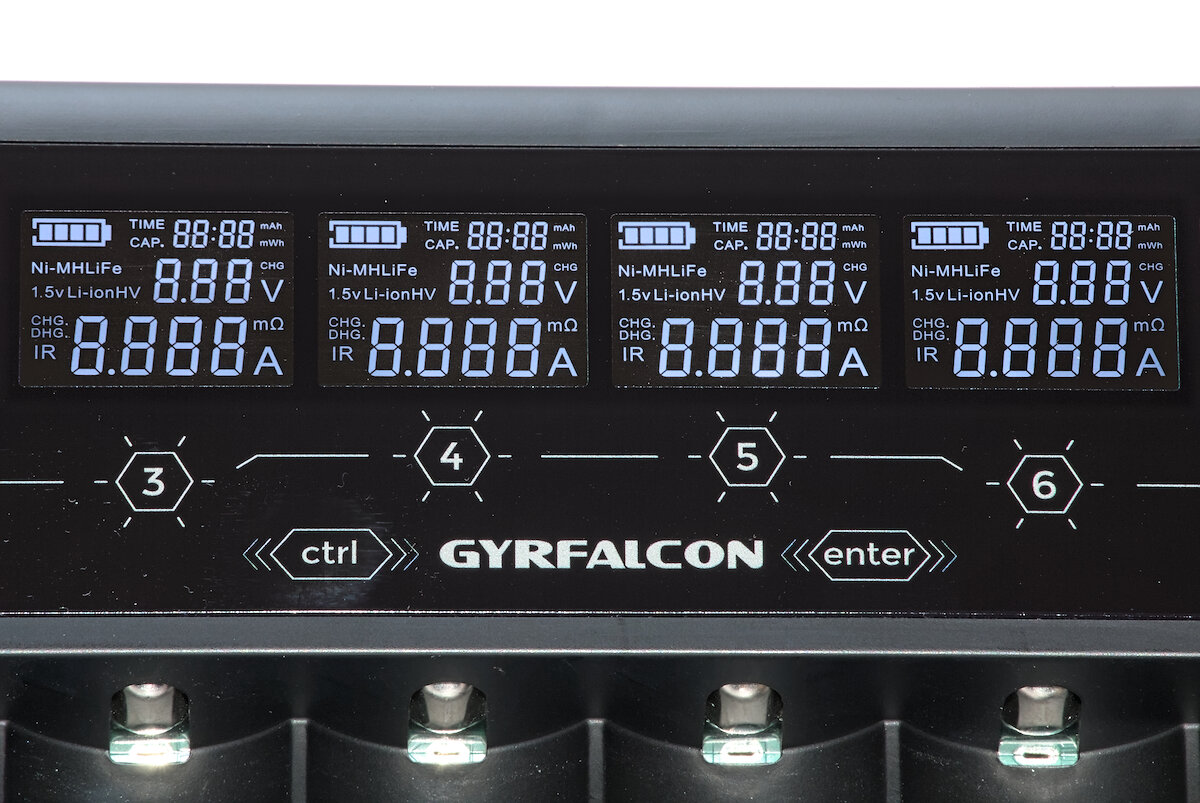
The device is controlled using a total of ten capacitive, touch-sensitive buttons. Each press is confirmed with a beep, but there is no haptic feedback. The buttons cannot be felt by touch, so they are easy to trigger accidentally – for example when inserting batteries. This makes operation in the dark or for users with visual impairments more challenging.
There are two operating modes:
In Normal Mode, the charger selects all settings automatically, including detection of the battery type. “Automatic mode” would therefore be a more appropriate term for this operating mode.
Experienced users can configure all settings manually in Professional Mode. This includes selecting the battery type, the desired function, the charging current or setting a target voltage.
To switch between the two operating modes, the Ctrl and Enter buttons must be pressed simultaneously while there aren’t any batteries in the charger.
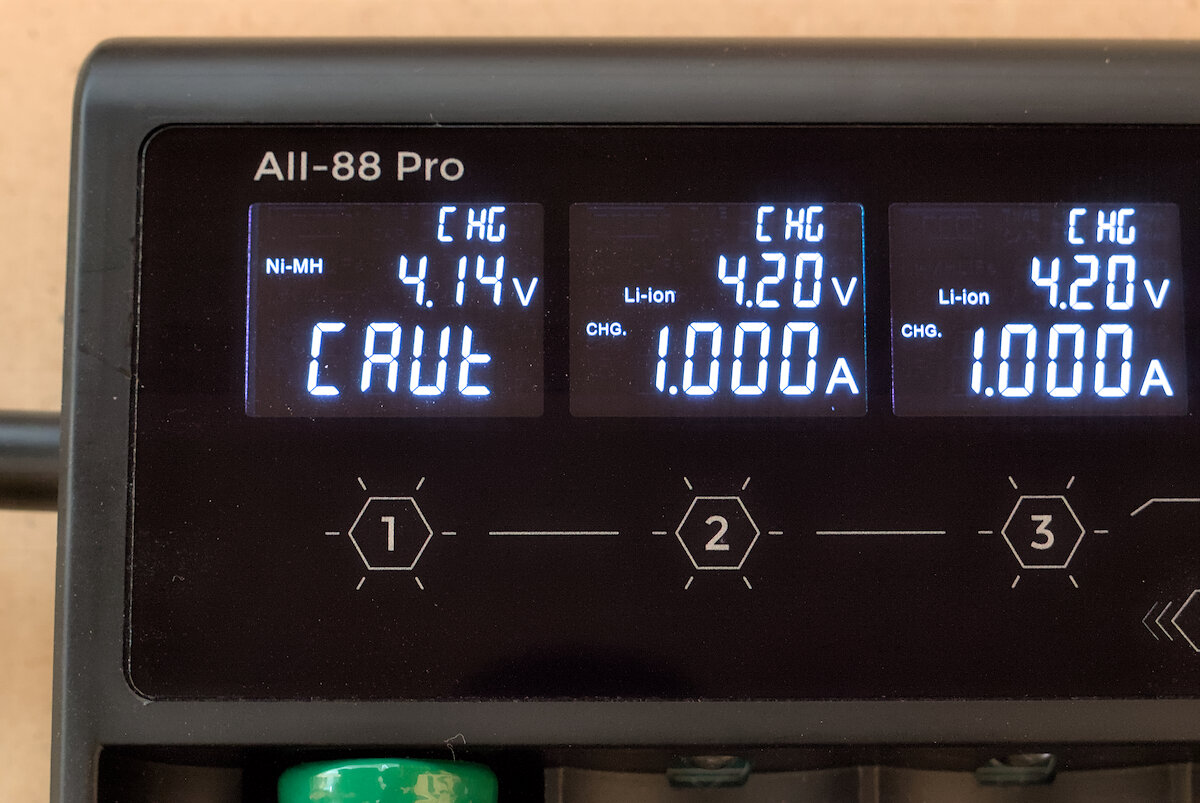
If a battery that does not match the selected type is inserted in Professional Mode, the charger will in some cases display a warning. However, this check is not possible for all situations. As a general rule, the correct settings should always be verified before starting a program. This, of course, also applies to the automatic detection in Normal Mode.
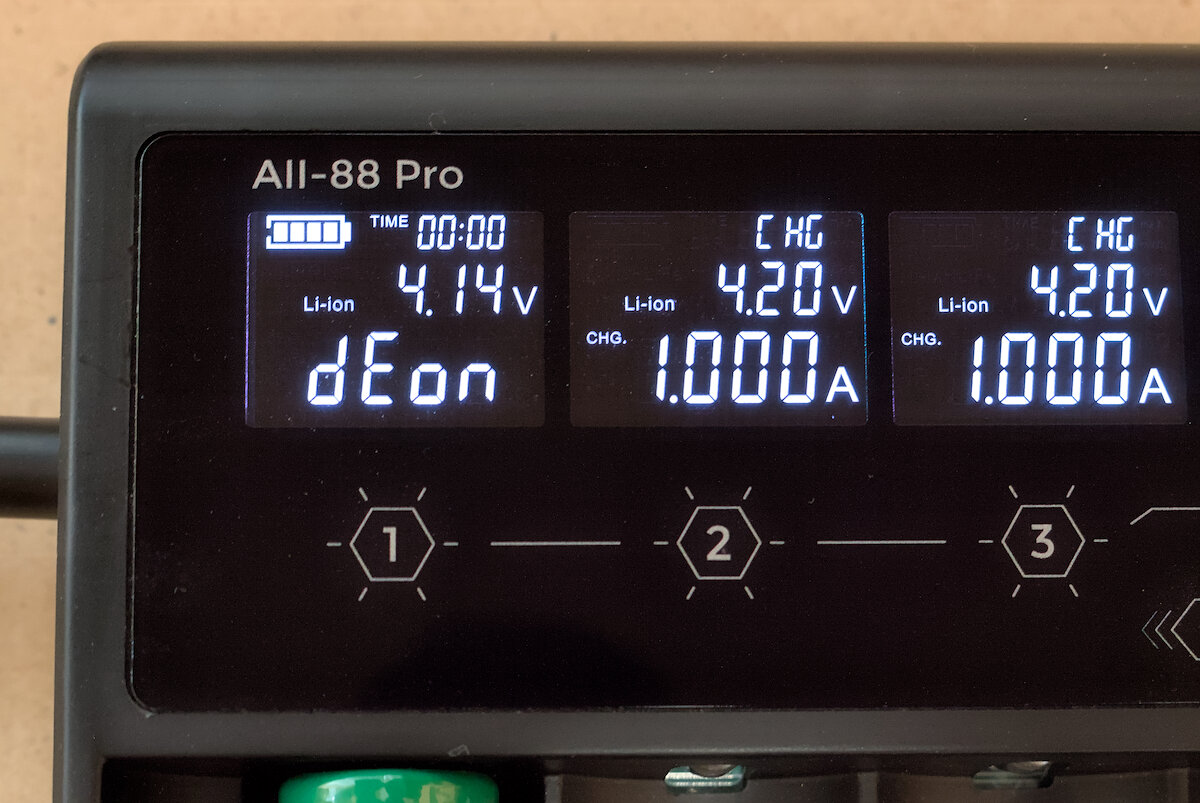
Unfortunately, there is a rather noticeable, though purely cosmetic, error: once a program is completed, the display incorrectly shows “deon” instead of “done”.
In Normal Mode it is sufficient to start the first charging cycle by holding the Enter button. All subsequent charging cycles start automatically as soon as a battery is inserted. The following description of the operation refers to the Professional Mode.
To change settings, the corresponding slot button is first pressed and held for a moment. A short press of the Enter button moves to the next setting, while a long press exits the settings menu. A long press of the Ctrl button returns to the previous menu item. After inserting a battery, the charging process is started by holding the Enter button.
Since there are no separate “up” and “down” buttons, adjusting values takes some getting used to. A short press of the respective slot button increases the current value, while a long press changes it in larger steps. A short press of the Ctrl button reverses the direction and a small minus symbol appears on the screen. After some time, the device can be operated quite quickly, but the manufacturer could still have made the controls more intuitive.
A short press of the slot buttons changes the display view. In standby mode, the parameters can be cycled through. When a battery is inserted, the internal resistance is shown. And during an active program, the button can be used to switch between time and capacity display.
If a Li-ion battery with triggered protection circuit is inserted, it may not be recognized by the charger immediately. In this case, there is an activation function that supplies the charging slot with a low current for two minutes. This function is started by simultaneously pressing the Enter button with the corresponding slot button and can be canceled by holding down the Ctrl button.
Settings can be copied to other slots. First, the target range is selected by simultaneously holding down the corresponding slot buttons. Then, the slot whose settings are to be copied is selected.
When the device is powered on, the last used settings are restored. Copied settings can be reset to manually configured values by holding down the Ctrl button. This effectively allows a kind of program memory, where each slot can be configured differently and then copied to the other slots before use.
Charging
In my measurements, the focus was on NiMH and Li-ion batteries. These are among the most widely used technologies and also represent two fundamentally different charging methods: constant current with OCV measurement for NiMH and CC/CV for Li-ion.
Anyone interested in my measurement methods and the specifics of the individual charging procedures can take a look at my review of the Gyrfalcon S8000.
While the parameters in Normal Mode are set automatically (more on this in a later section), the following parameters can be configured in Professional Mode. The values can be adjusted with a resolution of 10 mV or 10 mA, respectively.
| NiMH | Li-Ion | LiFePO₄ | Li-Ion HV | 1.5 V Li-Ion | |
|---|---|---|---|---|---|
| Voltage | 1.00 – 1.70 V | 3.00 – 4.26 V | 2.50 – 3.70 V | 3.00 – 4.36 V | 4.85 V |
| Charging current | 0.100 – 2.000 A | 0.100 – 2.000 A | 0.100 – 2.000 A | 0.100 – 2.000 A | 2.000 A |
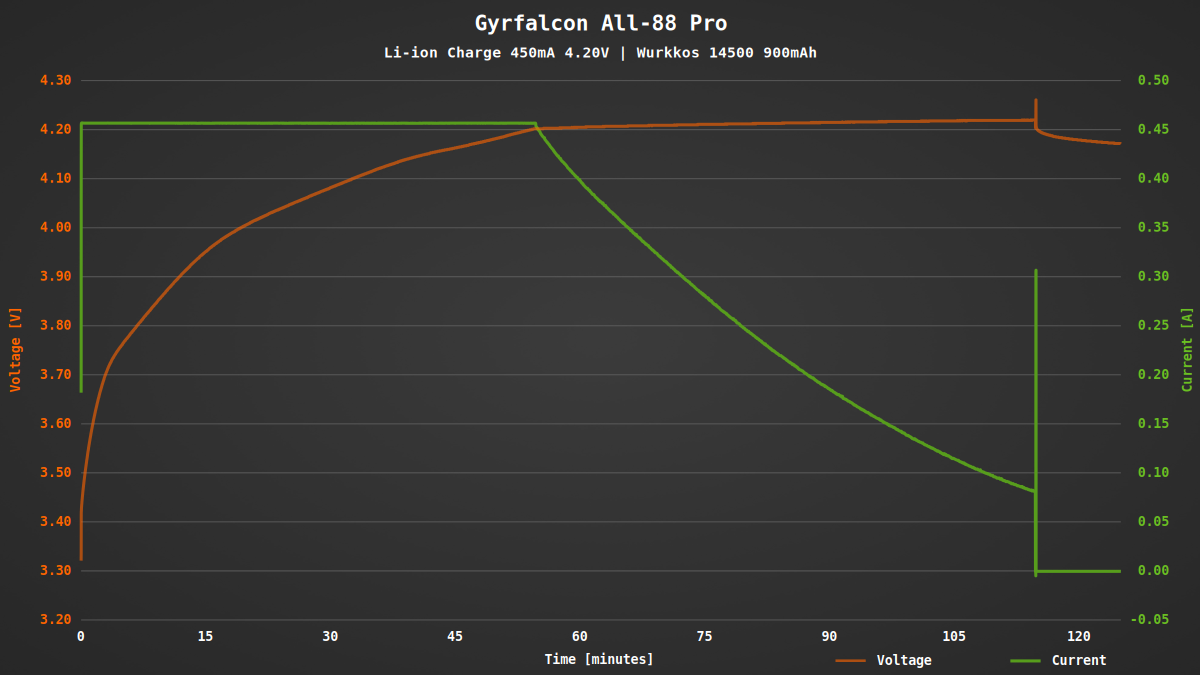
For Li-ion batteries, the All-88 Pro shows a perfect CC/CV charging profile: a constant current phase until the target voltage is reached, followed by termination at around 10% of the initial current or 80 mA. The target voltage is slightly exceeded, but this is of little practical significance. For longer battery lifespan, it is generally advisable to reduce the target voltage slightly (for example, to 4.10 V).
Notably there is a brief current spike at the end of the charging process. I have also observed this in other programs and with other battery types. It is possible that the internal resistance of the battery is measured once again at the end.
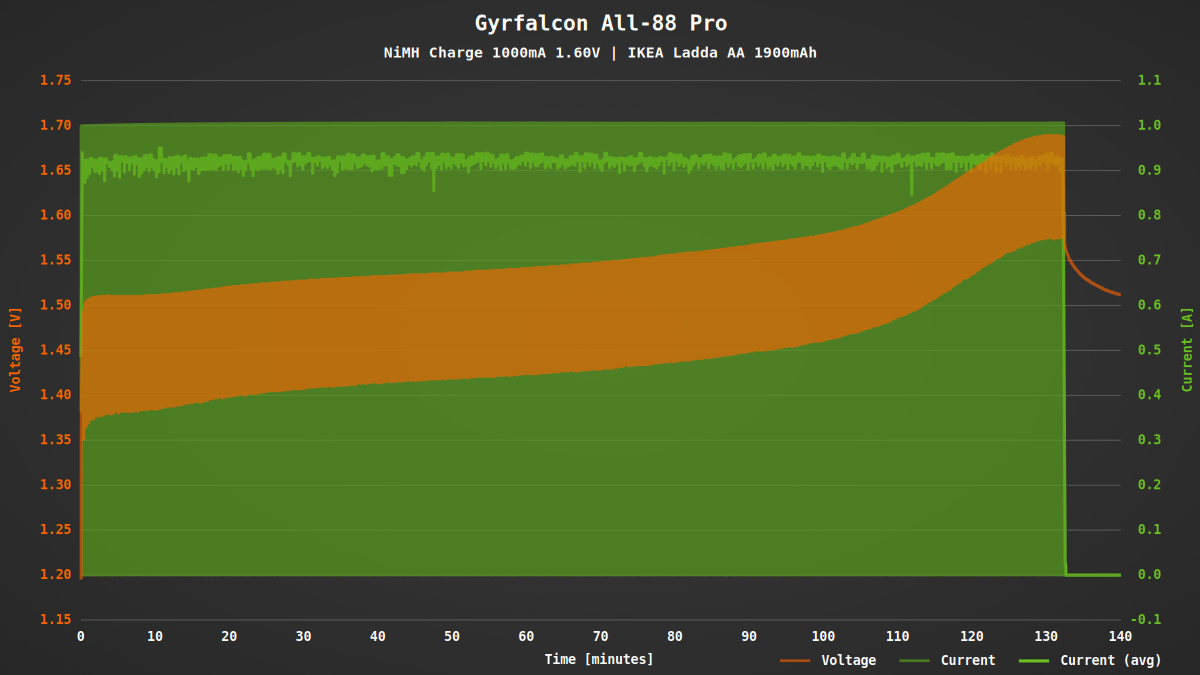
The charging behavior for NiMH batteries is also good. The charging process is briefly interrupted every 20 seconds to measure the open-circuit voltage of the batteries. The termination method cannot be changed. According to the manual, a 0 dV/dt or -dV/dt detection method is used. In my tests, this worked well as long as the voltage limit was set sufficiently high.
1.5 V Li-ion batteries – Li-ion batteries with an integrated voltage regulator – typically include their own charge controller and begin charging automatically once a voltage of around 5 V is applied to their terminals. For this purpose, the All-88 Pro provides a fixed voltage of 4.85 V with a maximum current of 2 A.
Discharging
In the All-88 Pro, batteries can be discharged at up to 800 mA down to a set voltage. The discharge capacity is shown on the display. Unfortunately there is no dedicated test mode in which the battery is charged before and after the discharge cycle.
| NiMH | Li-Ion | LiFePO₄ | Li-Ion HV | 1.5 V Li-Ion | |
|---|---|---|---|---|---|
| Voltage | 0.50 – 1.55 V | 2.50 – 4.35 V | 2.50 – 3.60 V | 2.50 – 4.35 V | 0.50 – 1.50 V |
| Discharging current | 0.100 – 0.800 A | 0.100 – 0.800 A | 0.100 – 0.800 A | 0.100 – 0.800 A | 0.100 – 0.800 A |
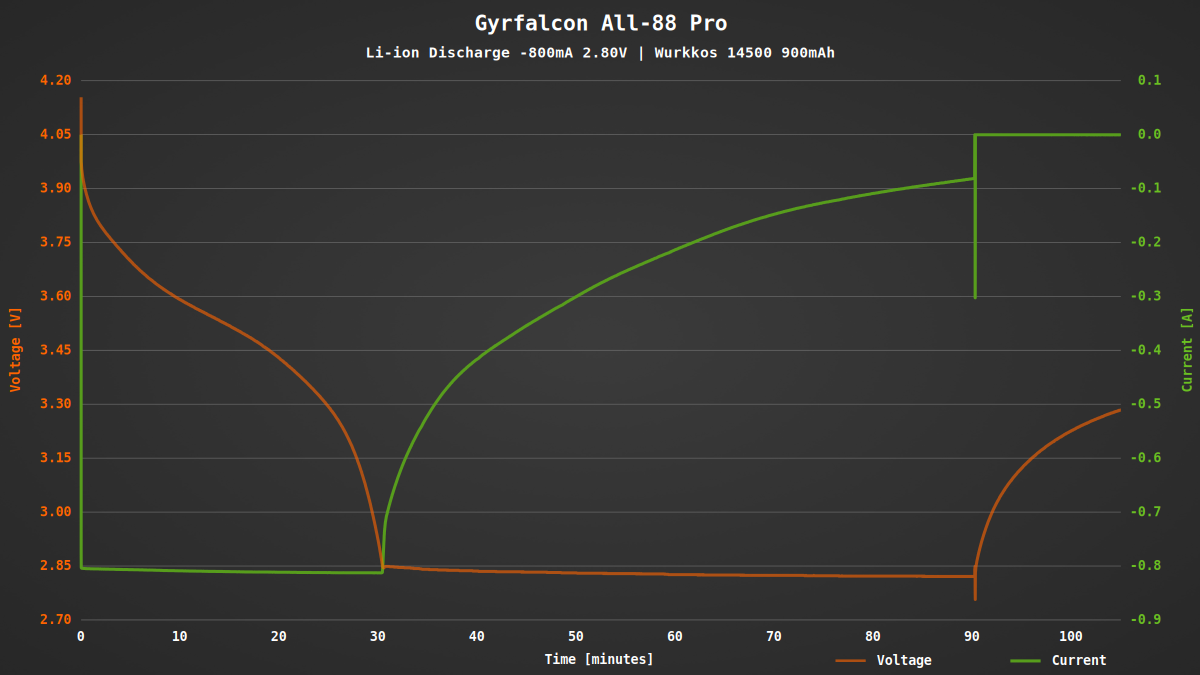
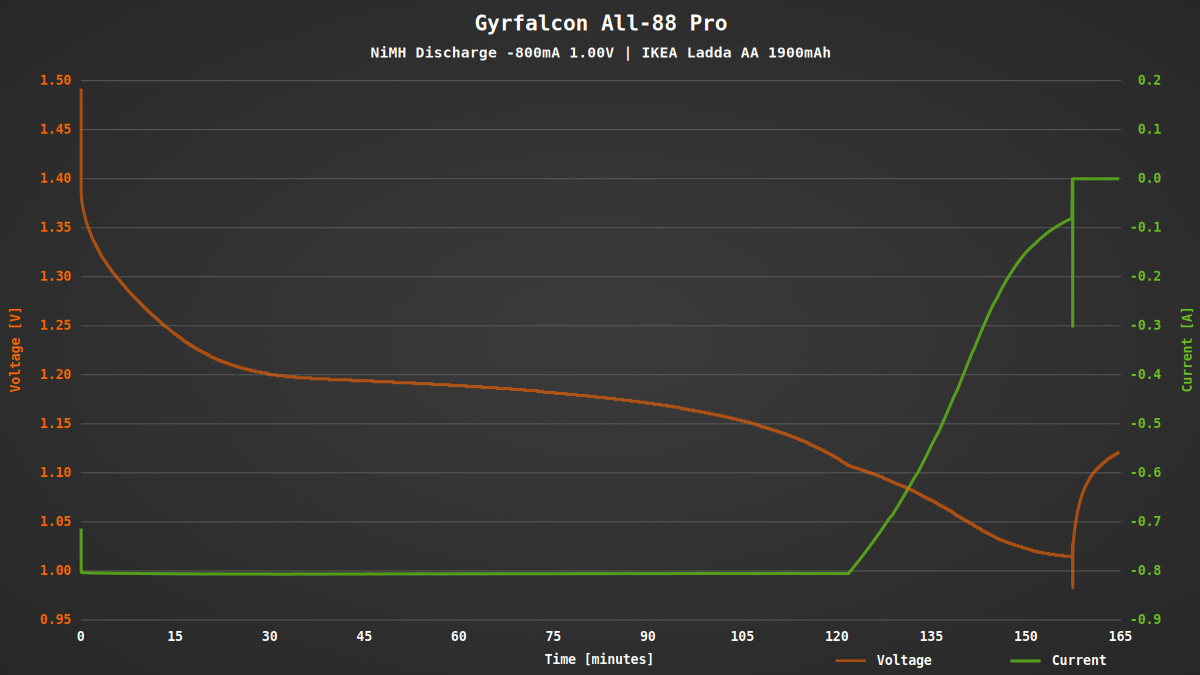
Both Li-ion and NiMH batteries are discharged properly. When the target voltage is reached, the discharge process is not stopped abruptly. Instead the current is gradually reduced until a termination current is reached. This partially compensates for the recovery effect of the batteries.
When multiple Li-ion batteries are discharged simultaneously, the discharge current quickly drops to as low as 250 mA per slot. Due to the passive cooling, the device simply cannot dissipate more heat. The maximum discharge power appears to be limited to about 8 W. In addition, there also seems to be a temperature monitoring system that further reduces the power when necessary.
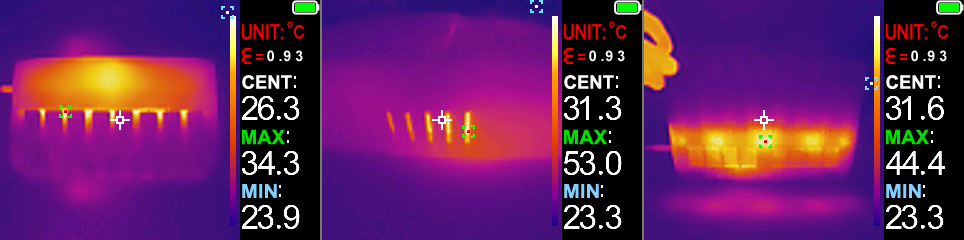
Thermal images with Zoyi ZT-R02
Automatic mode
An automatic mode has two challenges: First, the battery type must be reliably identified in order to select the appropriate charging method. This is typically done based on defined voltage ranges that are characteristic of each chemistry.
The second challenge is determining an appropriate charging current. Many chargers base this on the measured internal resistance of the battery, which – especially with high-performance cells – can easily result in a charging current that is too high. The All-88 Pro takes a different approach: it starts with a low charging current, which is periodically increased in steps once it can be ruled out that the battery is of lower capacity.
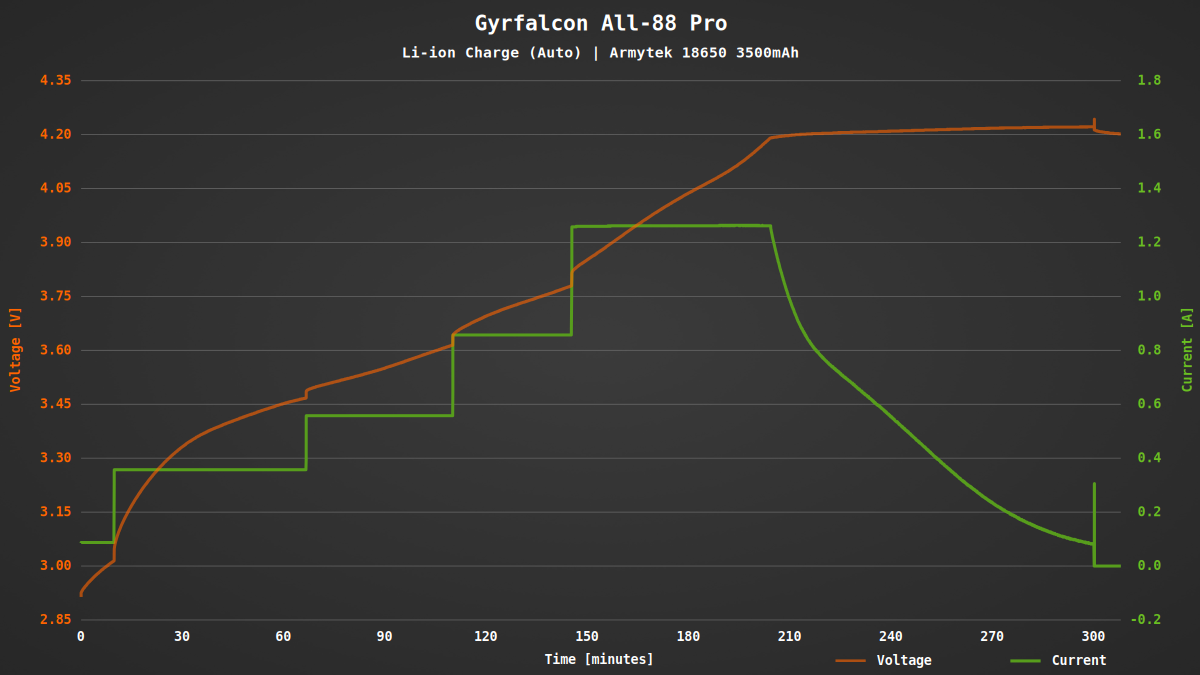
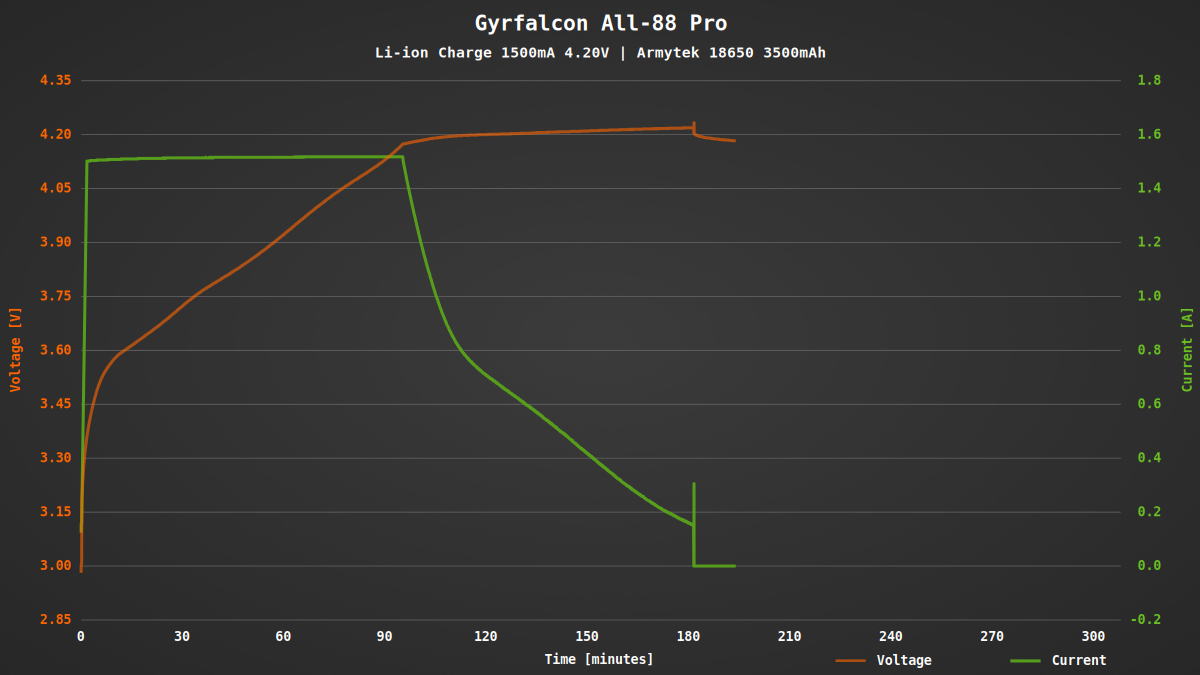
While this approach is gentle on the batteries, it results in a significantly longer charging time compared to manually selected parameters. For comparison: if the battery from the previous test is charged at a fixed 1.5 A, the charging process is completed in about three hours instead of five.
Other functions
When a battery is inserted, its internal resistance (IR) is measured automatically. This information can be used, for example, to estimate the battery’s condition and aging. By design, however, this method only provides approximate values, since even contact resistance can cause significant deviations. More accurate results would require a more complex four-wire measurement. Nevertheless, the measured values fall within a realistic range and roughly match the values I obtained with a dedicated measuring device. The 50 mΩ resistor used in my setup also leads to a corresponding increase in the measured internal resistance.
To extend the lifespan of Li-ion batteries, it is recommended to store them in a cool environment and at a medium charging level. The All-88 Pro features a storage mode that automatically brings batteries to a suitable storage voltage by either charging or discharging them as needed. Interestingly, for LiFePO₄ or high-voltage cells, the values correspond to a full charge. In addition, the charging or discharging current cannot be adjusted. It would be better if all three parameters could be manually configured.
| NiMH | Li-Ion | LiFePO₄ | Li-Ion HV | 1.5 V Li-Ion | |
|---|---|---|---|---|---|
| Voltage | – | 3.80 V | 3.65 V | 4.35 V | – |
| Charging current | – | 1.000 A | 1.000 A | 1.000 A | – |
| Discharging current | – | 0.500 A | 0.500 A | 0.500 A | – |
A dedicated refresh mode performs several charge and discharge cycles in an attempt to improve the capacity of older or long-unused batteries. However, I am not convinced of the effectiveness of this function, which is why I did not test it in detail. In addition, the parameters in this mode are also fixed and cannot be adjusted to the specific battery.
| NiMH | Li-Ion | LiFePO₄ | Li-Ion HV | 1.5 V Li-Ion | |
|---|---|---|---|---|---|
| Voltage (Charging) | 1.55 V | 4.20 V | 3.65 V | 4.35 V | 4.85 V |
| Voltage (Discharging) | 1.00 V | 3.00 V | 3.00 V | 3.00 V | 1.10 V |
| Charging current | 1.000 A | 1.000 A | 1.000 A | 1.000 A | 2.000 A |
| Discharging current | 0.500 A | 0.500 A | 0.500 A | 0.500 A | 0.500 A |
In my opinion, the All-88 Pro lacks a dedicated capacity test mode in which batteries are measured using a single C>D>C cycle. After charging batteries, this is the function I use most frequently.
Conclusion
Anyone who regularly needs to charge a large number of batteries is likely to appreciate the Gyrfalcon All-88 Pro. The device can charge up to eight batteries simultaneously at up to 2 A per slot. It supports most common battery types, including NiMH, Li-ion, LiFePO₄ as well as special 1.5 V Li-ion batteries. Thanks to its intelligent automatic mode, the charger selects the appropriate charging parameters on its own. Experienced users can alternatively configure all settings manually to retain full control.
The main limitation, in my view, is that the charging slots are too short for protected 21700 batteries. The device also requires a special USB cable for power input. It would have been better to include a USB-C port directly on the device. In addition, there is unfortunately no dedicated function for testing capacity.