Nitecore UT27 MCT was sent to me directly by Nitecore for review.
For a product description and to purchase: Nitecore UT27 MCT Pro 800 lumen 3 Color Temperatures Running Headlamp – Nitecore Store
After two years, Nitecore has updated its NITECORE UT27 series headlamp, consisting of lightweight, lithium-powered lighting tools with wide, uniform beams designed specifically for hiking, climbing, camping, and outdoor recreation.
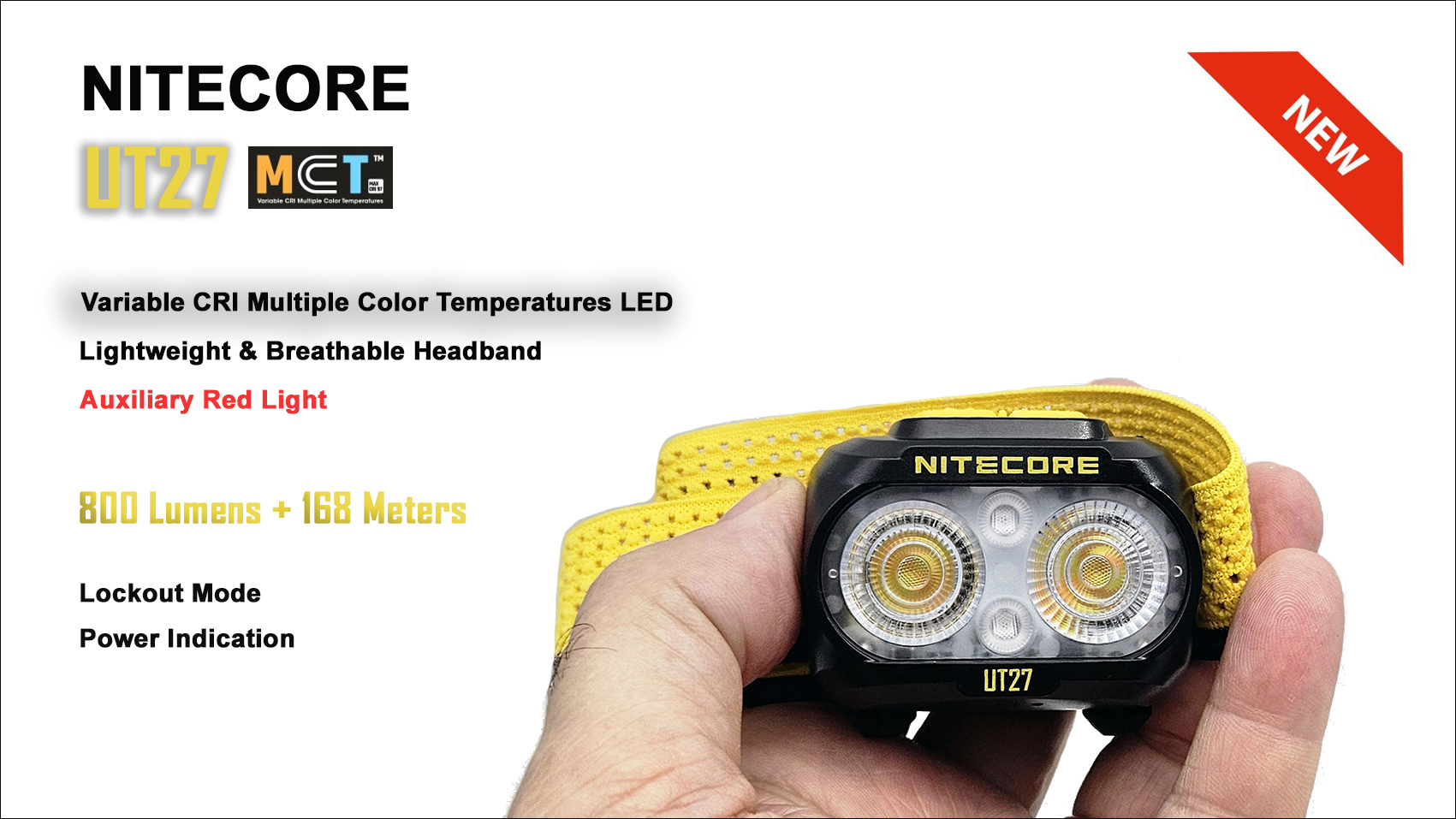
The new Nitecore UT27 MCT, which we tested, features improvements, including the new MCT (Multi Color Temperatures) system, which offers multiple color temperatures and high light output thanks to the UHE LED system.
The new headlamp is powered by a 1500mAh lithium-ion battery (included), with a maximum battery life of 45 hours. It features a built-in USB-C port that allows for a full charge in just 1 hour 45 minutes (5V/0.5A).
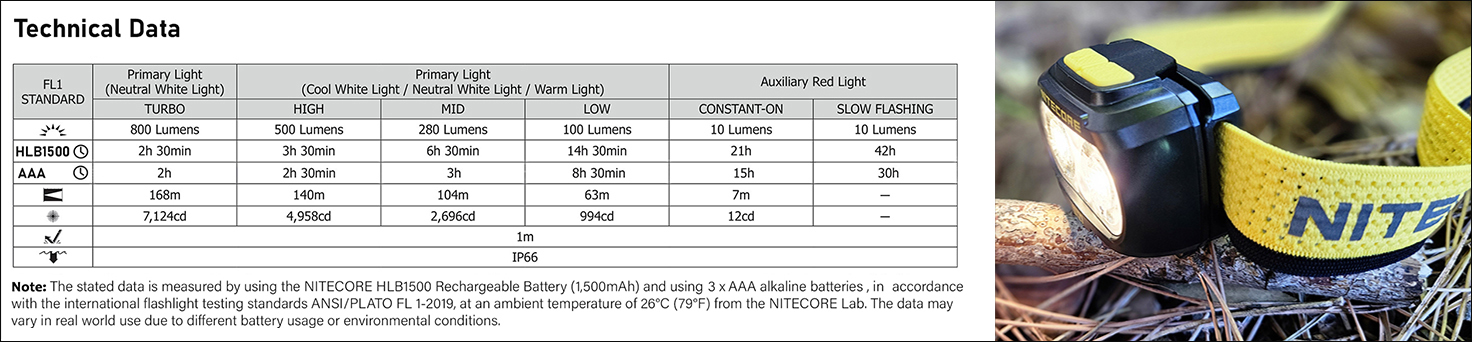
The UT27 MCT uses a wide-field-of-view optical system (TrueVision+) and a maximum output of 800 lumens for a maximum intensity of 7,124cd. The beam covers a maximum distance of 168 meters.
It has two buttons for complete control of the flashlight, four levels of primary white light, and two levels of auxiliary red light.
On the lower part of the body, there are four blue LEDs indicating the remaining battery life.
The UT27 MCT has an IP66 rating (protected against strong jets of water from any direction and seawater) with an impact resistance of 1 meter. To prevent accidental activation, the UT27 MCT has an electronic lockout mode.
The Nitecore UT27 MCT is suitable for a variety of uses, including hiking, camping, climbing, caving, and more.
KEY FEATURES
- Utilizes two quad-core UHE MCT (Multiple Color Temperature) LEDs
- Equipped with main lights offering three color temperatures: cool white 6,500K (CRI 73), neutral white 4,500K (CRI 83), and warm white 3,000K (CRI 97)
- Designed with auxiliary red lights that support constant illumination and slow flashing for warning
- Adopts a multi-faceted dual-lens optical system and TrueVision+ technology to provide a wide, uniform beam
- Maximum output of 800 lumens and a maximum throw of 168 meters
- Includes a rechargeable HLB1500 lithium-ion battery (1,500 mAh) with a built-in USB-C charging port. Also compatible with 3 AAA batteries
- High-efficiency constant current circuitry provides stable output for up to 14.5 hours
- Luminescent battery compartment for easy battery replacement and identification
- Dual switch for easy access to different light sources and brightness levels
- Power indicators show remaining battery charge
- Advanced Power Cut-Off (APC) technology for extremely low standby power consumption
- 90° adjustable tilt angle for different lighting needs
- Includes a specially designed, lightweight, skin-friendly, and breathable headband and a diffuser case
- Made of durable polycarbonate
- IP66 rated for waterproof and dustproof
- Shockproof up to 1 meter
Dimensions and Weight:
Dimensions: 56.0 mm x 46.6 mm x 32 mm / 2.20" x 1.83" x 1.26" (including bracket)
Weight: 48 g / 1.69 oz (including bracket and headband), 74 g / 2.61 oz (including bracket, headband, and battery)
Warranty:
Any DOA/defective NITECORE product can be replaced with a replacement through a local distributor/retailer within 15 days of purchase. After that, all defective/malfunctioning NITECORE® products can be repaired free of charge within 60 months from the date of purchase.
Beyond 60 months, a limited warranty applies, which covers labor and maintenance costs, but not the cost of accessories or replacement parts.
The Packaging:
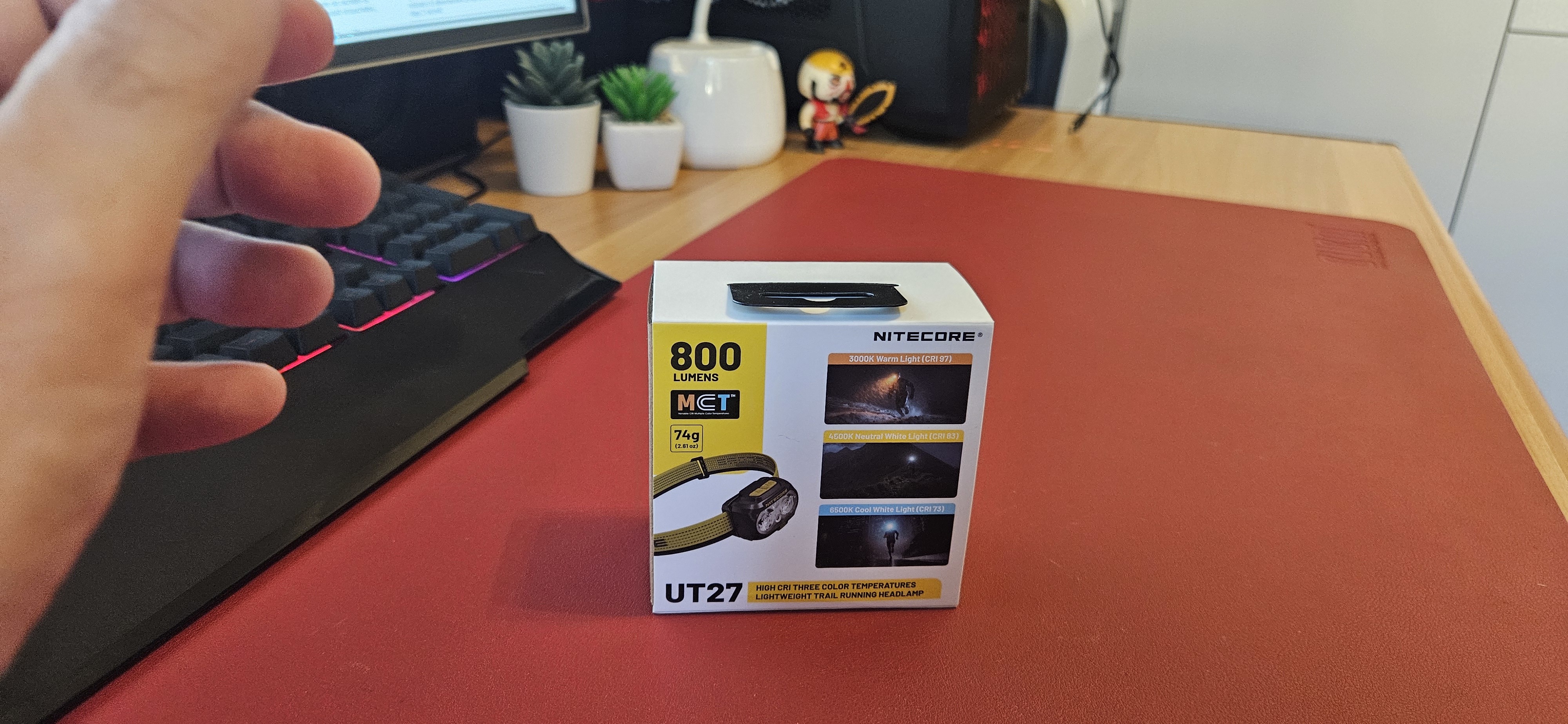
The Nitecore UT27 MCT arrives in a small cardboard box with a light-colored cover. Its main features are printed on the box.
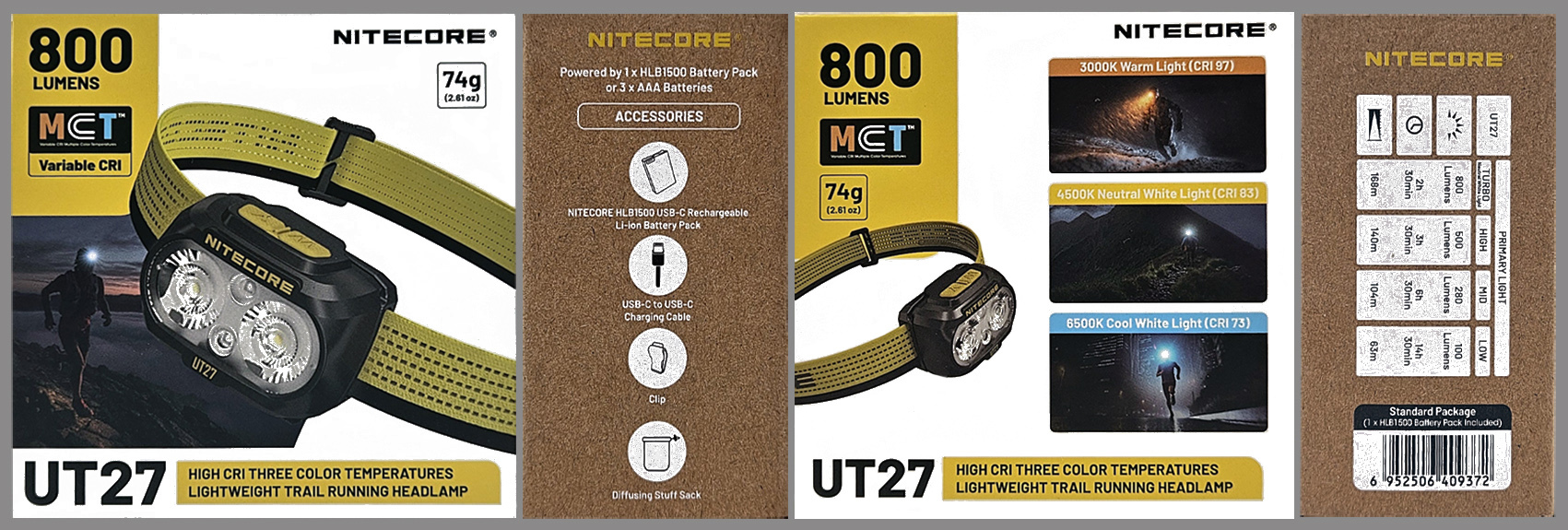
Inside the box we find:
Nitecore UT27 MCT, NITECORE HLB1500 lithium-ion rechargeable battery (1,500 mAh), USB-C to USB-C charging cable, headband, protective case, clip, multilingual manual, quick start guide, and warnings.
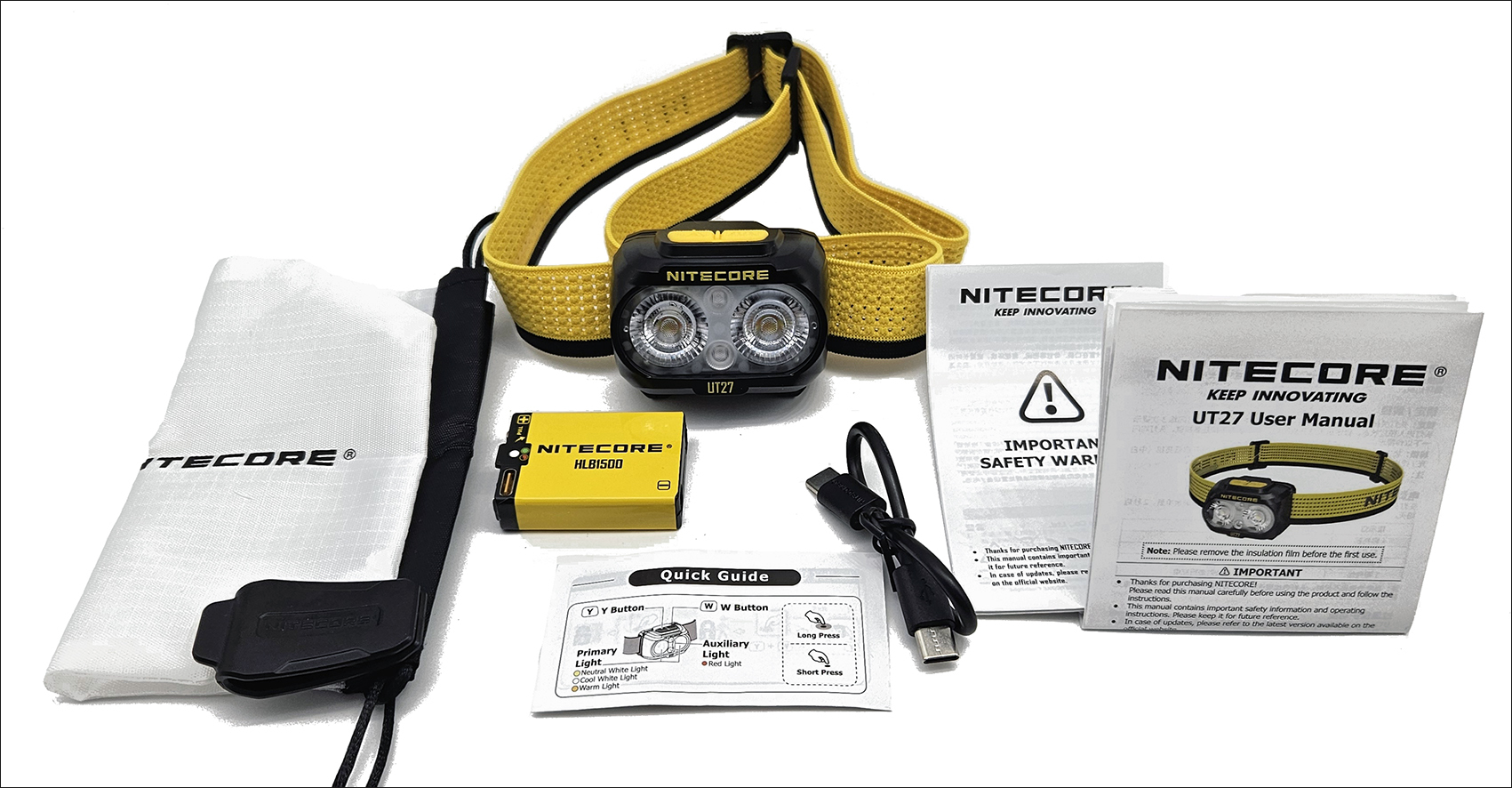
Two useful accessories included in the package are the Bag which transforms, if necessary, the headlamp into a camping lantern or an ambient light and the multi-purpose Clip made of flexible four-way plastic which allows for easy transport in a backpack or waist pack.
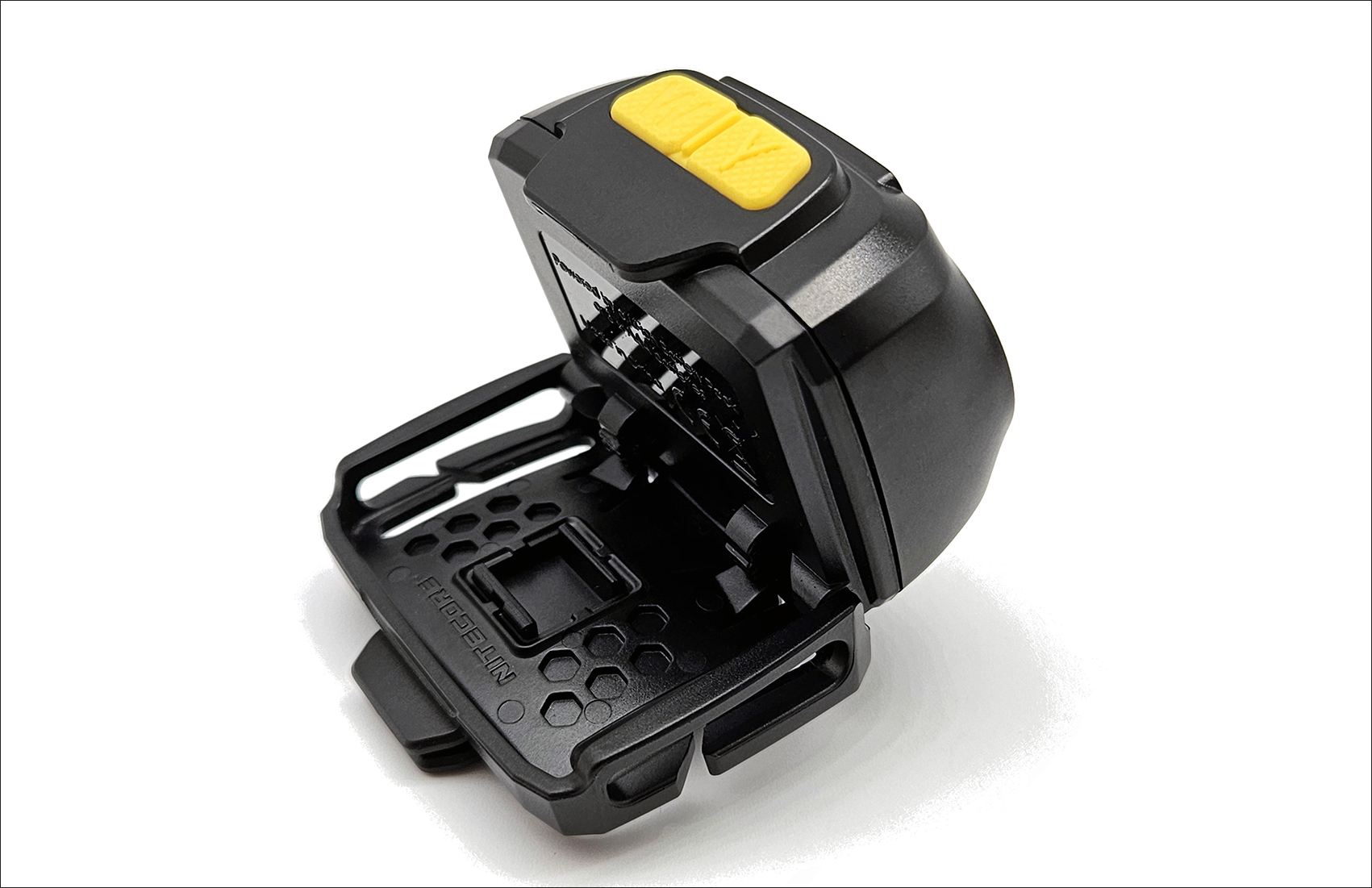
Nitecore UT27 MCT next to other headlamps.
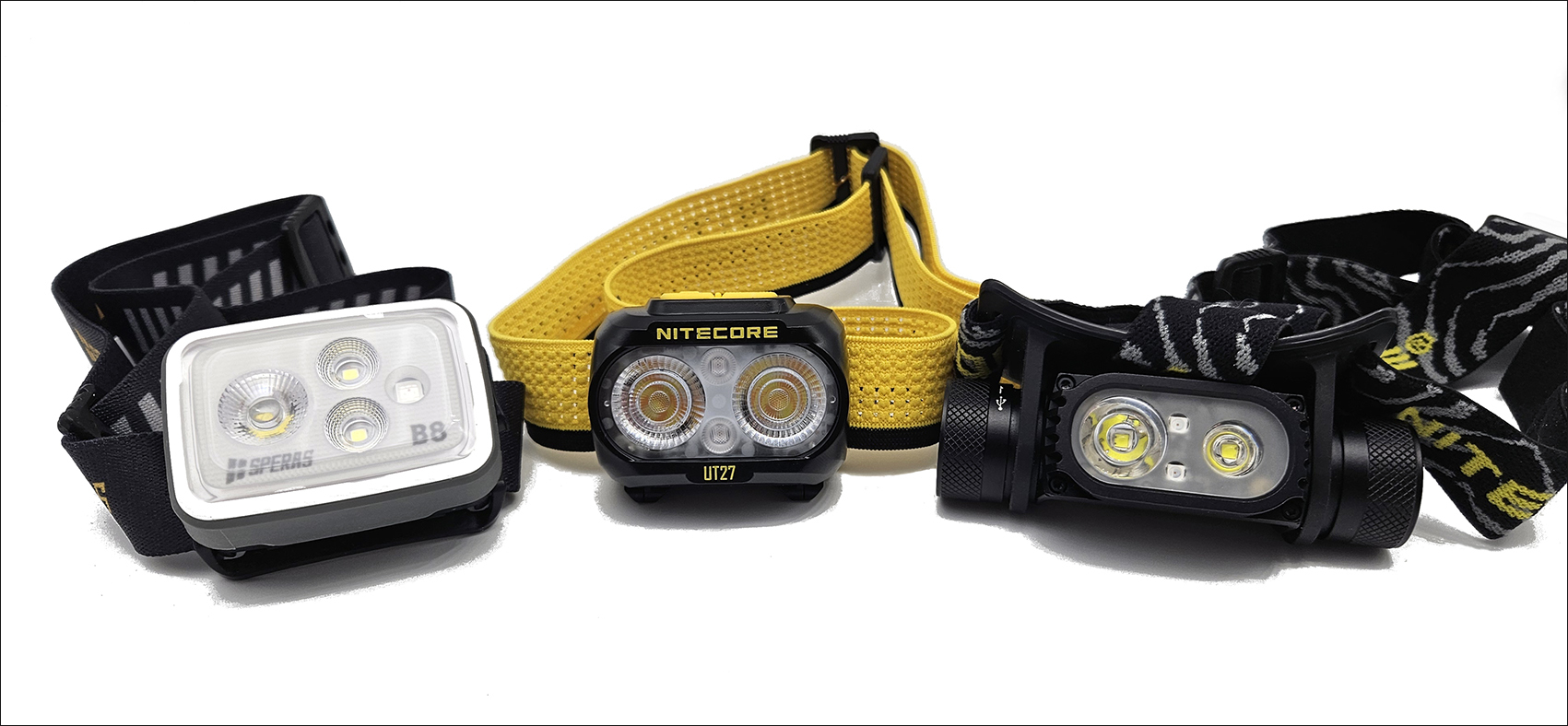
From left: Speras B8, NITECORE UT27, Nitecore HC68.
The Nitecore UT27 MCT made of tough, impact-resistant PC (polycarbonate) material. Lightweight on the head, weighing just 74g (including mount, headband, and battery), it’s optimized for outdoor enthusiasts who need a lightweight, dedicated headlamp.
The UT27 MCT is easy to wear thanks to its lightweight design and perforated elastic headband, featuring a sweat-absorbent and reflective silicone strip. The Nitecore UT27 MCT is easily adjustable and can be tilted 90°.
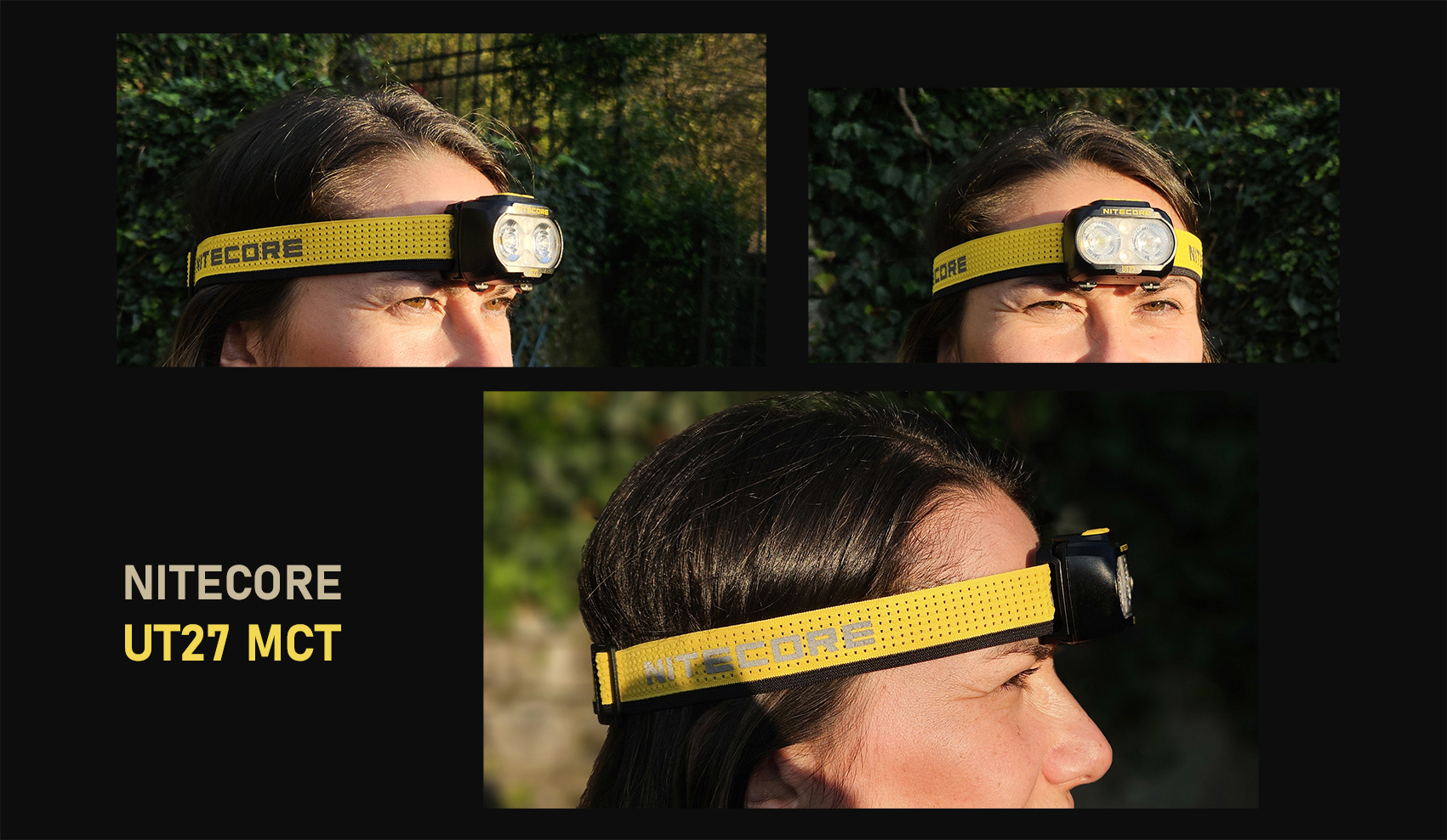
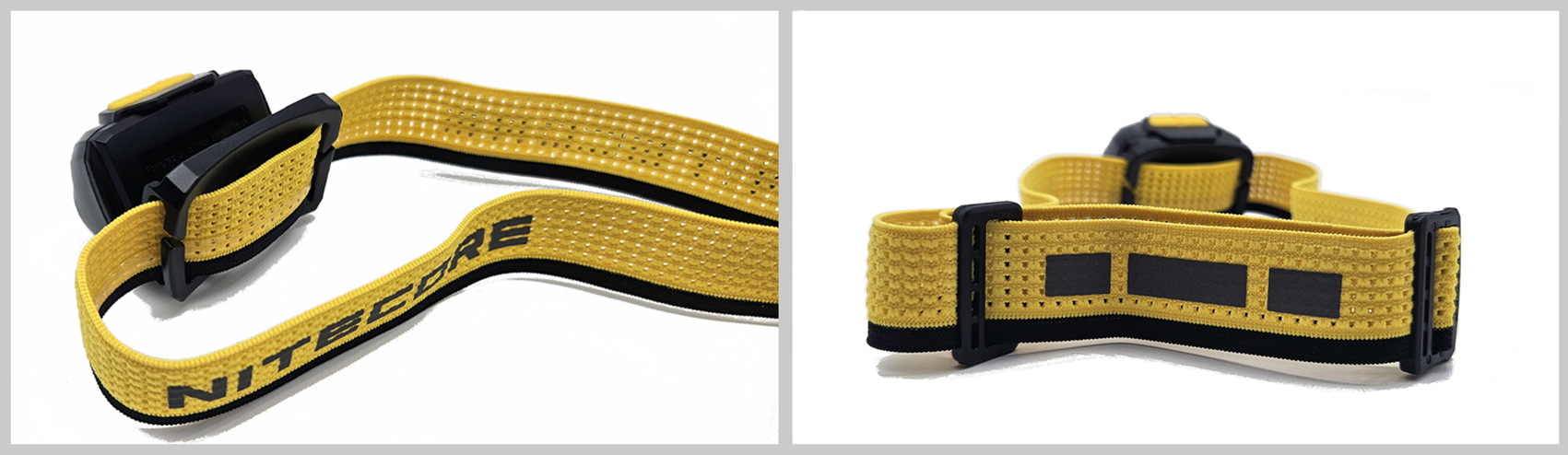
The Nitecore UT27 MCT’s headlamp uses a multi-faceted optical matrix lens system with TrueVision+ technology (minimal light loss and improved reflectivity) and dual-core UHE MCT (Multiple Color Temperature) LEDs. The Nitecore UT27 MCT is the first headlamp to offer three different color temperatures with three different CRIs (color rendering index): CRI97 for 3000K, CRI83 for 4500K, and CRI 73 for 6500K.
The beam has a wide illumination angle (100°) with a maximum output of 800 lumens and a maximum beam distance of 168 meters.
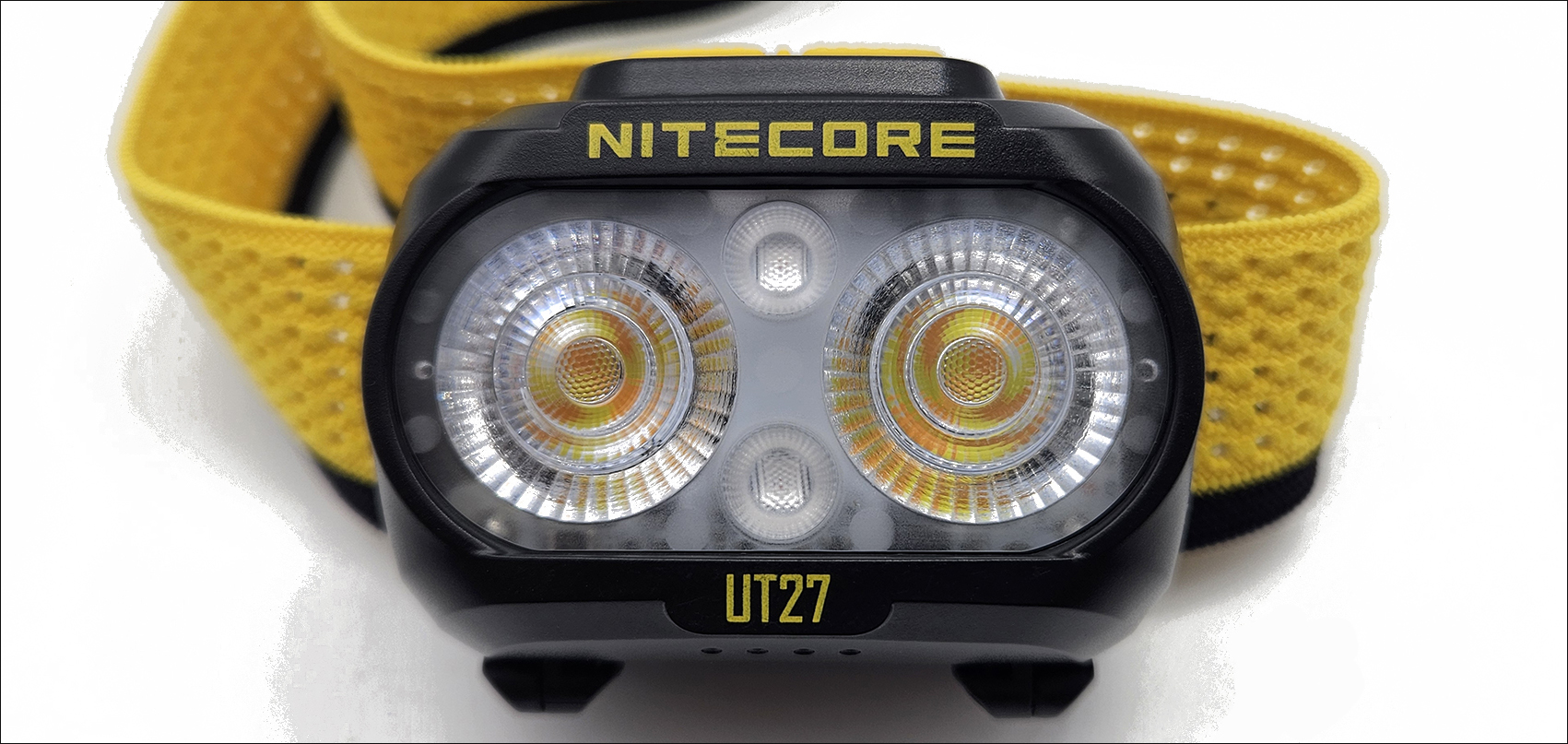
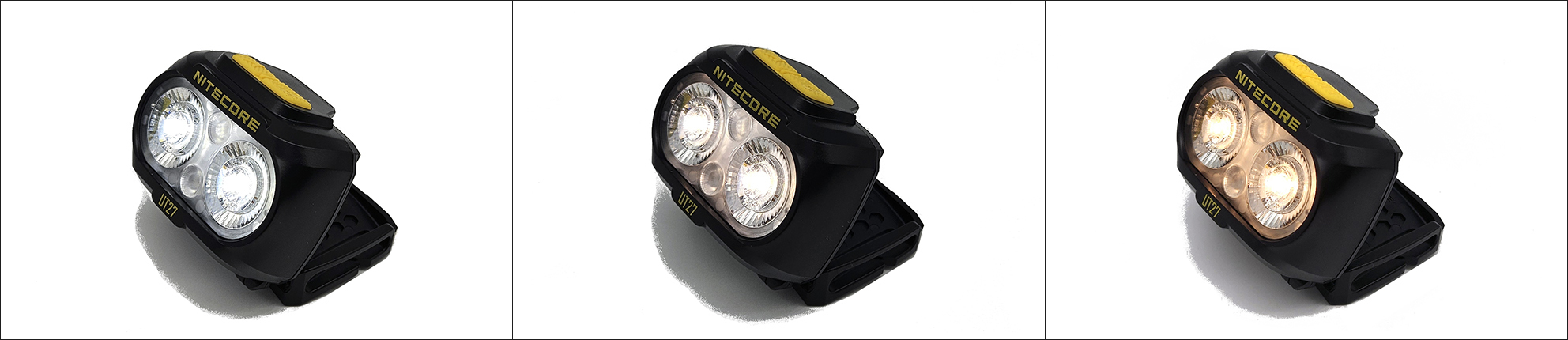
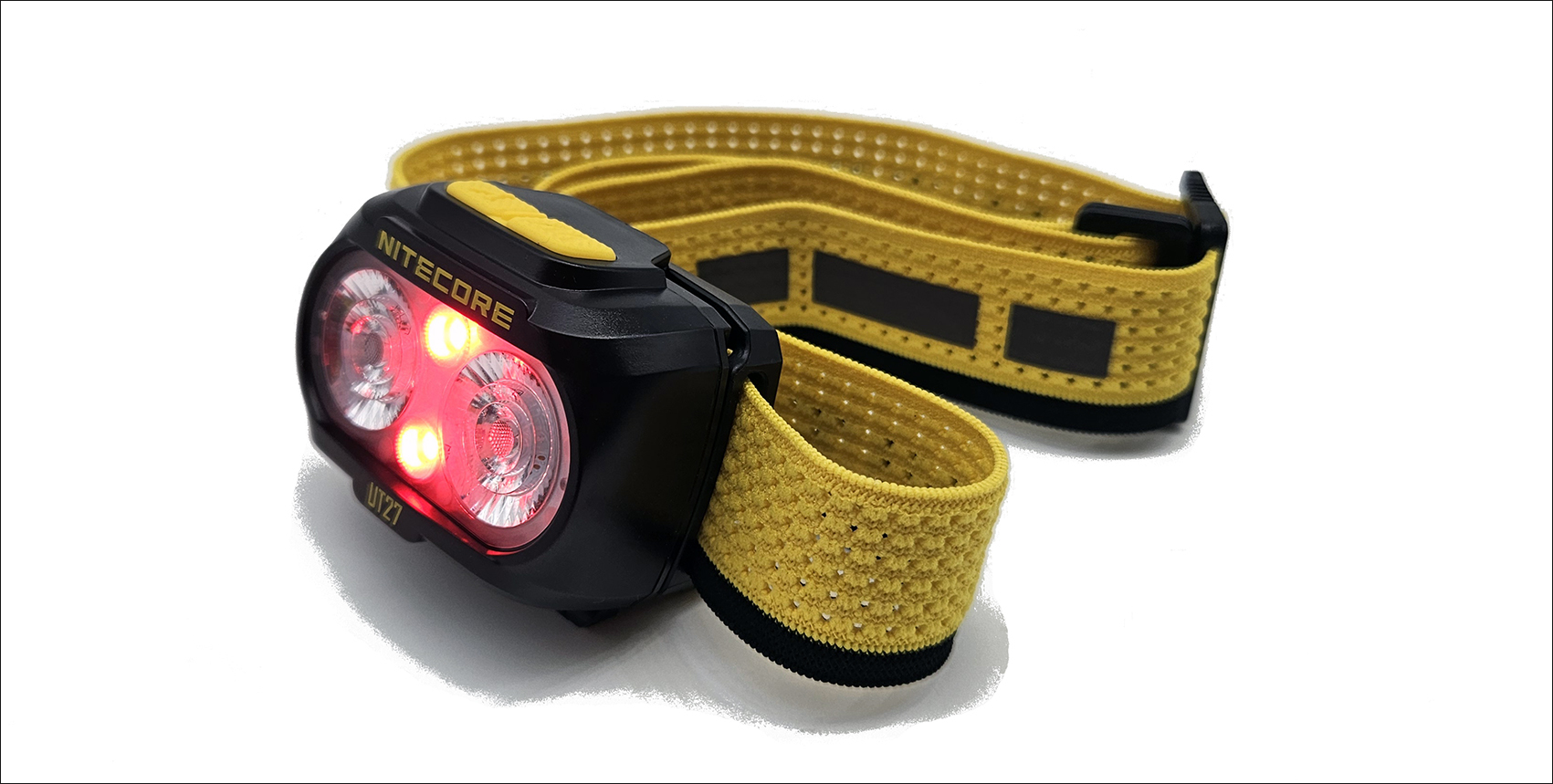
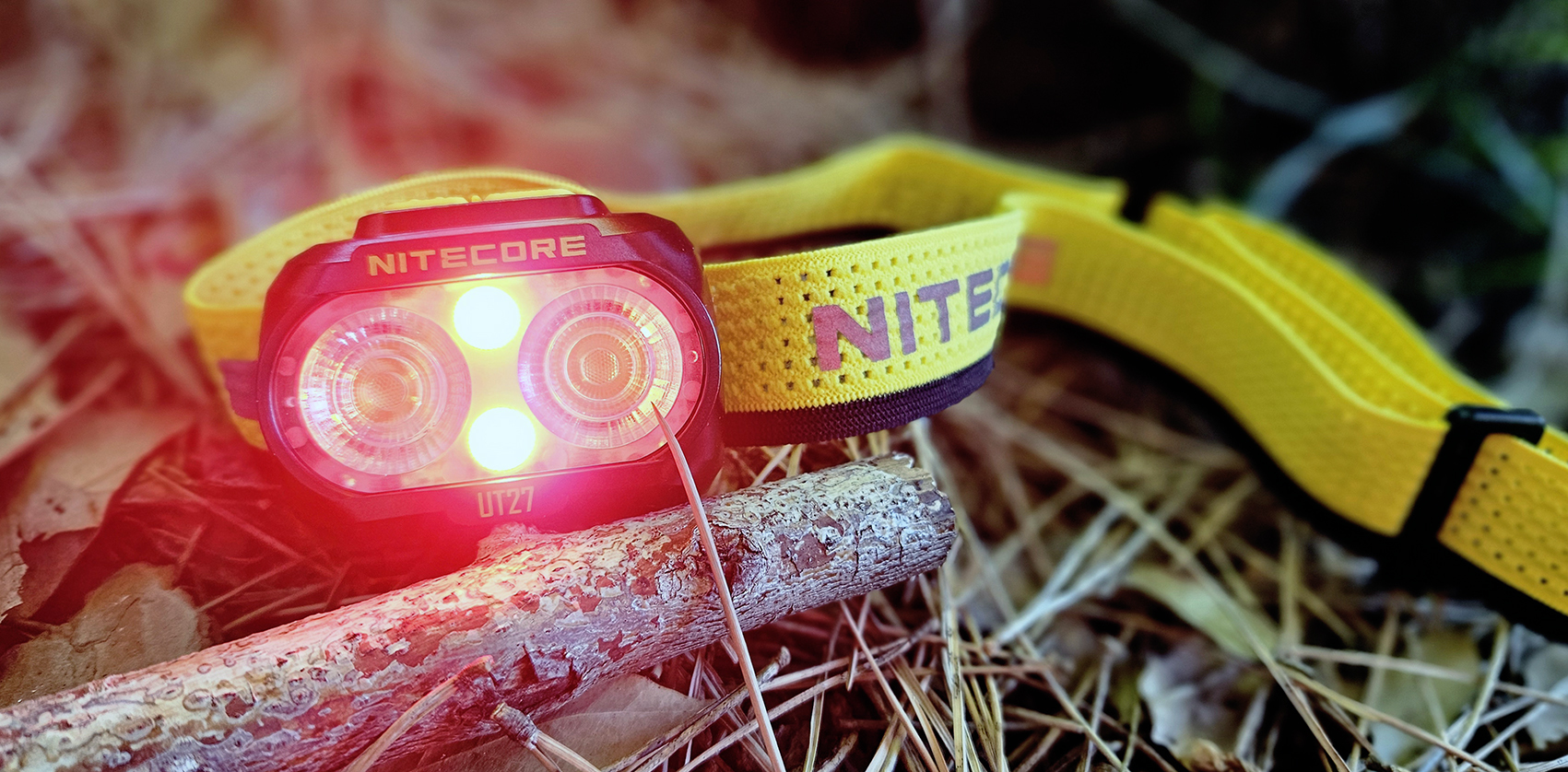
This MCT system features primary lights with 3 color temperatures (cool white 6,500K, neutral white 4,500K, and warm white 3,000K) and auxiliary red lights for unobtrusive night vision or long-lasting warning light.
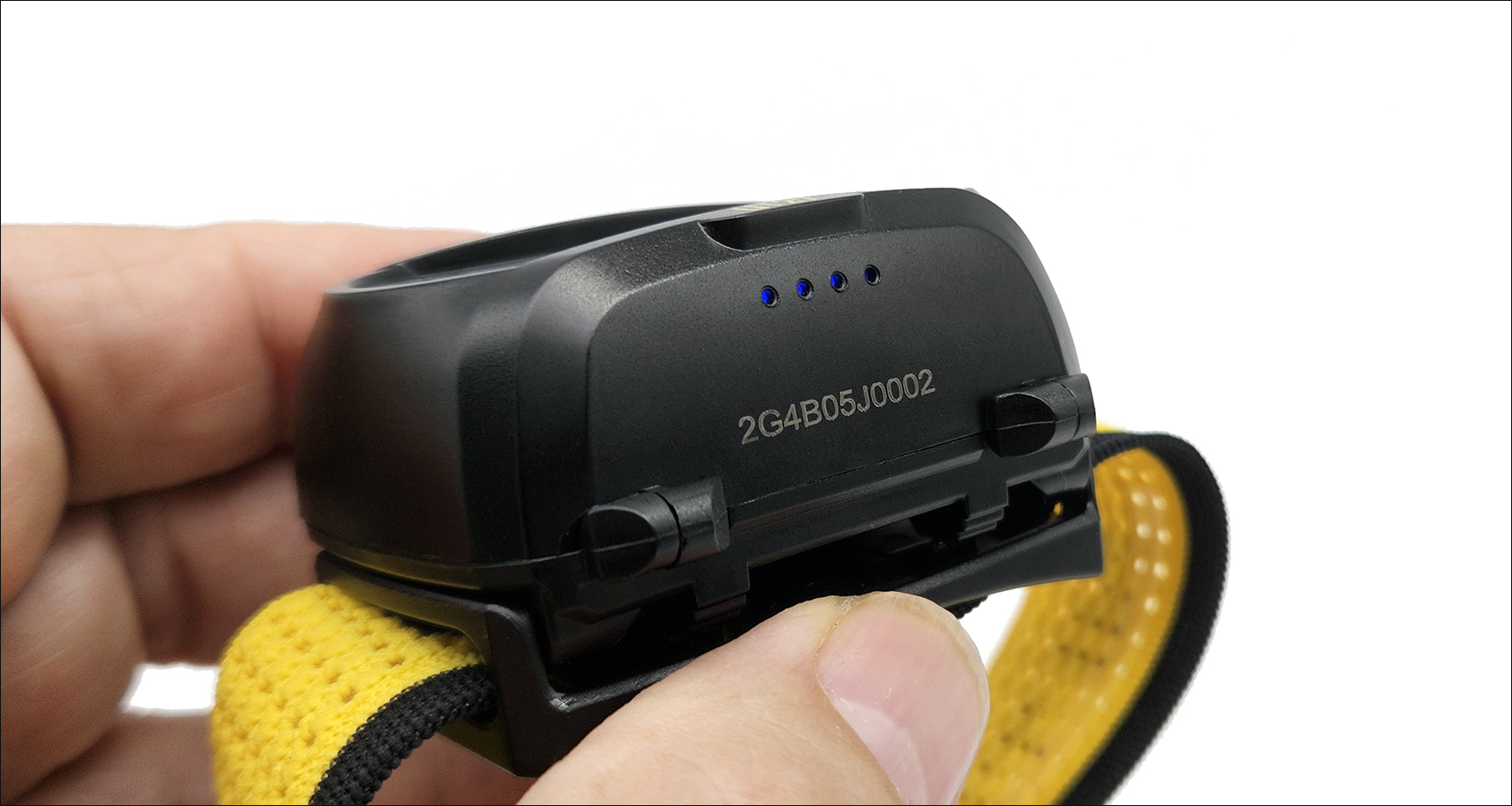
Under the light cluster are 4 blue LEDs that indicate the remaining battery life. To activate them (for 2 seconds) when the flashlight is off, simply press one of the two buttons.
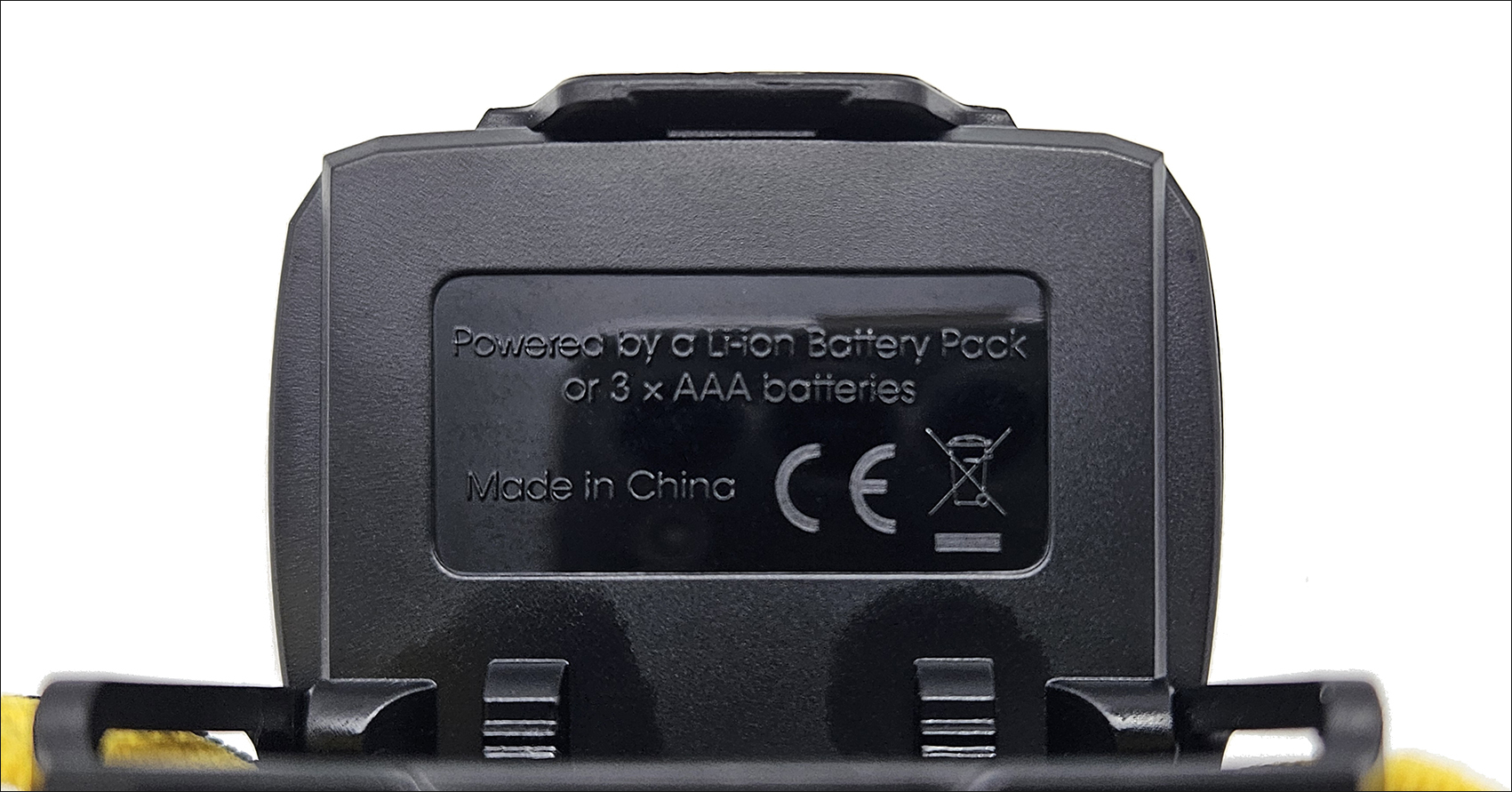
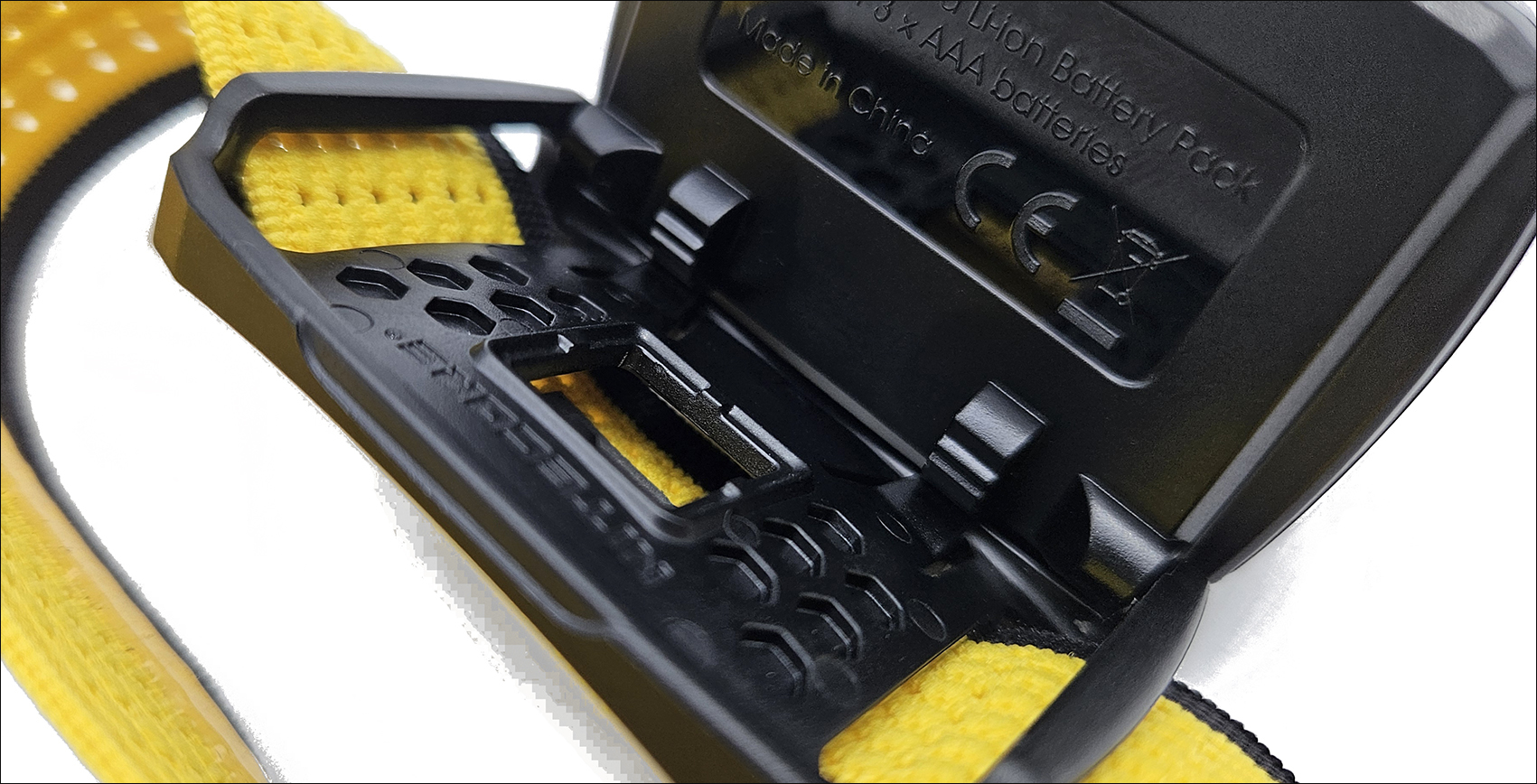
On the back of the headlamp, the type of power supply compatible with the Nitecore UT27 MCT is indicated; a Battery Pack refers to the 1,500 mAh HLB1500 rechargeable lithium-ion battery (included), with a built-in USB-C charging port, or three AAA batteries.
During the charging process, the four power indicators, located under the headlamp, flash to inform the user.
When the battery is fully charged, the four power indicators light up constantly. The charging time, measured in my tests, is approximately 1 hour and 45 minutes.
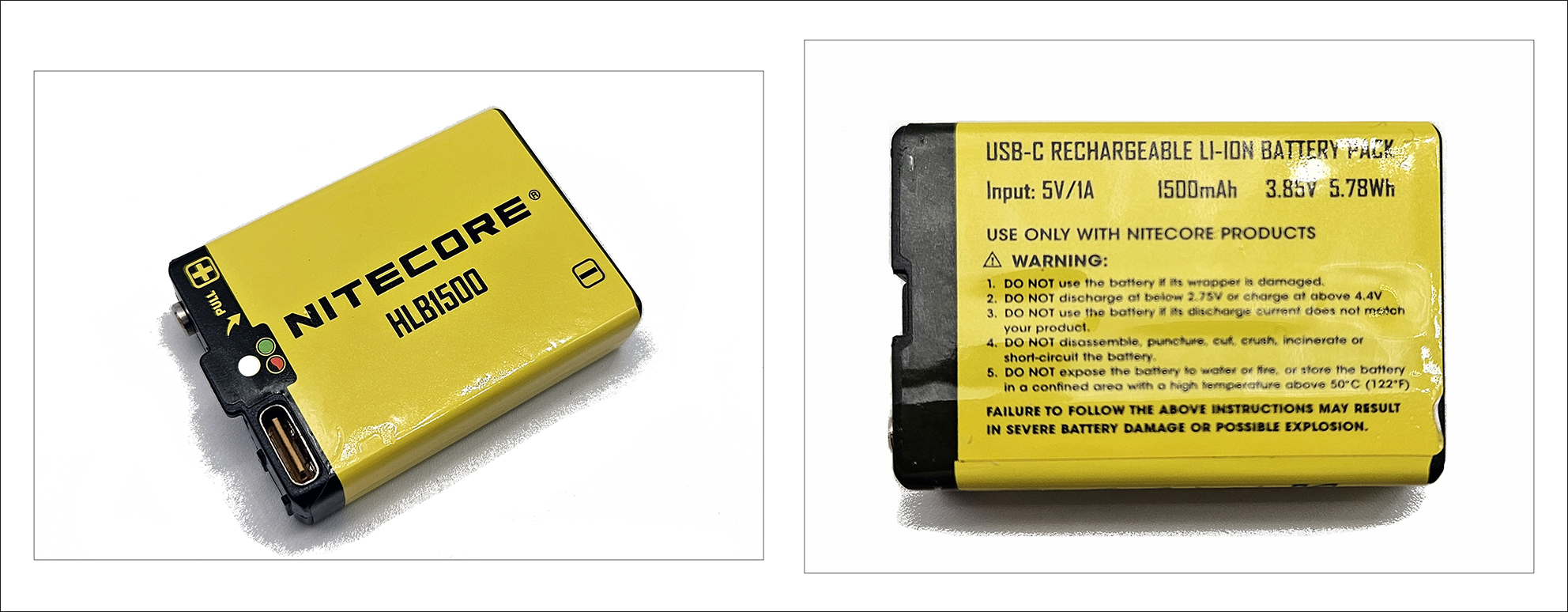
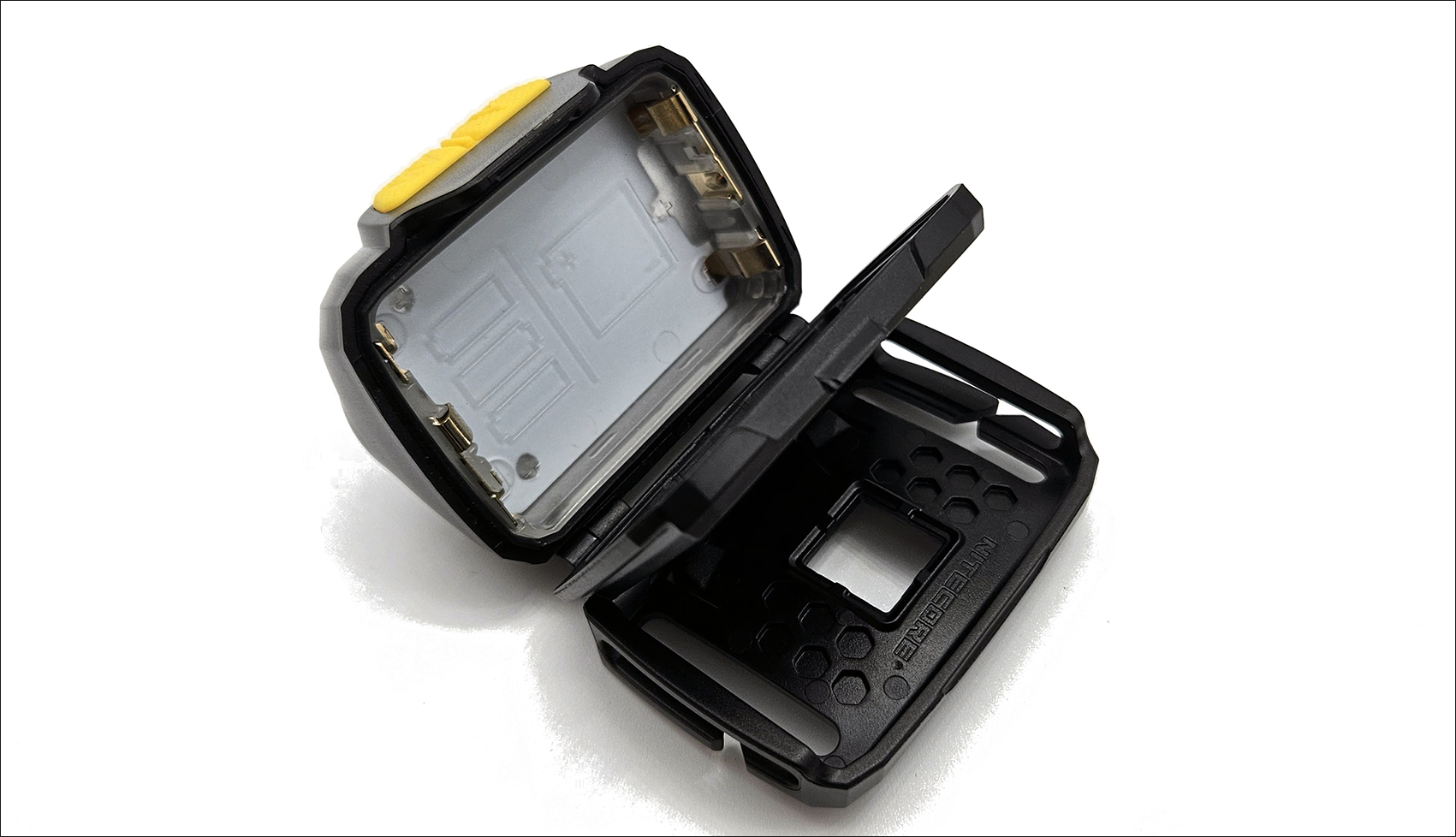
Nitecore is IP66 certified (dustproof and protected against powerful jets of water) and has a phosphorescent (glow in the dark) battery compartment to make it easier to change batteries in the evening in the dark.
The Nitecore UT27 MCT features adjustable tilt; there are 4 possible positions, with 4 clicks, and a maximum tilt of 90° from the starting position. The selected tilt remains unchanged even in the event of oscillations.
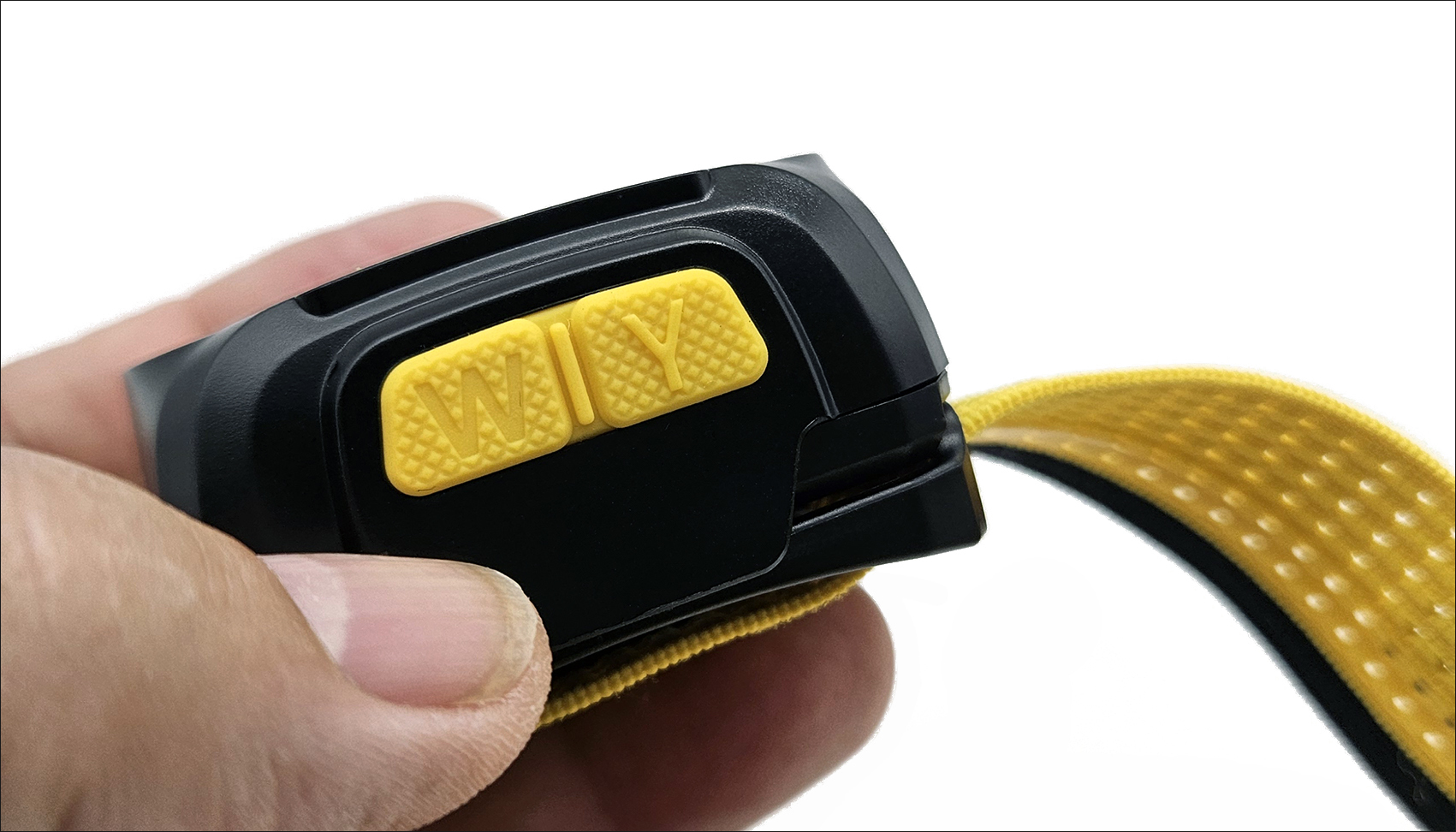
On the top of the UT27 MCT are the two yellow rubber buttons for complete control of the front panel. The two buttons have a barely audible click and are distinguished by the word “W” on the left button and the word “Y” on the right button.
At night, they can also be recognized by touch, if you’re not wearing gloves, as the left “W” button has a recessed writing while the right “Y” button has a raised writing.
User Interface and Operation:
The Nitecore UT27 MCT’s user interface requires some initial learning due to the numerous features available.
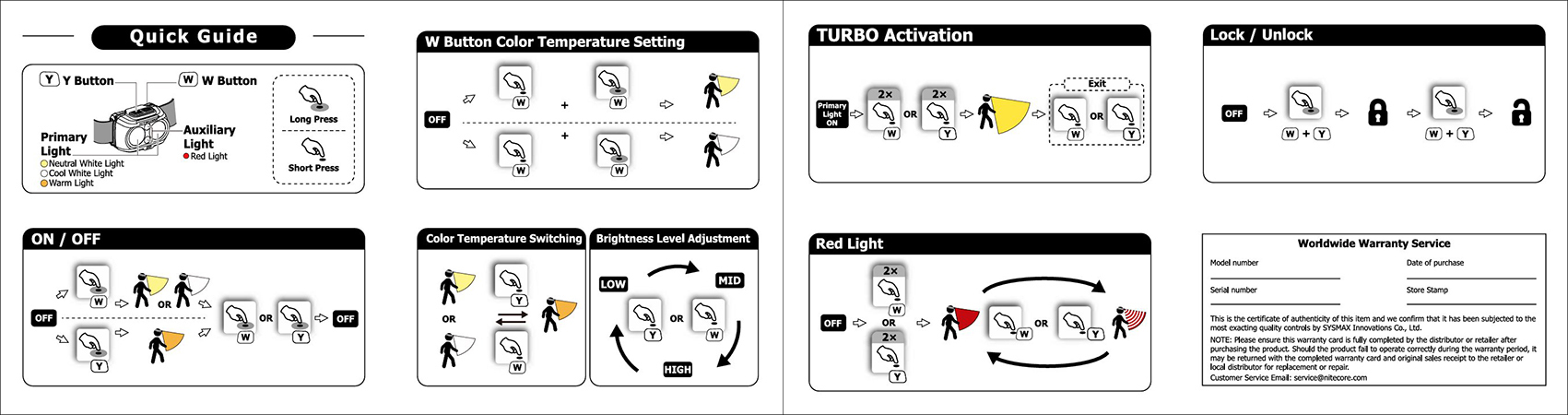
The Nitecore UT27 MCT features two buttons on the top for complete control of the headlamp (Y Button and W Button), with four brightness levels (TURBO, High, Medium, and Low), primary lights with three color temperatures (warm light 3,000 K / neutral white light 4,500 K / cool white light 6,500 K) and auxiliary red lights. An electronic lock is available by simultaneously pressing both buttons when the light is off.
The W button controls neutral white and cool white light, while the Y button controls warm light.
Power On
• When the light is off, long press the W button to access neutral white LOW (default setting) or cool white LOW.
• When the light is off, long press the Y button to access the LOW warm light.
• Off: When the light is on, long press either button to turn it off.
W Button Color Temperature Setting
The W button switches between neutral white and cool white light. The factory default setting is neutral white.
W Button Color Temperature Switching: When the light is off, short press and then long press the W button to turn the light on and switch to neutral white or cool white light.
The product automatically stores the current color temperature until the next time it is changed.
Color Temperature Switching
• When neutral white or cool white light is on, short press the Y button to switch to warm light.
• When warm light is on, short press the W button to switch to neutral white or cool white light.
Adjusting the Brightness Level
• When the neutral or cool white light is on, briefly press the W button to cycle through the following brightness levels: LOW - MID - HIGH.
• When the warm white light is on, briefly press the Y button to cycle through the following brightness levels: LOW - MID - HIGH.
Activating TURBO
When a color temperature light is on, double-press either button to access TURBO. Short-press either button to return to the previous state.
Auxiliary Red Light
On: When the light is off, double-press either button to access the red light.
Off: When the red light is on, long-press either button to turn it off.
Toggle: When the red light is on, short-press either button to switch from STEADY to FLASH.
Lock / Unlock
Lock: When the light is off, long press both buttons until the light flashes 3 times to indicate lockout mode.
In Lockout mode, both buttons are unavailable to activate the headlamp, and the light flashes once to indicate this state when either button is pressed.
Unlock: In Lockout mode, long press both buttons until neutral white LOW or cool white LOW activates. The light is now unlocked.
Note: The flashlight automatically unlocks when you replace the battery in Lockout mode.
BEAM and RUNTIME
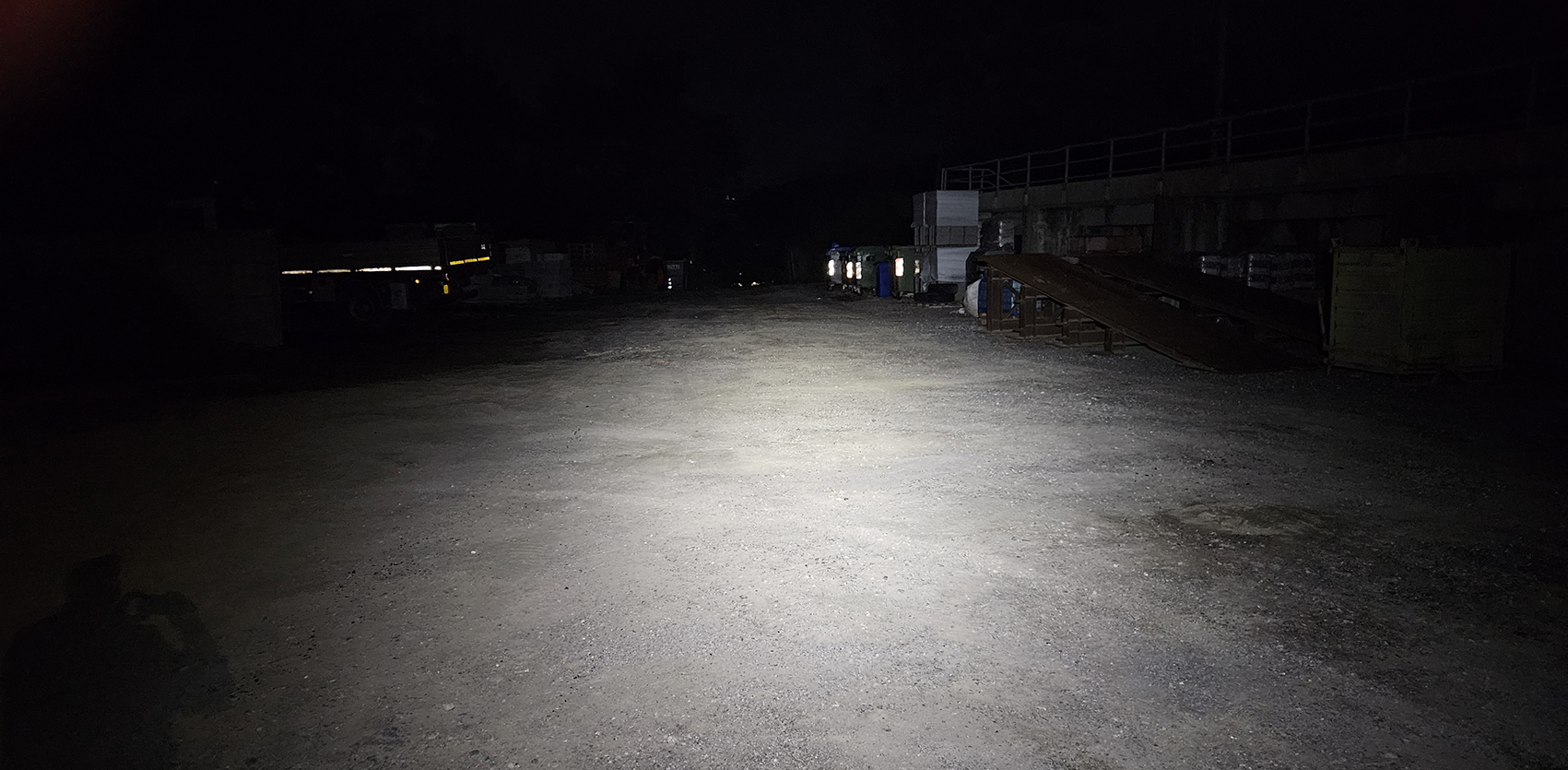
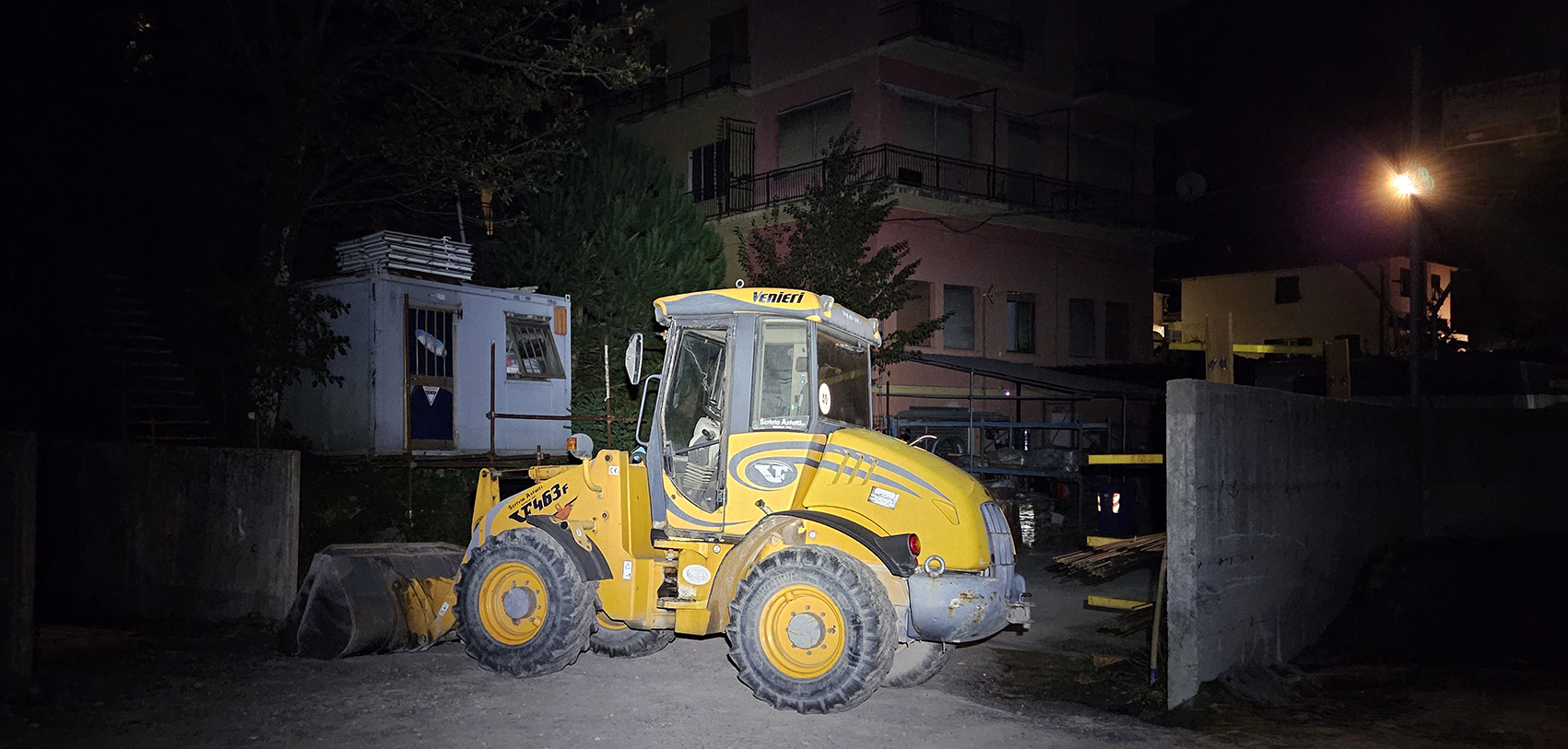
I would like to point out that the photos and values expressed in the graphs should be taken primarily as references because they were taken with hobbyist-level equipment and under environmental conditions different from those used in the laboratory.
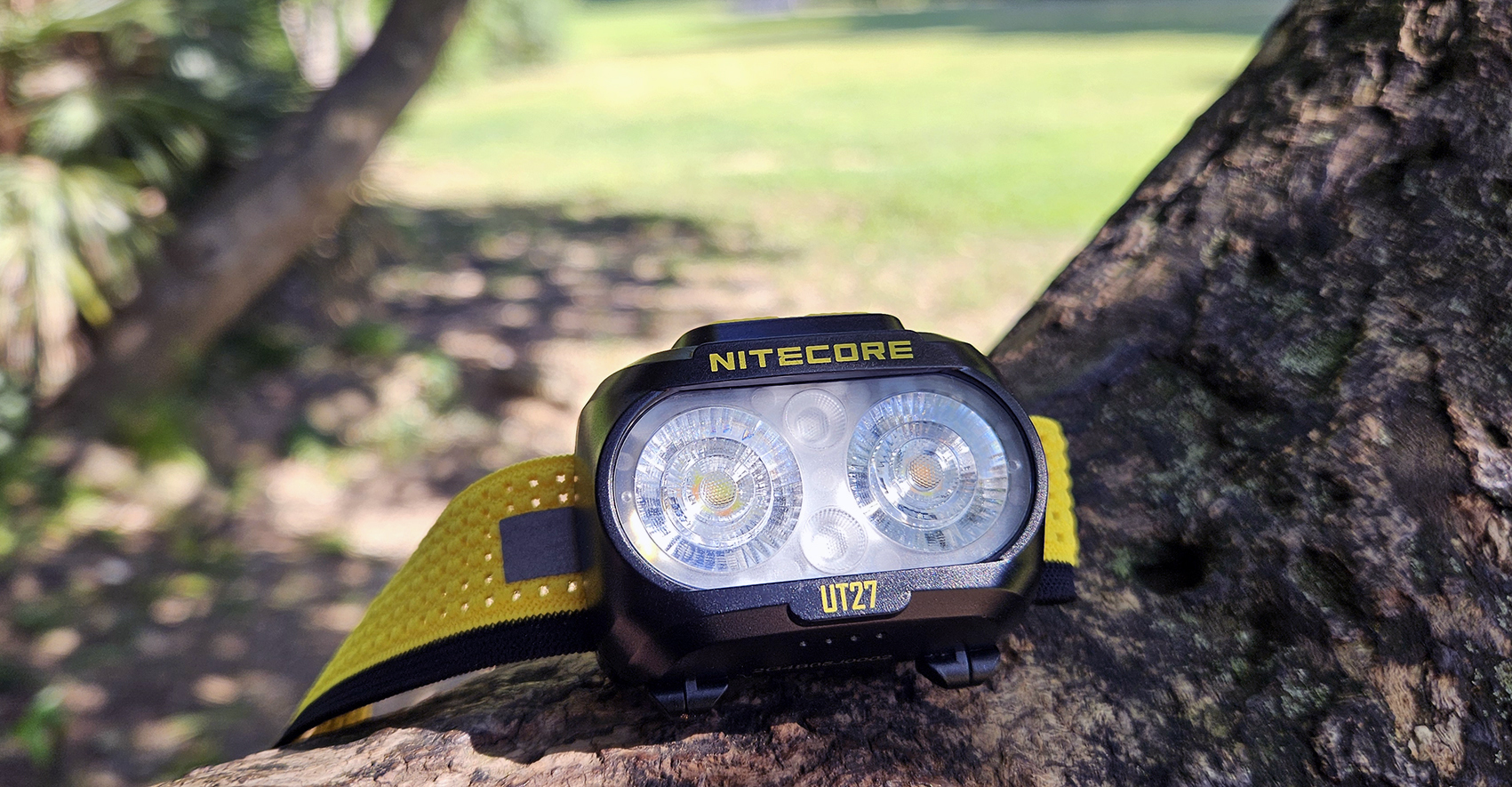
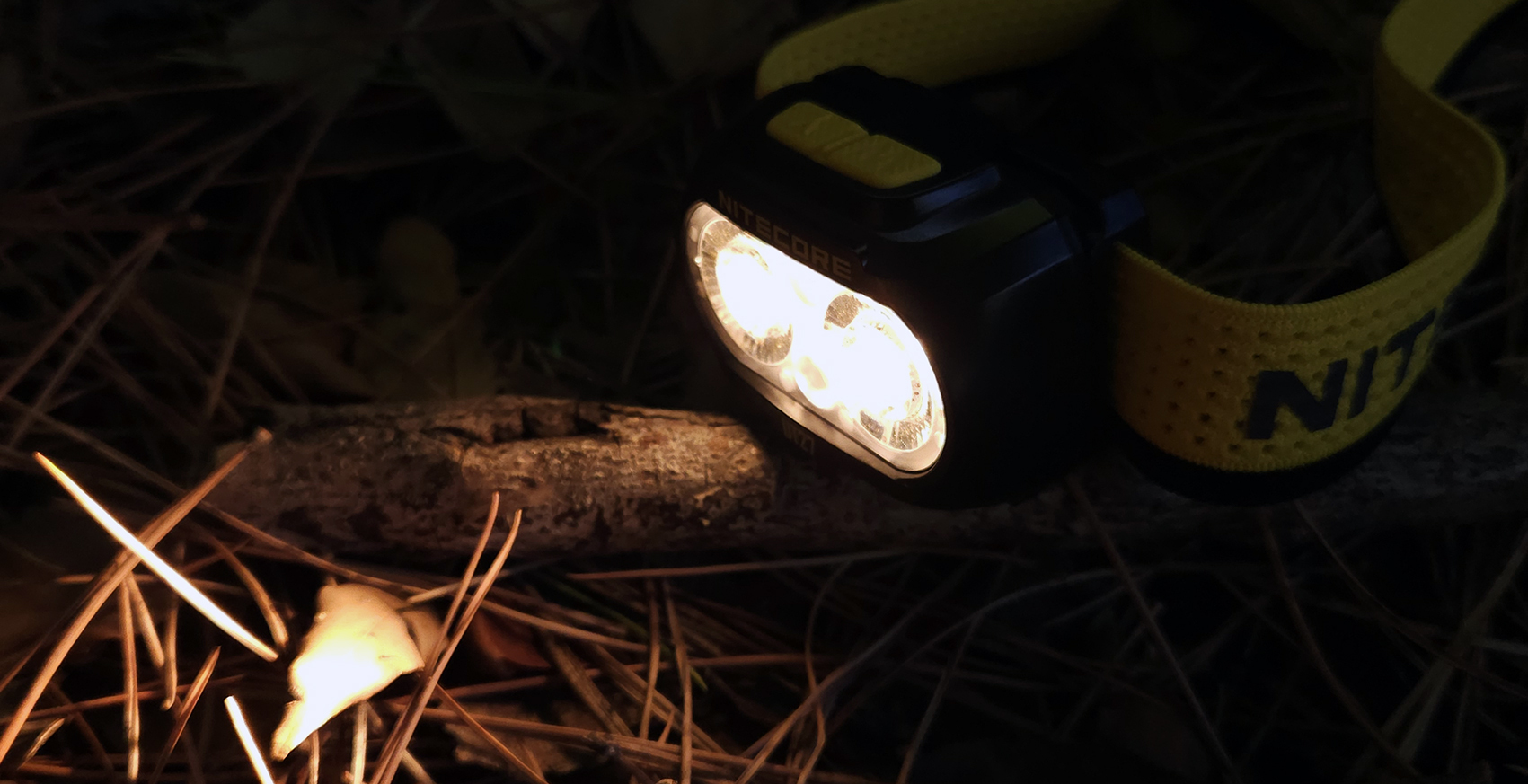
The Nitecore UT27 MCT’s beam is flood-like, with no visible artifacts.
With the Nitecore UT27 MCT, you can choose your preferred color temperature between neutral, warm, and cool light in the three main levels (low, mid, and high) thanks to its recent MCT (Multi Color Temperatures) system. This implementation also offers a choice of color rendering index (CRI), which is a remarkable 97 for warm light.

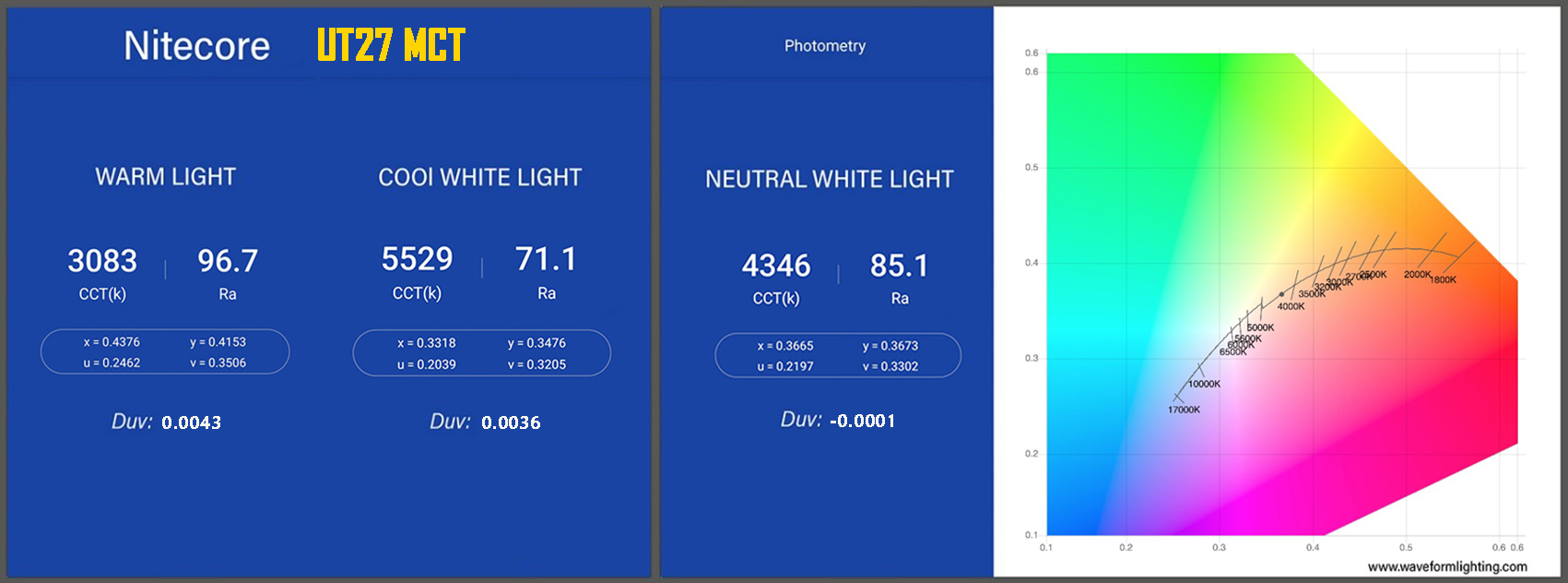
Using the OPPLE Light Master Pro, a fairly accurate device even if not calibrated, I measured the CCT (color temperature) and Ra (color rendering index) values for each of the three colors. The values were excellent, with a beam without any particular color casts. Flicker is in the green band, which is not at risk.
Here are some values found for the Nitecore UT27 MCT:
Warm Light: Color Temperature (K): 3083 - Color Rendering Index (Ra or CRI): 96.7 - Duv = 0.0043
Cool White Light: Color Temperature (K): 5529 - Color Rendering Index (Ra or CRI): 71.1 - Duv = 0.0036
Neutral White Light: Color Temperature (K): 4346 - Color Rendering Index (Ra or CRI): 85.1 - Duv = -0.0001
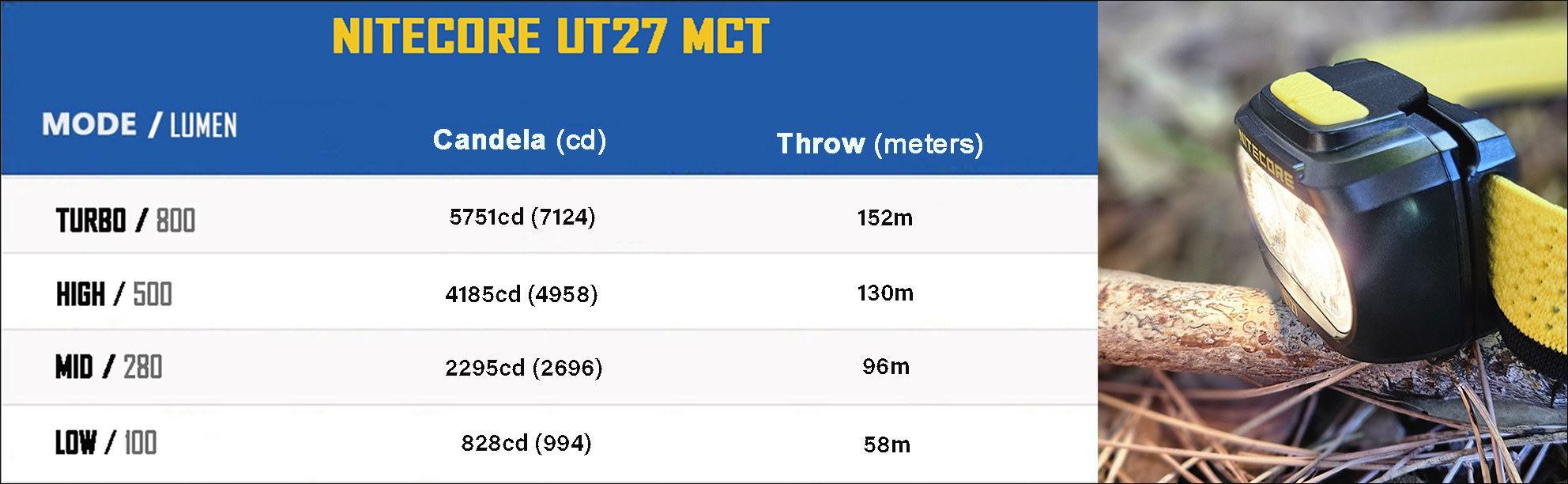
The table below shows some peak values in candela (cd) taken with my Luxmeter for the 4 levels TURBO, High, Medium and Low. The values are lower than those in the table.
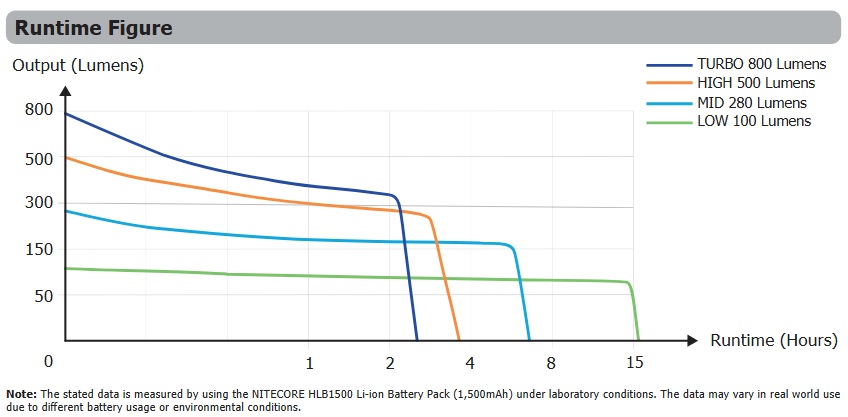
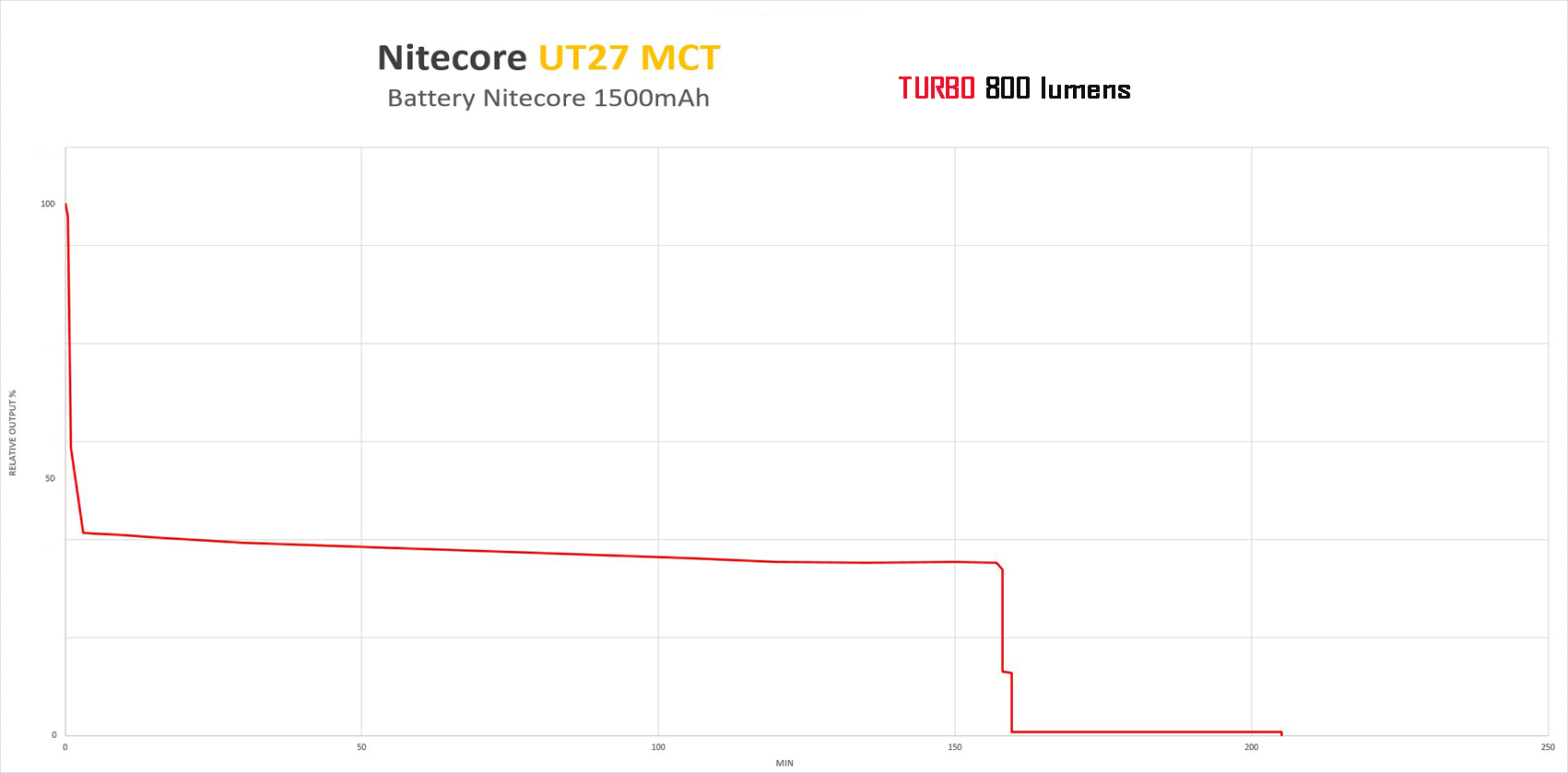
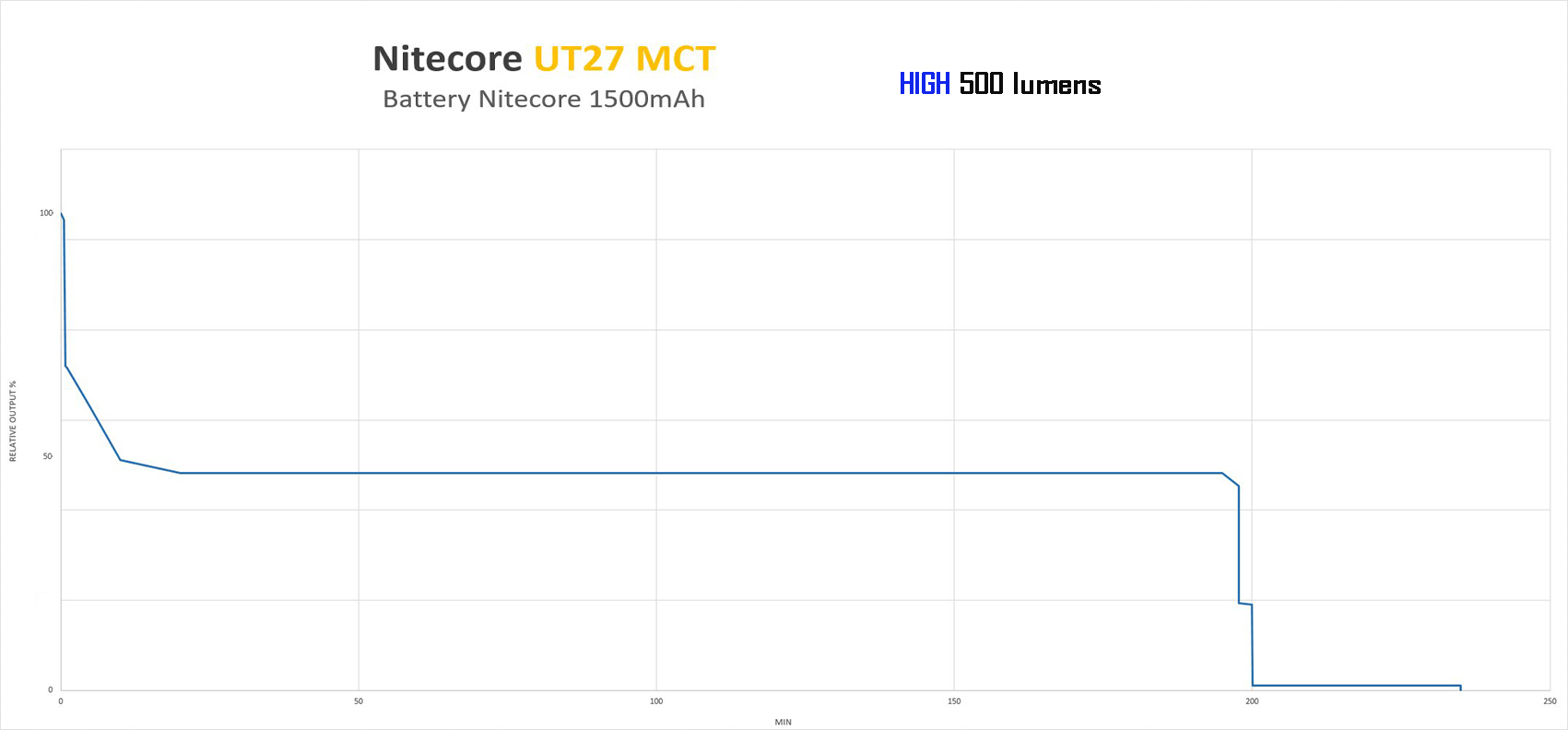
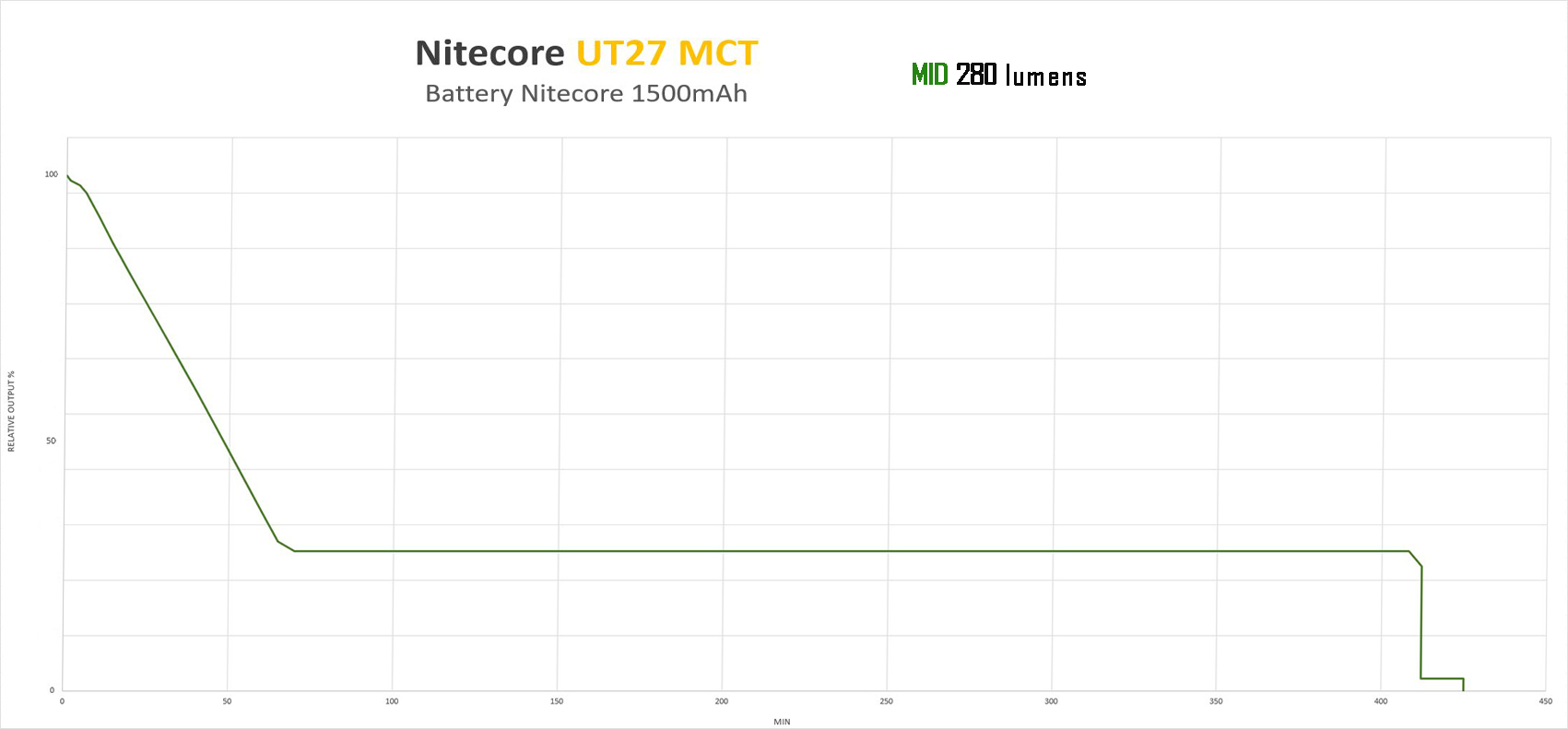
The runtimes were conducted indoors at a temperature of approximately 20°C, using the supplied 1500mAh battery, fully charged.
The tests were conducted with the Nitecore UT27 MCT in the TURBO (800lm) mode, available only with Neutral White temperature, the HIGH (500lm cool white) mode, and the MID (280lm warm white) mode.
The discharge curve is satisfactory, with times that match those declared by Nitecore.
With the TURBO and HIGH modes, there is a fairly rapid decrease after turning on (after about 30 seconds).
VIDEO Unboxing
CONCLUSIONS
The Nitecore UT27 has been updated in this “MCT” version with the new MCT UHE system, whose main feature is the ability to choose your preferred color temperature: Neutral, Warm, and Cool, with different color rendering indexes. The beam quality is good, with no dominant features, and an excellent color rendering index in the warm light mode.
The Nitecore UT27 MCT is lightweight with decent power and comes with a complete set of accessories, including the internal rechargeable battery (USB-C), a clip, and a convenient pouch for storing the headlamp or using it as a diffuser. The headlamp also features 2 auxiliary red LEDs, which are always useful for preserving night vision without attracting insects. When flashing, they are useful for warning or emergency response.
In conclusion, the Nitecore UT27 is a lightweight headlamp to wear and carry, particularly recommended for situations where weight and space are limited but you still want a reliable product with decent power and battery life.
Thanks for reading the review.
Roberto
------ My Youtube Channel ------------------------------------------------