This is one of the best feature ToyKeeper added last year
1 Thank
Even better is to configure its respective variable with the desired value directly into the image: that way not only you do ZERO clicks (the light comes up configured exactly the way you want it), but also your entire configuration survives factory resets and firmware upgrades (as the new firmware will also be generated with all the configuration burned in) . That’s what I do here, and couldn’t be happier about it.
Do you have a flashing kit? If you do, I can generate and send you an image with all your configuration already in it.
1 Thank
No, I don’t have a flashing kit. I keep telling myself that I should get one…
1 Thank
You should listen to yourself more often! 
Seriously, run (don’t walk) and get yours ASAP – at $5 plus USPS shipping (so, about $10 in the US) directly from @gchart, there’s absolutely no reason not to have one – and it will more than pay for itself in saved time, effort and aggravation the first time you use it.
And as an added bonus, you get to hang out with the cool flashlight-flashing dudes like yours truly 
Let me know when you receive yours!
LOL, well said 
Mandrake50, Join the Cool Kids!
my skills do not include building my own hex files, but I find the flashing adapter handy for saving my TS10 settings.
That lets me batch load my saved settings when I buy a new TS10
Bear in mind that reflashing requires a learning curve…
2 Thanks
Hear, hear! This alone (backing up and restoring the flashlight’s EEPROM, which is where the settings reside) is reason enough for having a flashing kit, even if one never flashes an HEX!
Seriously, having an Anduril light and not having a flashing kit for it, is like having only half of a great tool.
I think this was probably my fault.
I didn’t make the TS10’s model-specific code originally. I found a note in the file though, saying Wurkkos requested a lower ceiling in Simple UI, where “lower” meant level 144 of 150. When I found this, I thought 144 was still too high, so I reduced it to 130/150 and left the advanced smooth ceiling at 150.
But looking at the old version again, advanced mode wasn’t set to 150… it was 120/150, while simple mode was 144/150. I don’t know why it was that way, but it’s not what I expected and I made a bad assumption that simple mode’s ceiling was lower than advanced mode.
So after seeing jon_slider’s post, I set all the default ceilings to 130/150, which is about half power. It should still be bright enough to give a decent “wow factor” out of the box, which is something manufacturers seem to care a lot about, but not bright enough to damage itself.
For actual sustained use though, levels 110 (6/7) and 130 (7/7) are probably a bit high for this tiny host. I’d suggest dropping down at least 2 stepped ramp steps from the ceiling, like 90 (5/7) or 70 (4/7). Personally, most of my use is level 50 (3/7) or below.
3 Thanks
I thought it didn’t make any sense lol
I see what happened. Oh well. Nothing anybody can’t adjust from the flashlight ui
OK…OK, I am listening. I contacted @gchart . He is out of adapters right now, but when he has some in stock I will order. Next to figure out the easiest way to actually flash the firmware.
1 Thank
Yay! 

I contacted @gchart . He is out of adapters right now, but when he has some in stock I will order.
Hope it doesn’t take too long, my friend. You’re gonna love it!
Next to figure out the easiest way to actually flash the firmware.
AVRDUDE is the best, but you have to get it installed. Pretty easy on Linux, no experience with Windows but I hear it’s not that difficult either: you just have to install the right driver for the CH340 chip the adapter uses, if Windows’ automatic ‘plug-and-pray’ (pun intended) messes up and installs the wrong one. Once you have the CH340 driver installed, you just have to download and expand AVRDUDE. This is the official page on Github, and they publish ready-to-install pre-compiled binary ZIPs for Windows on their release page, you don’t even have to install anything, just create a directory and expand the ZIP on it (you will probably want the latest *-windows-x64.zip file).
Once you have it ready, it’s a matter of issuing the right command-line from a CMD.EXE window in that directory, not hard at all (specially if you save the complete lines for the most common operations in a TXT file to copy/paste when needed).
Or you could try ZFlasher on an Android phone/tablet, I hear it doesn’t get any easier, but there have been reports of silent image-corrupting errors and the like.
I use the gchart adapter to reflash my TS10. This was important for the first batch of TS10, because we learned that Anduril had no LVP for single color Aux. And gchart produced updated firmware, before Wurkkos started shipping lights with that update.
I used my iMac desktop computer and the pymcuprog application… on my hardware it would take almost 5 minutes to reflash, so I did not try to hold the pogo pins by hand, instead I clamped them in a small vise, so they would not move.
I recently figured out how to load the avrdude app onto my desktop, the reflash is about twice as fast. But unlike pymcuprog, when I back up my TS10 hex file, avrdude does not include my personal preferences (eeprom). avrdude requires me to save eeprom separately.
When I want to reload my TS10 hex file saved by pymcuprog, the eeprom are included and reloaded in a single reflash.
but the TS10 hex saved by pymcuprog will not load if I try to use avrdude.
When I wan to reload my TS10 hex saved by avrdude, I have to backup the eeprom separately. When it comes time to reload my hex file with avrdude, I have to do a separate reflash to reload my eeprom file.
So for me, pymcuprog is a better option, since I dont have to backup two separate files and I dot have to reload two separate files.
I have read that people with an Android phone can use Zflasher, but I dont have an Android, and I do not know how it works to backup my TS10 with my personal preferences… it seems to use avrdude, which would mean it would require me to backup the eeprom separate from the hex file…
so for me, pymcuprog on desktop is the simplest option.
I do not have the skills to build hex files. I only know how to load them, and back them up.
The advantage of not building custom hex files, for me, is that I can use a light with my personal preference settings, and I can backup and restore my hex file, including my options, in a single step.
Plus, if I decide to sell one of my lights, I can do a factory reset, to bring the light back to factory default options, without needing to reflash.
This means I can ship a light set up with my preferences, which include disabling Turbo. And if the buyer then decides they dont like my personal settings, they can erase them all, simply by doing a factory reset. They do not need to know how to reflash, and they do not need to know how to use Anduril to turn Turbo back on.
So, all that to say that for me, pymcuprog on desktop is better than avrdude…
1 Thank
Wow. I’ve never had flashing take more than 15 seconds. Looking at my scrollback, the last 2 flashes I did took 6.3s (emisar d4) and 13s (noctigon k1). (edit: total time for the entire process including the verify step)
It sounds like something isn’t setting the right baud rate on your system. If mine is running at the default of 115200 baud and takes 13 seconds, that would mean yours (at 5 minutes) works out to about 4800 baud. Something is definitely off.
3 Thanks
+1 to this: flashing my TS10 and FC13 here with either the GChart or TheFreeman adapters takes 10s tops, plus 5s tops for the verify pass (which I always do and is the default with AVRDUDE).
Either something in its configuration is wrong (like the baud rate as TK pointed), or pycumprog sucks a lot.
1 Thank
Yes, my 2015 iMac seems really slow on pymcuprog, Im used to it, it is my “normal”
My Emissar D2 flashes MUCH faster, I use Hanks flashing adapter and AVRdude. It takes about 6 seconds, but, thats only the flash, I then have to do the eeprom… so another 6 seconds ;-). It is so fast, I thought there must be something wrong with it… lol
but yes, AVRdude is about 2x faster than pymcuprog, when I backup or reflash a TS10 w the gchart adapter. But again, AVRdude only does half the process in half the time, since I have to do the eeprom separately w AVRdude
I much prefer the way pymcuprog includes my eeprom settings into a single hex file.
I dont know what you mean by baud rate, I have no knowledge how that gets set… fwiw, I use the same USB A port for pymcuprog as I do for AVRdude…
I dont know why my Hanklight backs up and reflashes so fast… while my TS10 gives me enough time to boil water for tea… lol
Even when I use AVRdude and the gchart adapter for my TS10, it is MUCH slower (about 2 minutes per hex, plus 2 minutes for eeprom), than when I use AVRdude w the Hank adapter, for my Emisar D2 (about 6 seconds per hex plus 6 more seconds for the eeprom).
anyway… regardless how long it takes, I much prefer the way pymcuprog only needs one hex file, it does not separate the eeprom the way avrdude does
if there is a setting I can change to make my gchart adapter as fast as my Hank adapter, Im all ears…
the issue seems to be a difference between the gchart and Hank adapters…
AVRdude on the gchart adapter is just as slow as pymcuprog when you consider both the hex and eeprom files
I have read several people that use Zflasher like it. I may start there. But I will want to be able to save and restore modified settings. I think I will need to do something like you do with a vice to hold the flasher steady. No telling if I can hold it in place on those tiny pads for 15 to 20 seconds… let alone 5 MINUTES ??? 
I have not used Zflasher myself, but it can save a backup just like pymcuprog and AVRdude can
just dont fall for the trap of trying to reload a 0Kb file… like roostre did… I dont know what was wrong w his Zflasher settings, that it saved a 0Kb file. Im sure hes all ears, hoping you will confirm or resolve the problem he had saving hex files using an Android phone instead of a desktop computer.
I think my iMac is a special case, I dont hear anyone else saying their reflashes take as long as mine… I had to jump a lot of hoops to get my 8 year old desktop loaded with all the right software. It even needed a driver upgrade… which took a loooong time to figure out… I must have redone the tutorials for reflashing half a dozen times, and they never worked until someone helped me figure out the iMac needed a driver upgrade to run the reflashing apps…
anyway, heres a visual on my pin vise doing a Hands Free TS10 reflash using a gchart adapter… I dont mind how long it takes… I enjoy boiling water for tea… lol

Yeag, I will report once I get there.
I do have a decent small vice with a ball joint mount.
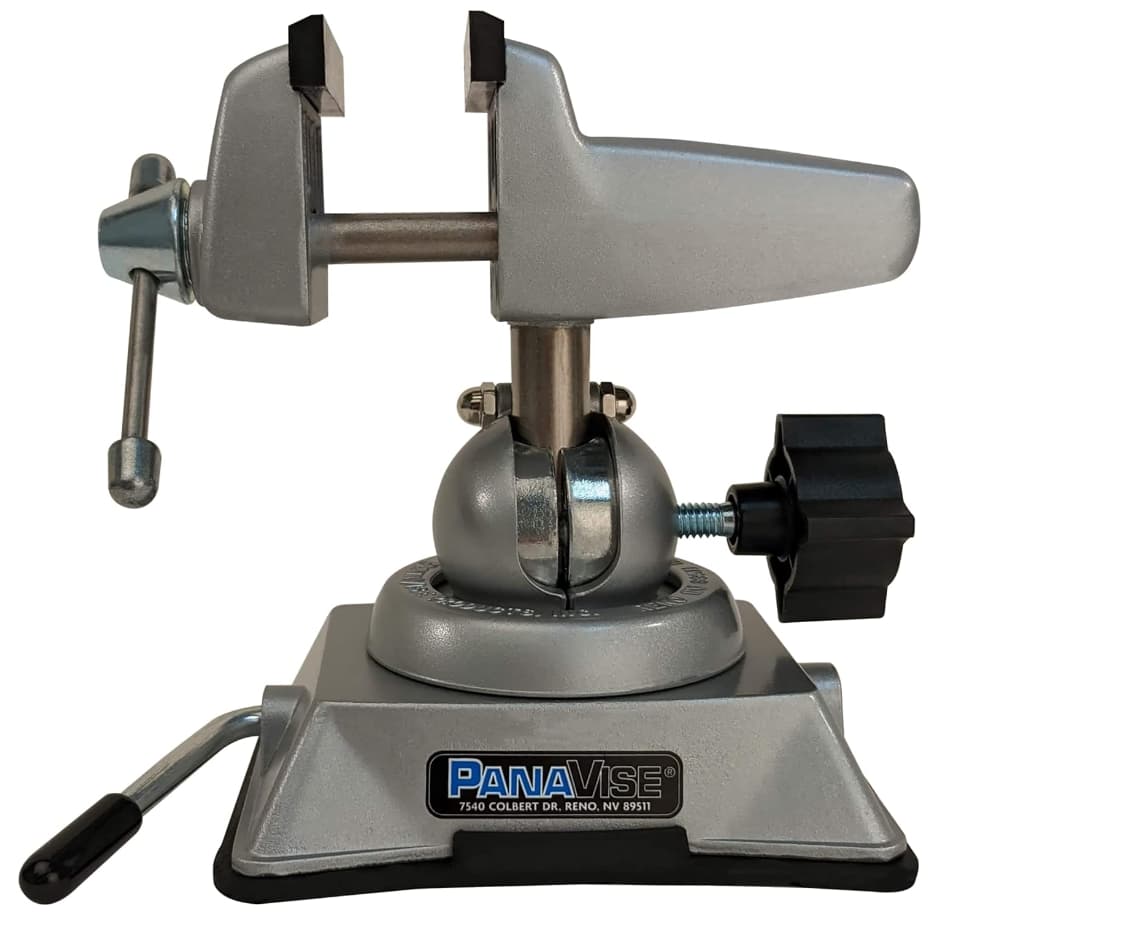
I may need to look for one of those disk/pin style vices…
1 Thank
It’s not a matter of the host computer’s speed. Even a PC from the 1990s can run its serial port at 115200 baud without any issues. It’s really old tech.
These flashing tools use the same serial protocol as old phone modems from last century, and its speed is specified in baud. This is usually equivalent to bits-per-second, except that it has 9 bits per byte instead of 8… which is why it’s 115200 instead of 102400.
Almost any serial device can safely do 115200 baud, with some going up to 230400 or higher. The serial chip on gchart’s adapters, if I recall correctly, supports 230400. However, the program operating it might not set the rate correctly, or it might have other slowdowns, like using 1-byte packets or something (which would cause a ton of latency).
I’ve been using pymcuprog and avrdude, both with a gchart adapter, and it takes less than 15 seconds. So it should be possible to go much faster… but I can’t really say for sure what the issue is. Maybe the OS is limiting device’s baud rate, or maybe the flashing programs are an older version, or maybe a setting isn’t configured, or … I don’t know.
Regardless, the vise is a good solution. If you’re not reflashing constantly like me, it’s probably not an issue. A few minutes here and there is less time-consuming than figuring out what’s making it go slow.
For everyone else, a vise is probably not necessary. Pogo pins don’t slide easily, and can be held in a stable position by just resting your fingers on the body of the light for the 15 seconds it takes to press Enter and then wait.
2 Thanks
Yeah, you haven’t seen my hands depending on the day…
What did Dirty Harry say? “A good man has to know his limitations”…

if there is a baud rate setting that I could change so the gchart adapter runs as fast on my computer as on everyone elses… Im all ears
I use the same iMac USB port when reflashing w Hanks adapter, and it is Blazing fast!
as far as holding pogo pins… not only do my 70 year old hands shake, my eyes cant see the pins… I use a lighted jewelers visor to set the pins in place, and on some lights, the flashing pads dont have any anchor holes for the pins to lock into, so they can slide around
I often have to do multiple ping attempts, and repositioning the pogo pins, before I get an active connection to my desktop, once that is good, I move on to making a backup, and lastly I reflash…
it is very convenient to do all those steps hands free
I dont think a pin vise is needed, the edge of any vise will work
2 Thanks