Return is not an option for me … the postage is almost the price of the item …

 This doesn’t instill a lot of confidence and IMHO means owners should return for refund. Really curious why this device was not tested before being released to the public? Has the engineer been fired from the company? (Just kidding; but a good explanation would help here.)
Especially puzzling since the test took less than 10 seconds for an amateur to find out: shine the light at the sensor, R9 shows a dash. Since R9 value was one of the main improvements touted, it’s impossible to understand this scre*-up by Opple .
1 Thank
It’s complicated story.
Sorry for the inconvenience, we are working on it now, plz wait for software update.
1 Thank
Relax, no need to go on a rampage over this. They have started participating in this forum which is already a great sign.
@stevechang
We appreciate the participation and the opportunity to interface with you.
The light master 3 is a great device and we hope to see the lm4 become as well love
5 Thanks
Welcome @stevechang to BLF, it is great to see manufacturers participating with the flashlight community!
I love the light master 3, it is great, I hope the LM4 can be improved to be even better. Unfortunately I have already returned mine, but I look forward to buying another once the issues with the inconsistent calibration issues have been fixed.
I appreciate that Opple has made the Light Master. There aren’t many alternatives with an affordable price.
I’ll keep my Light Master 4. It’ll be fun to figure out how to get information from the LM4 over Bluetooth. The ability to record measurements from a PC would be awesome and help speed up the process while measuring CCT, CRI, duv and the beam distance.
3 Thanks
Have you been able to find out which protocol is used by the LMs?
Not yet 
Problem will be figuring out the password if there’s any. My attempt to connect to the LM3 is rejected by it instantly (using Windows bluetooth stack).
Maybe @stevechang could shed some light on it? 
Slightly unrelated but this might help with thinking about reverse engineering it:
https://sigrok.org/wiki/RDTech_UM_series
1 Thank
Which protocol/profile did you try?
Just using adding BT device. At least the name of the LM3 is shown.
Edit:
Androids Bluetooth Scanner can connect:
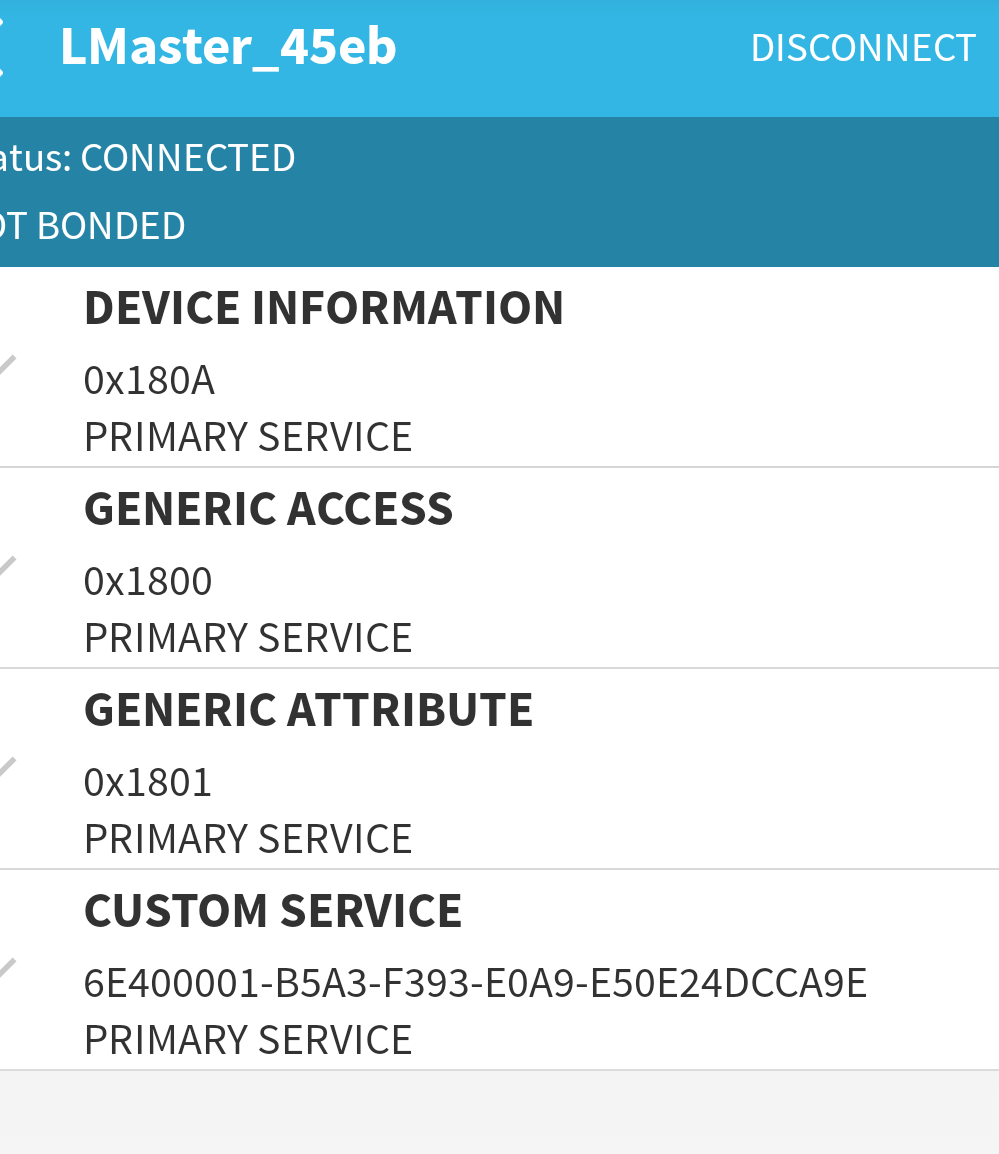
Edit2:
Tried to find the Opple on my Pi400 but to no avail. Doesn’t show up neither on the system level nor in a small Python script. Bummer.
Thank you. Just curious: I’ve found problems are mainly with higher CCT LEDs of about 5500k CCT and up, are you seeing the same thing?
Lower CCT high CRI LEDs such as Nichias 219b and 519a appear to be ok, or “close enough.”
1 Thank
Do we know there’s a password of some kind somewhere? (e.g. an encryption key to decode the data the LM outputs?)
I can ping a friend who does a lot of android reverse engineering, but I’d want to make sure I’m pointing her to something specific to find because reverse engineering an entire protocol is outside what she does… I’ll take a more detailed look into the traffic it’s passing later today and see if I can find any insights first.
That was my first guess, but since a BT app could connect to the LM, I’m not sure there are any protective measures.
I know nothing about BT unfortunately. It’s a pity my Pi cannot see the LM, else I’d have done some experiments today. Will try on a PC next week.
two discrete codes are used to identify LM product, maybe it’s inappropriate for me to tell. the device itself is quite simple, just does measurements and then sends signal to the phone through BT protocols, the app does all the calculations.
2 Thanks
Noticed the product description has been updated with some info. They mention app update on May 30th (and planned optimization updates on June + July 30th).
This is unfortunate.
Many of us would like to be able to record the values during use so understanding the data would help. Even knowing what values it is sending would be great.
If you can tell us the BT message protocol that would be immensely helpful.
…
I have spent a little bit of time trying to reverse engineer the data used. Not terribly hard, I need a BT sniffer to go farther as I’m unable to see the data (values) in real time.
You can record by traffic on your android device natively. You need to enable developer mode and then turn on logging. Connect to the device and capture some date.
After that get on adb and transfer the logs (command line crap)
After that you can throw the logs in Wireshark and realize you don’t know how to decide the hex codes that it communicates in, let alone the structure or values sent
I mean, or you can just reverse engineer the app itself.
If Opple can’t fix the current LM4, at least sell the next version to us at cost or something.
2 Thanks