Opple Light Master 4 discussion thread (new 2023 model)

HI cannga, I don’t quite understand your first question, you can calculate Duv from X,Y as below:
u = (4x) / (-2x + 12y + 3);
v = (6
y) / (-2x + 12y + 3);
k6 =-0.00616793;
k5 =0.0893944;
k4 =-0.5179722;
k3 =1.5317403;
k2 =-2.4243787;
k1 =1.925865;
k0 =-0.471106;
Lfp = Math.sqrt(Math.pow((u - 0.292),2)+Math.pow((v-0.24),2));
a = Math.acos((u-0.292)/Lfp);
Lbb = k6Math.pow(a,6) + k5Math.pow(a,5) + k4Math.pow(a,4) + k3Math.pow(a,3) + k2Math.pow(a,2) + k1a+k0;
Duv = Lfp - Lbb;

second, it’s not coincidental. every shipped LM4 is calibrated with a so called Golden Sample(randomly chosen one), that is to say, align the shipped LM4’s sensor readings with the so called Golden Sample. Actually the chosen Golden Sample is calibrated with CL-500a. so, choose a random LM4, align it with professional equipment like CL-500a, and then align all the manufactured LMs with the chosen LM4. I think one of your LM3s is not aligned well with the GS LM3.

1 Thank

You can contact the devs on the link to discord I posted. Maybe you can join and help improve the app?

Hi, I have searched this topic and did not found answer, or at least on answer I could understand (Opple Light Master 4 discussion thread (new 2023 model) - #1064 by stevechang).

I tried to use opple4 to measure incandescent bulb and both lx and K are definitely wrong. Is there some firmware update or other fix for this.

Other measurements seem untrustworthy because of this - however for LEDs it seems to match the spec and what I’m seeing, or sometimes do not match “specs.”, but are according to what I see. It is just that i would like to believe the device more.

Also what is the way to measure incandescent color temperature if LM4 can’t do it?

1 Thank

I have my own coefficients to calculate lx and K, please wait for my update.
I’ve got my new/personal laptop, I will try to update the windows software when I am off from work.

8 Thanks

Glad to see this discussion is still alive. Would you be interested in teaming up to make a new product similar to the LM? I think it has a LOT of potential. Please see www.flickeralliance.org and here.

If you reach out via email, I’ll respond. Let’s get this moving. It’s important.

3 Thanks

Since Ceiling Bounce appears to now be blocked by Android from installing on recent versions of that OS (and hypothetical work around don’t seem to have been confirmed or fully documented by others), I’m curious about whether:

(A) The LM4 itself or any of the apps are able to log the lux data they measure, or

(B) If it is likely to be possible without too much complexity (my programming experience is quite basic) to be able to capture the lux data separately in order to log it with a script or by modification of the desktop app (assuming the source code is available).

Although I don’t need an LM4, it would be nice to have, and if it can double as a logging lux-meter, that would increase the value further.

https://www.reddit.com/r/parametrek/comments/1ifrbim/progress_report_february_2025_multilux/

There are alternatives for lux logging.

Thank you. That looks like a great project, well documented, and reasonably approachable. I have bookmarked it for whenever I might have time to take it on.

In the meantime, part the idea behind asking about logging lux readings with the LM4, aside from being simpler to get working, was to reduce the number of devices.

Hello,
I just discovered this discussion about the LM4, i was looking for a simple device to check the Flicker of my screens and lamps at home, i just bought the LM4, btw thanks for all the precious informations and work made for that device, but i wonder how reliable is the LM4 for measuring the Flicker in general ?
I got some random results from the same source, is it the right device as a Flicker meter ?
I cannot find any Radex Lupin availaible in Europe, so i got that LM4, but the results for flicker seems weird and not right sometimes, thanks anyway for the APK that works great on my android phone :slight_smile:

Can someone share the source-code, on how to decode the measurements received for the LM4?
I have a working app, that works with LM3, but the calculations does not work on a LM4 device.<
I can see the the LM4 application for windows, reads the measurements correct, so someone must have the maths on how to use the data received.
It is only the LUX-reading i’m interested in :slight_smile:

Also just the coefficients to calculate lx and K chould be enough, if someone would like to share?

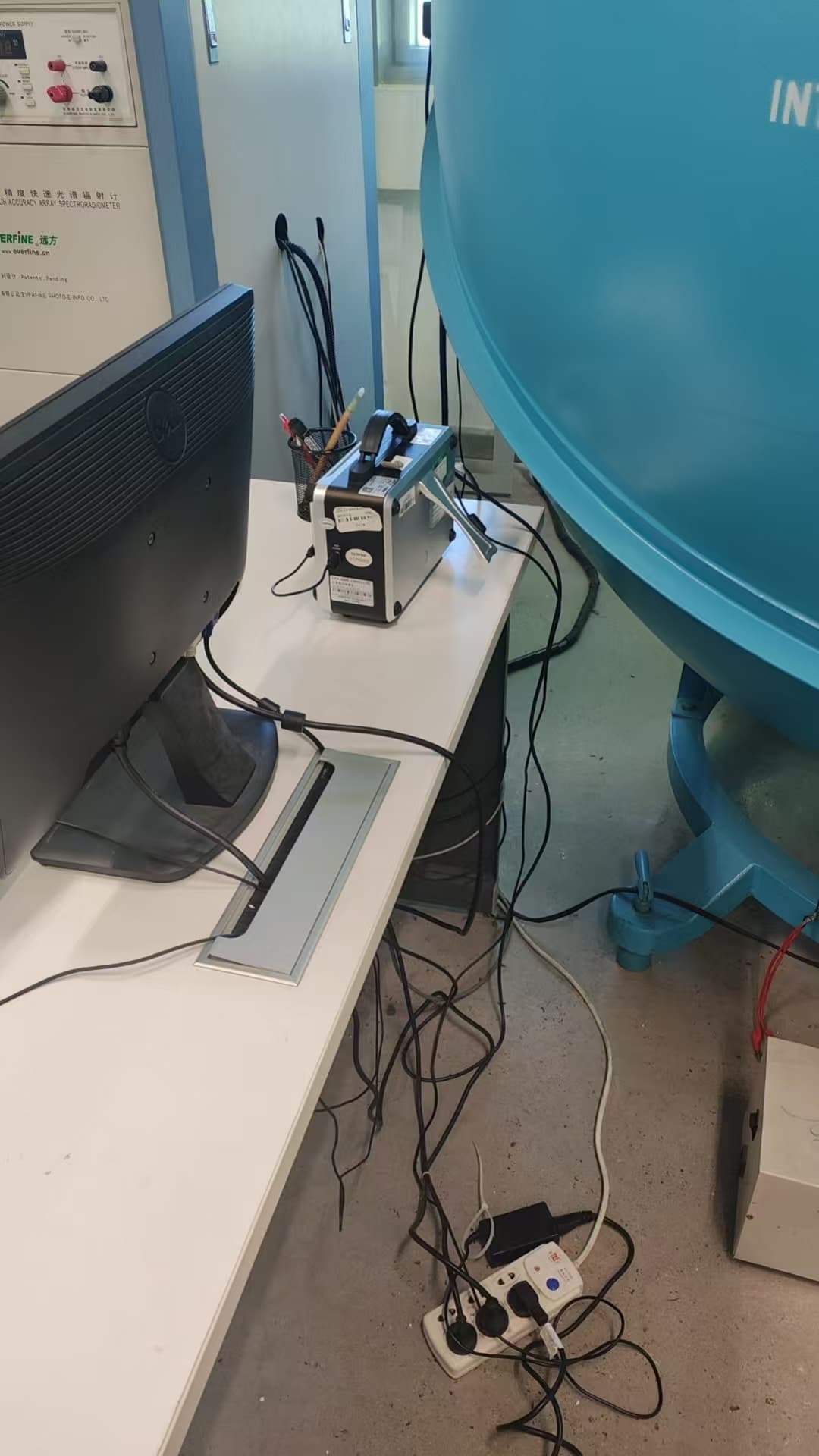
well, it’s hard to be that accurate , it’s not professional. device in the images as below is professional.


2 Thanks

try to use matrix as above, the AS7341 sensor would output 8 VIS readings right? you do an inner product of readings vector with Y vector in the table above would result in a real number, that’s lux. this is the approximately calculated value of lux, not conventional way.

pretty busy these days, sorry for the late reply. and I feel astonished that I need to use VPN to access this website nowadays.

1 Thank

Way to flex what I assume is an integrating sphere…

1 Thank

I bought the LM IV last december. I didnt see this thread and didnt know about the issues.
Well, for a few months it worked… ok.
But now, i cant even connect to the device. I tried the opple smart lighting app, the modified version and light master pro. Cant connect. And yes, ive given them all full gps permission.

Is the device now just junk?

I recieved my LM4 last week, but actually starting to ‘play’/use it for the first time today.

I used the Opple Smart Lighting app on my Ipad for a first try and after some tweeking of the request ‘rights’/permissions, I got it to work. Later on, I took my LM4 down to the first floor (after initially using it on the second floor of my house) and try to get it working again to do a measurement there. Whatever I tried (even when the LM4 seemed connected for 3-4 seconds), I got a “failed connection”/“connection lost” every time.
I figured I was doing something wrong, so I decided to go back to the second floor of my house and going to search the internet for wat I might be doing wrong. I just tried to connect the LM4 one more time and it directly connected and I could take a measurement.

From that moment on, I got curious, because it felt like something different (other bluetooth signals) were interfering with the connection when I was downstairs. Going back downstairs, I got the same issues instantly. Then I slowely started moving up the stairs again and halfway up, the LM4 was perfectly able to connect to the app again and function.

It’s purely a wild gues, but my girlfriend (and here mobile phone with bluetooth always on) were downstairs. Given that the LM4 uses Bluetooth Low Energy (Bluetooth LE), I can imagine that the signals might therefore also be less powerfull/weaker and might be more perceptable to interference.

This is all hypothetical/speculation, given that this was just a quick first experience/impression, which I did not had the time to test it more thoroughly and also to read up more on how Bluetooth LE exactly works.
Nonetheless it was an interesting observation, that in a specific area of the house I’ve got repeatedly loss of connections/loss of communications, but when directly moving to the ‘previous area’, basicly 95% of the issues were gone and everything worked as normal.

Again: I wasn’t able to do a proper (and more “scientific”) test, but based on the first (short) impressions, it felt like the Bluetooth (LE) connection might be more prone to ‘interference’, although I haven’t got time to read more into that subject, to know if there is any truth to that.

To recapulate: these are the experiences of someone (= me), who was playing with/discovering the LM4 for a short while and appeared to stumble on some weird behaviour. Don’t take all of this as the absolute truth, since I’m nowhere qualified enough make absolute fact based statements, but there were some weird issues/behaviours that I noticed though!

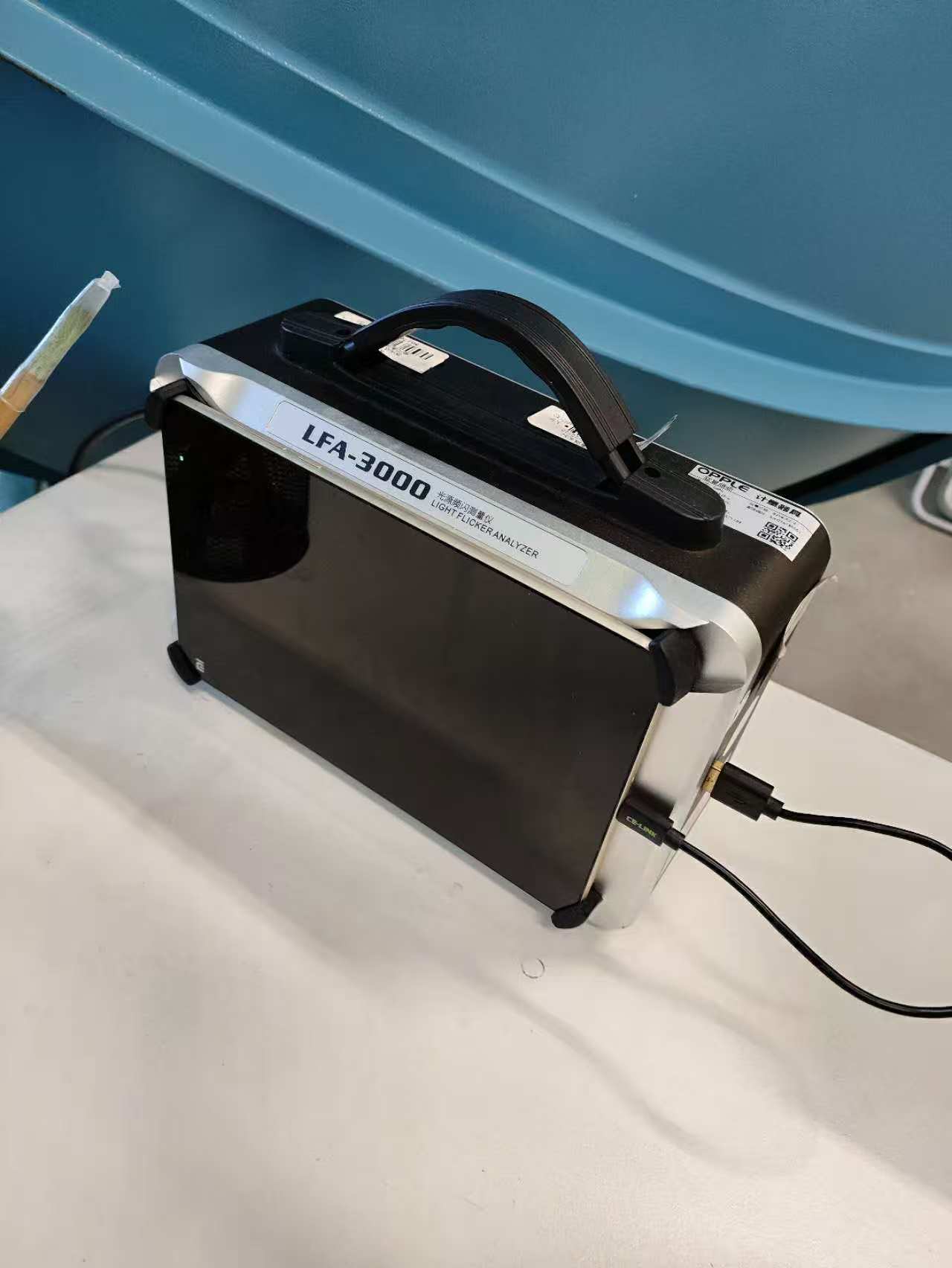
Mine seems dead. No light, wont take a charge. Any fat and fabulous tips?

LM4 was fine with the desktop app and not looking up duv was nice.

Unfortunately, I may be back to me LM3.

That seems like a dead battery and/or a protection circuit that kicked in, because the voltage dropped to low and now (‘out of protection’) refuses/prevent it from charging again.

I haven’t taken a good look to see how easy/difficult it is to take a LM4 apart. If it might be doable, it might be worth putting in a new battery. I expect that it has a small ‘pouch-style’ lithium/lipo battery and those can be (easily) found on Aliexpress.

All will (obviously) require a bit of work/skill, but assuming the fact that it would be possible to take the LM4 apart in a way it can be put back together again, it might be possible.

But now that I think of it; there is a chance that the charging circuit might be faulty, which might be more difficult to fix. But no way of knowing untill it is taken apart and some things are measured/checked.

1 Thank

Every device from the past ~10 years uses Bluetooth low energy, classic doesn’t really exist anymore. BLE is a very robust protocol. In our office everyone has a mouse and headphones with BLE, in addition to a couple of smart watches, and there’s zero interference or issues.

1 Thank

I found/find it really weird, since I normally never have issues with bluetooth, but I repeated the test several times and every time it had the same (weird) result: downstairs, in the living room, it refused to connect, but as soon as I got up to the 2nd floor, it instantly connected. I also had it connected on the 2nd floor, went downstairs again and connection was basicly instantly lost again.

Only thing I could think of was that something was interfering with the signal.

I will also get it working on my Android phone today, to see if there is a difference with my iPad.

All in all it isn’t a problem, since I basicly won’t be doing measurements downstairs anyway, but I just find it weird and am curious what might cause it.

1 Thank

If you have a windows PC, use Steves Windows app. Not as comfortable as the phone apps, but hugely better and more accurate results.

Oh, and sometimes mine acts up with connection when it’s almost empty. Giving it a full charge helps. Not sure if that’s your issue too, probably not.

1 Thank