That sucks. So far I haven’t had any issues with mine. But then I haven’t tried to run it for anything much over 5 minutes at a time. Maybe I will do this tonight.
What level were you using when this happened? I Just want to duplicate the conditions.
USB connector is made well, most cables fit (unlike my Sofirn HS10…)
Magnet is not as strong as I hoped, but strong enough to secure it to any surface
Brighter than expected (but boi, it heats up qiuckly :D)
Lowest end of the ramp is incredibly low, very nice to see such a low min brightness
Pleasant beam, no artifacts I could spot (needs some more testing at night)
No flashing pads
No way of removing either bezel/optic or driver without damaging the hardware
It seems like the USB connector is soldered to the MCPCB, the MCPCB to the main driver. Curious but really nice construction. Very robust. I have to inspect it with a bit more attention later (it is charging rn).
Wurkkos includes a 900 mAh button top, but the button on the PCB has enough clearance for flat top cells to fit.
The headband is… Annoying. Getting the light into those loops takes me forever (same for the OG Sofirn HS10 headband…). The light seems to fit a Olight Perun Mini 2 Headband well though, so that’s no issue for me.
My first Anduril light and I am completely confused by the thing. Looking forward to getting acquainted with the firmware. I really wish it had flashing pads so I could update and/or customize it…
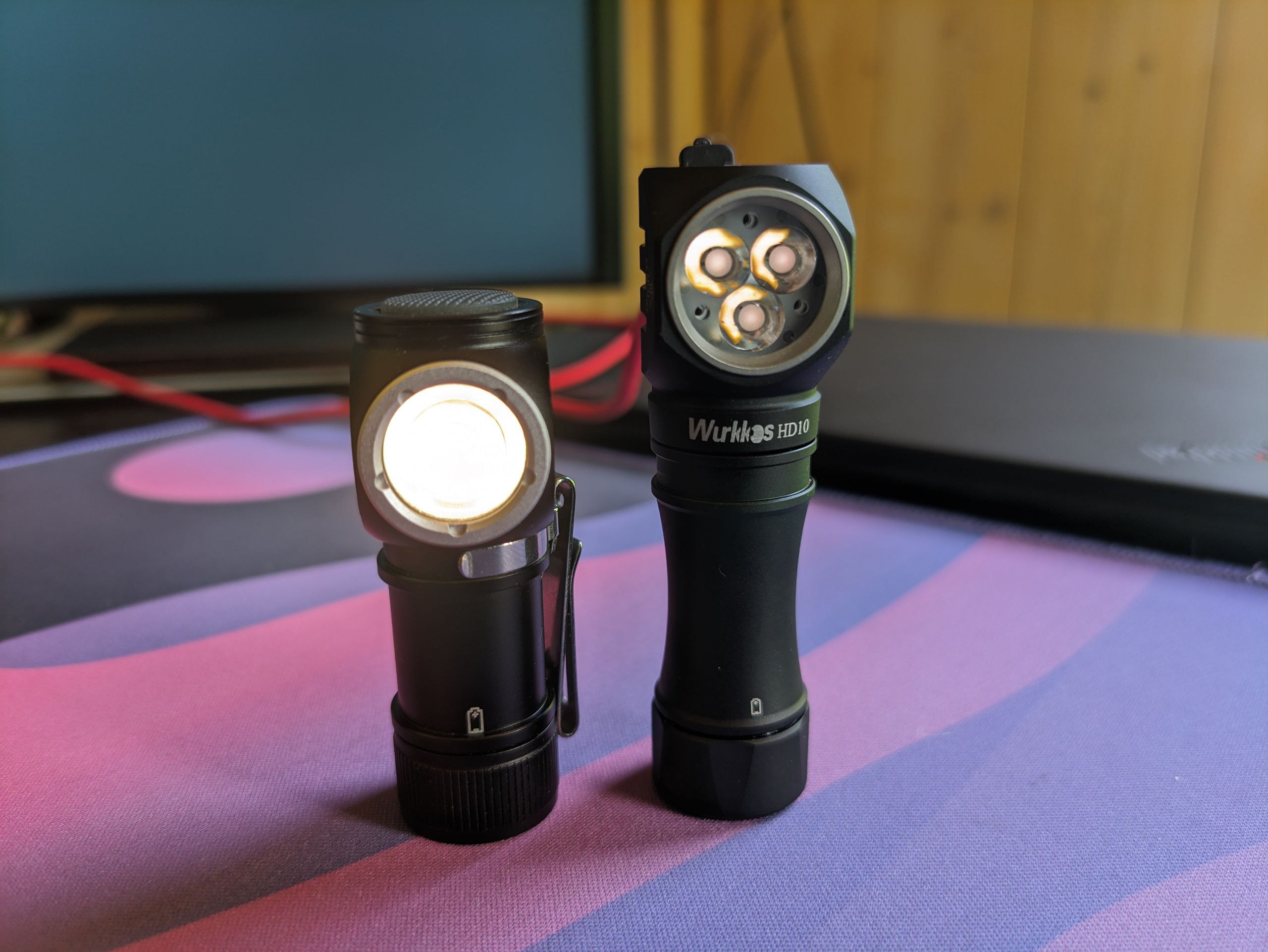
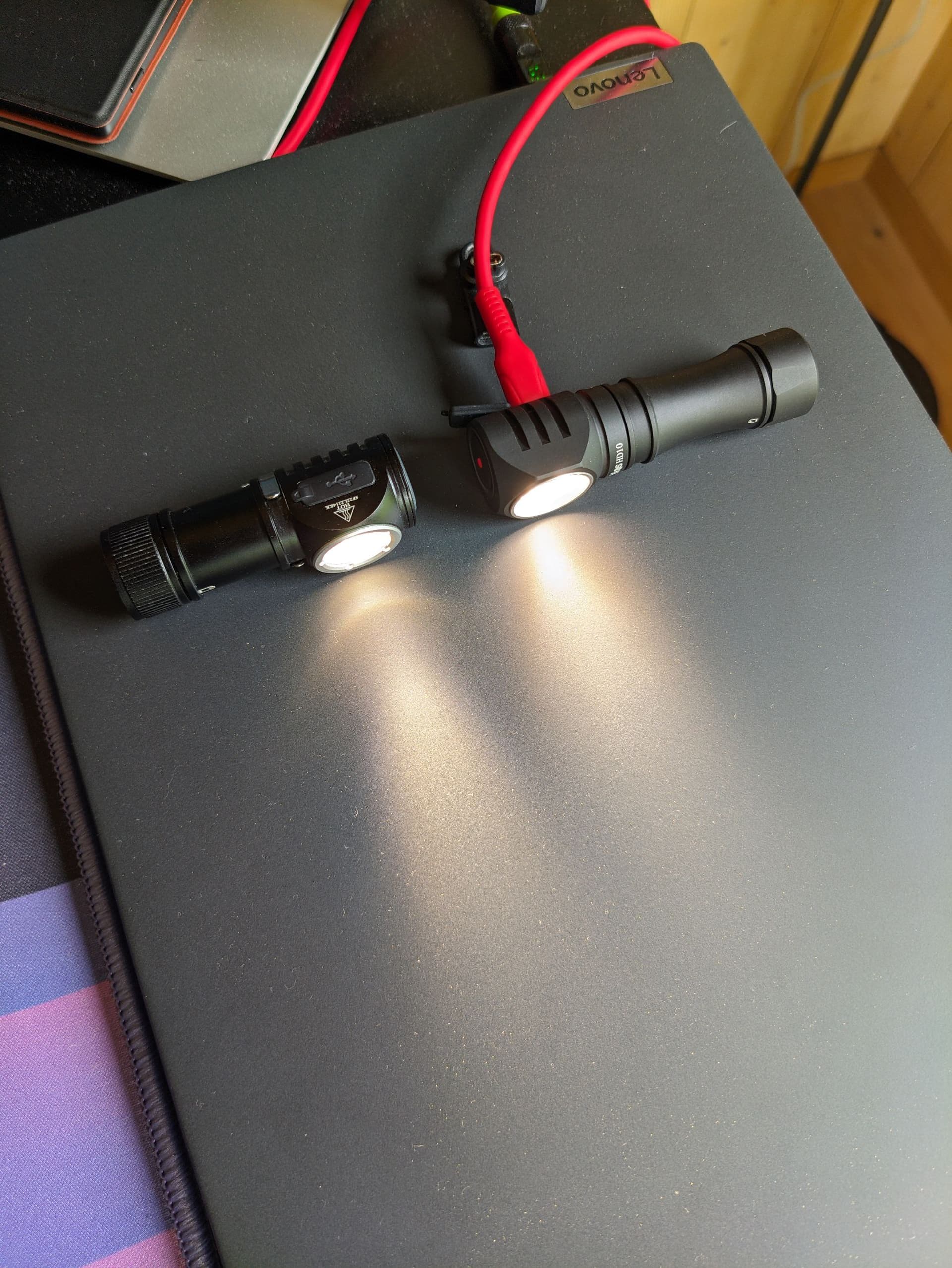
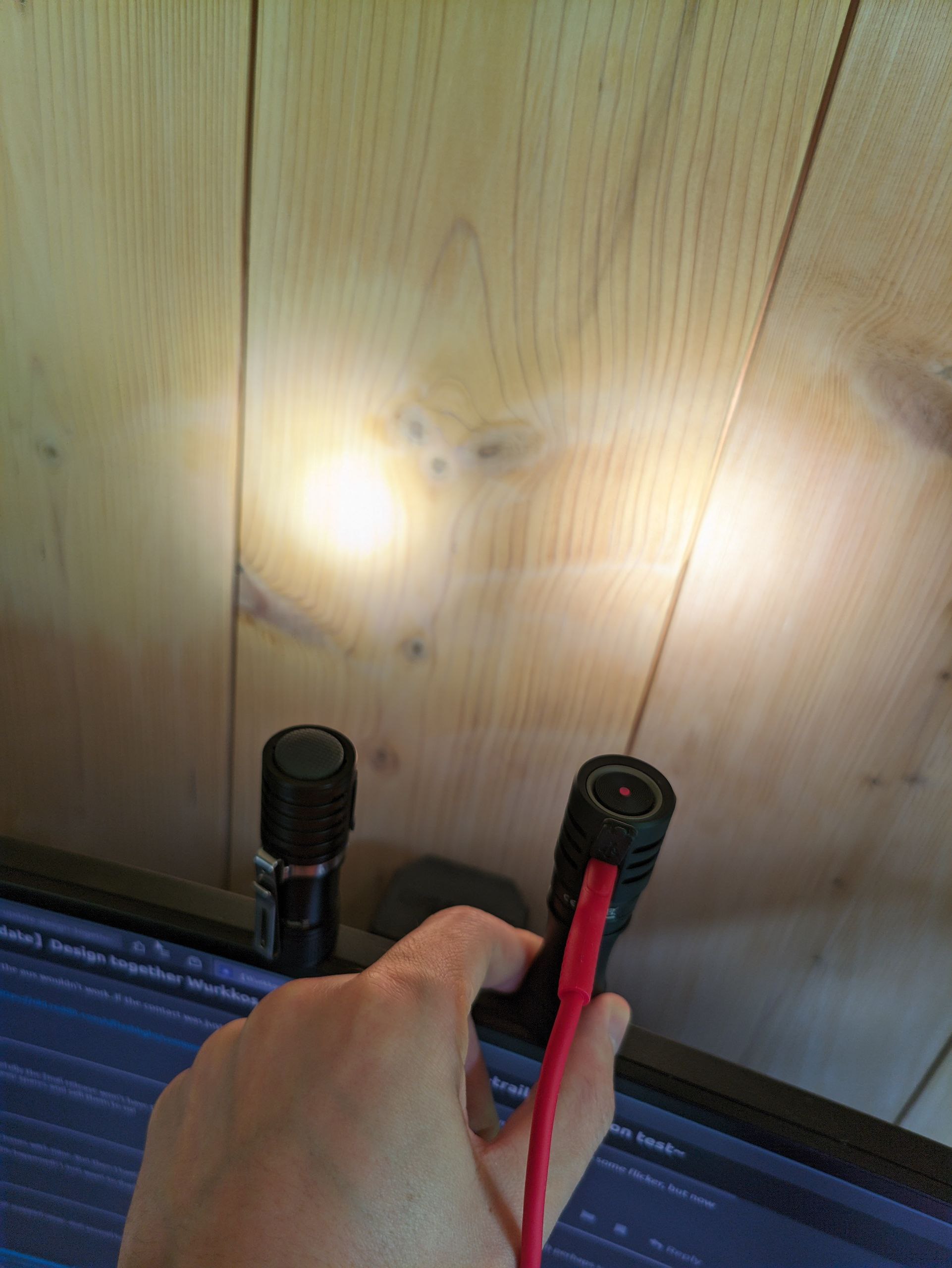
Moonlight mode of Sofirn HS10 next to Wurkkos HD10:
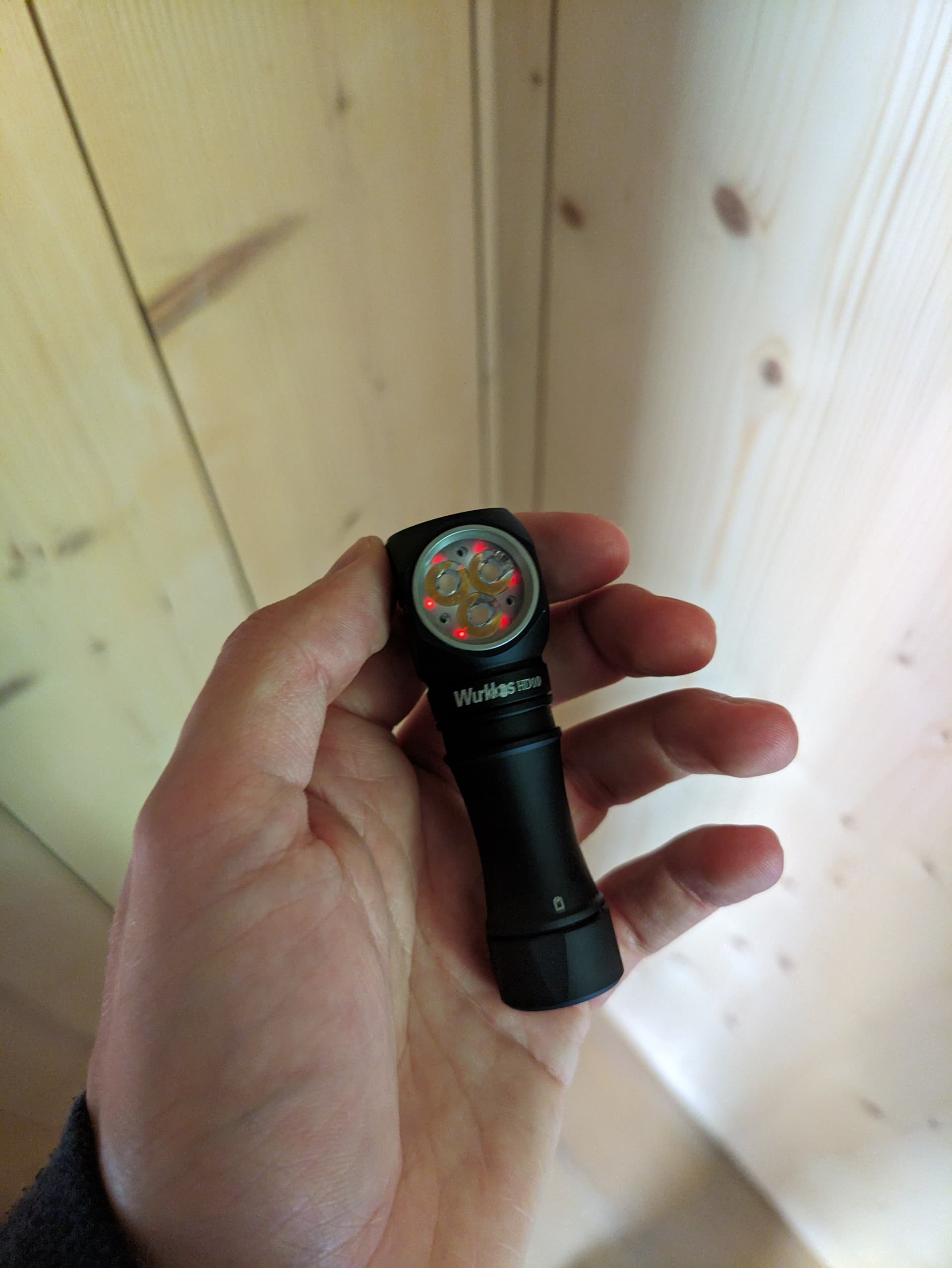
Aux current (light unlocked, aux on). Really nice low power consumption, I expected a lot more. Well done! Measrued with a full battery - better measurements with multiple input voltages (in all modes) will follow for the full review.
Blue: 0.25 mA (~150 days until empty, not considering self discharge)
Teal: 0.55 mA (~70 days until empty, not considering self discharge)
Green: 0.33 mA
Purple: 0.40 mA
Red: 0.28 mA
Is there a way to disable momentary mode without access to flashing pads? I keep getting stuck in momentary when trying to lockout the light…
Probably not, because the packaging seems final and it (packaging) has the light with out the notches for unscrewing. Unless they really made a limited run of packaging for just early samples which is highly improbable.
Thanks! Sorry, my question was not toally clear - I meant disabling as in “not possible to enable it by mistake anymore”. I already found that unscrewing the tube works to get out of it on BLF when I locked myself in for the first time
Mine is malfunctioning now.
But a little bit of History first.
When I first got it I did some testing to look at temperature step downs and so forth. And multiple times I also turned it off after top of ramp and turbo running and immediately did a battery check and I would occasionally see 2.7 volts due to sag. It would slowly climb back up to 3.8 or 9 wherever I was at. That had me concerned about low voltage shut off in the future if the battery was down to 3.6 or so. But I just shrugged and moved on at that time. I don’t think I ever actually drew the battery down below 3.7 because I wanted to keep putting it back on the charger anytime I used it to watch what that was doing. I also tried various functions while it was on the charger and everything worked including battery check and lockout. Last night after reading about these problems I put it on the charger to make sure everything still worked and then I unscrewed the tail cap while it was on the charger. That is when I saw the first problem. The battery check was indicating 5.2 volts with no battery. So I unplugged it and reassembed. Then I realized that turbo wasn’t working and did a battery check and saw that it was only checking one time so realized I was in the simple UI. I changed it back to the advanced UI. I did some more testing and the battery check was working normally but then it stopped working normally and was again reading high at 5.2 volts. Battery voltage at that time was actually right about 4.0v. at that time also the green auxiliary lights had changed to Blue and they were at a medium or high setting rather than the low setting on Green. And locking out the light at that time would turn the auxiliaries on to a slow rotating blink of all the colors.
At that point I unscrewed it and went to bed. Today I reset the auxiliary to Green on low. The auxiliary lights still rotate through the entire sequence (nonstop) when I lock out the light. And the battery check is still indicating way high reading approximately 5.5 when the battery is near full at 4.1?v.
I’ll play with it some more tonight. I want to get some amperage readings while I can and then I’ll probably attempt to do a reset. I will happily take any advice before I proceed.
Yes the first time I saw that voltage was plugged in with no battery and three clicks. Then after I reinstalled the battery it was occasionally malfunctioning reading high then it was correct for a bit and now it’s always reading high. Logging out for a few hours.
This is not an attempt at an organized review; just adding things I have not seen mentioned before.
BUTTON
The button is significantly different to the TS10 v1 and v2, and works really well for me, but I also find the TS10 v1 and v2 buttons work well for me.
(Initially I was having some trouble with my v2 buttons, but it was simply a matter of finding my inner rhythm with v2, and I quickly came to feel the button is as excellent as v1.)
Maybe because of my own “breaking in” of my personal button “rhythmometer”, the HD10 button worked excellently for me right out of the box.
The texture of the button has come in handy working outside in the rain. The TS10 buttons work very well for me in the same situation, but this was better. Tactile-pleasure-wise I personally prefer the TS10 button, but that is surely personal.
AUXILIARY LIGHTS
I am shocked that nobody has mentioned that there appear to be 6 aux lights!
The aux are very nicely spaced/placed relative to the main emitters and the optic. This is a big step up from the TS 10 in my eyes. (I have 2 aluminum TS 10 v1s, 1 Brass v1, and 2 aluminum v2s, and one of the aux is always tucked too far under its emitter/optic.)
I really love the new aux patterns Toykeeper has added.
I love that the aux are brighter and are usable for moving around in low light situations.
TURBO
With a fully charged battery I went straight to turbo and was surprised I could comfortably hold it in my hands until the lights were dimmed significantly — I didn’t time it, but maybe 20 minutes? It was pleasantly warm the whole time.
OPTIC+EMITTERS
I find the HD10 to be more spot-y than the TS10.
I find the transition from the spot into the very wide spill to be very subtle, which I find visually easier than higher contrast between spot and spill.
The wideness and evenness of the spill very useful for situations where a more spot-y beam is needed but I also need to move around while working.
Aesthetically, I love that the emitters are arranged in relation to the long axis of the body, and that the pair are above and the single below.
ERGONOMICS
Like the TS10 I find the ergonomics to be excellent. Lots of different grip possibilities that work well for working in different positions.
Nice balance, I think, that lets your fingers remember which side is the head, and that balance also allows for an easy “spin” to move the head 180 degrees when a different orientation is needed.
I really like the clip lined up directly under the face, it made for a nice grip, and helped keep track of forward/light-emitting direction just through touch alone.
CLIP
Like others, I found the clip to be set up with too weak of a hold, but it wasn’t too hard to bend it with bare hands to get it to be tighter and more to my liking.
BUT, when I replaced it with a black TS10 clip, it worked much, much better for me in my shirt pocket, which is where I tend to carry lights.
The TS10 clip messes up the ergonomics-improving qualities of the HD10 clip, though.
Either clip makes a nice adjustable “kickstand” for when I needed to orient the light to be angled upwards, laying it flat and rotating the clip to prop the light at the perfect angle to illuminate work that needs two hands.
AESTHETICS
I can’t not see it as a chess piece merged with a lighthouse, and I find that association quite interesting. The rook being a tower, which are used in part to provide a strategic long view of the landscape, just like a lighthouse. Vision radiates outwards, as does light, and they are functionally and poetically twinned. Very satisfying to me.
Industrial-design-wise, I love how Wurkkos so often finds aesthetic solutions that are also cleverly simple to tool, like the angled facets on the tail that accommodate the shape of the tail to the curve of the body while retaining its own identity as a pure cylinder. These 5 semi-curves echo the four curving facets around the face of the light while not locking into the same pattern (5 against 4),
WEIGHT
66 g with battery and clip
Feels very light in pocket and very easy to forget it is there, which I think is a good thing.
Just the right weight and balance to still have proprioceptive presence in the hand while using.
USER INTERFACE
I simply adore Andúril. The amalgam of functional richness with elegance and clarity of patterns and numbers that allow a kind of memory-palace ease of recall is breathtaking. A masterpiece of design. Makes me think of how physicists sometimes talk about how the beauty of some equations can be an indicator of being on the track of truth toward describing the cosmos accurately.
Ramping is ever better!
THINGS OTHERS HAVE MENTIONED THAT I ALSO LOVE
I am finding this light quite useful and pleasurable! (And I expect these will only improve with time as I learn to take advantage of the possibilities built into the design.
Emitter and optic synergy.
USB-C port works much better than my other Wurkkos lights in terms of ease and “rightness” of the getting it hooked up.
The firefly/moonlight is really great — quite beautiful and really extends range of usability when getting out of bed in the middle of the night.
Thx I was just wondering whether it was reading the charger output voltage rather than the battery.
Honestly I have never attempted to run the voltage check on any light with no cell and having it plugged into a UAB supply. SO I have no idea what to expect.
I am running a test with the light on using 120/150 for the level. Which is what I have top of ramp set to. Maybe similar to what @wolfgirl42 did. I will post if I get any weird behaviors… or if I don’t.
One other thing I noticed. I was trying to enable the individual color channels. Neither 9H from on or off give me any response. Also, I can’t seem to select single colors for the Aux with 7 clicks from off. Only blinkies of different types. I wonder what version of Andruil 2 I got on mine?
That very much depends on the charger chip used. Of my 2 go-to-chips 1 would read 4.2V, the other could read 5V depending on how they implemented it. Depends on the implementation and where they read it. The way I would do it, the LED driver would see 5V, but the battery reading circuit would read 0V and it would complain about LVP. IMO the best way to do it. I did quite a lot of battery powered designs with USB-C for charging, just no flashlight drivers so far.
did you try to disassemble the light? my guess would be that you gonna need to desolder the charging post daughter board first, and proceed from there.
I am not sure this is worth much, but I went through the process so I figured I would post the results.
I am sure I did not exactly duplicate the conditions that ohers used when seeing the propblem…but here is what I did:
I have the top of ramp set for 120/150. I turned the light on and let it run.I didn’t track output, but big step downs started at around 30 minutes. At 2:15 the light was pretty dim. I turned it off and activated Turbo (150/150). Within about one minute the light turned off. The cell measured 2.75V when I took it out and measured it. I put a freshly charged cell in it and everything seems to be working just fine.
Maybe I will try it again, but so far it is fine. Just another data point to add to figuring out what is going on.