You can select in the settings which program to use in which slot on start.
1 Thank
- I would prefer this arrangement too*
The VapCell S4+ does this (mostly). I considered buying a S8000, but the S4+ is more a simpler charger with 3A per channel (yes, I do use 3 amps per channel) it didn’t make sense.mYbe if the price was $40?
It all depends on what you are looking for in a charger. The S8000 is more accurate and far more flexible. The new simple/auto mode makes it just about as easy to use as well.
I would like the ability to manually set the current in the auto mode. I really like the ability to decide the process, as a one size fits all just doesn’t work for me all of the time.
When I need more than 2 Amps, I generally break out one of my hobby chargers. At which point I can get almost double the 3 amps of my S4+
Hello @Larry_B,
Thank you very much for your detailed suggestions and feedback. I recall your important contributions in the discussions regarding Li-ion and Ni-MH protection features, as well as your comments on linear vs. pulse discharge. We greatly value your experience with Ni-MH batteries and sincerely appreciate your continued attention and support.
I would like to provide a detailed explanation regarding the design philosophy and implementation of Simple Mode:
Since the release of the Simple Mode test firmware about a month ago, we have received several types of user suggestions:
- Automatic battery type detection (no manual confirmation needed), with manual current selection;
- Automatic battery type detection (user confirmation required), with manual current selection;
- Automatic battery type detection, automatic current selection (no button operation required);
- Suggestions similar to the one you provided.
We have implemented multiple firmware updates addressing these suggestions. The first three types have specific implementations:
- Versions corresponding to the first and third types were tested with selected users, and some users chose the first type as their daily use version.
- Ultimately, the version released to all users is the third type, i.e., fully automatic Simple Mode requiring no operation.
Regarding battery type recognition, we have optimized multiple versions, and based on testing and user feedback, the current version is stable and reliable, typically completing recognition within 5–8 seconds.
For charge current selection, it is not solely based on internal resistance but considers battery type, internal resistance, and charged capacity:
- For batteries with resistance below the threshold, charging current gradually increases; maximum values are 1.25A for Li-ion and 1.0A for Ni-MH.
- We also apply a unique method: the CCV voltage is locked before the charging task begins (e.g., Ni-MH 2V, Li-ion 4.2V). This ensures that high-resistance Ni-MH cells are charged safely at lower currents, while Li-ion cells enter the constant voltage stage earlier and automatically reduce current. Nevertheless, we remind users that high-resistance batteries may already be approaching the end of their useful life.
NOTE:When using Simple Mode, users should wait and confirm that the charger has correctly identified the battery type.
The overall design philosophy of Simple Mode is to maximize charging safety, typically completing most battery charges within 2–4 hours, while minimizing or eliminating button operations.
For entry-level users seeking a safe and reliable charger with extendable features, Simple Mode may be sufficient for initial use. When more advanced functionality is needed, users can switch to Pro Mode to access additional operational flexibility and extended features.
At the same time, we would also like to thank @epictetus, @Mandrake50, @SammysHP and @Sirstinky for participating in the discussion. We have always paid close attention to the voices of the community.
2 Thanks
I have the S4+ and the S4000 Pro, it´s hard to compare these 2 chargers. Vapcell is more simply and much faster with LiIon but the S4000 Pro have so much more options. I´m also a bit confused that Enova decided make such a big charger and limit the currents so low.
It depends on what you want to do with it.
Can´t remember this ?
Thank you for the answer,
Tried 2day two 18650 LiIon, a Noname with 1200mAh and a Panasonic with 2750mAh. At least the Panasonic is in good shape but both cells get charged with 450mA in Simple Mode; I wait also some minutes, nothing changed. Will the current increase later on or stay?
I think it´s hard to implement every wish, I really appreciate what you do 
Yes, as long as the battery condition is good, the current will increase.
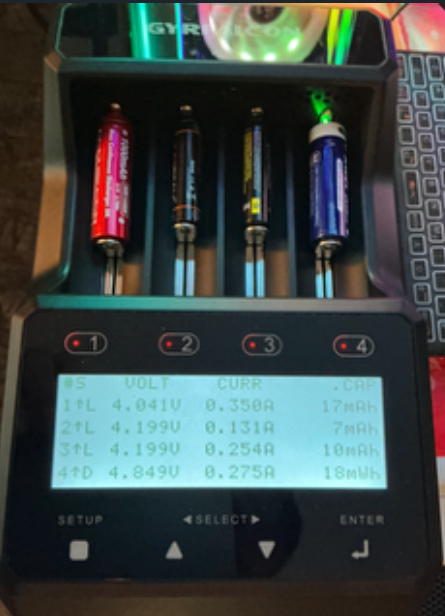
Thank you for your understanding. Below is an image shared by a user who used our test firmware, showing their usage scenario. If the charging current is calculated solely based on internal resistance, there could clearly be issues. Starting with a lower current is helpful in such usage scenarios.
2 Thanks
Thank you for the answer.
Is there a typical time or on which factor is the current incease depending?
Some Xtar-chargers charge after inserting cells with a very low current for the first 10 minutes in general and then selecting the current depending on IR
User-experience with the Enova Gyrfalcon S8000
@epictetus shared their experience using the S8000.
Thank you very much for sharing such a detailed and honest user experience.
Many improvements made so far have come directly from community feedback, and we remain committed to refining our products based on real user needs.
1 Thank
Motiejus’ experience testing a 15Ah LiFePO₄ battery with the Gyrfalcon S8000.
1 Thank
Minor thing, but why does the display say “ENERGE”? Is it a typo? Also, it’s LITHIUM, not LITHUM.
Maybe it was already corrected in the latest firmware?
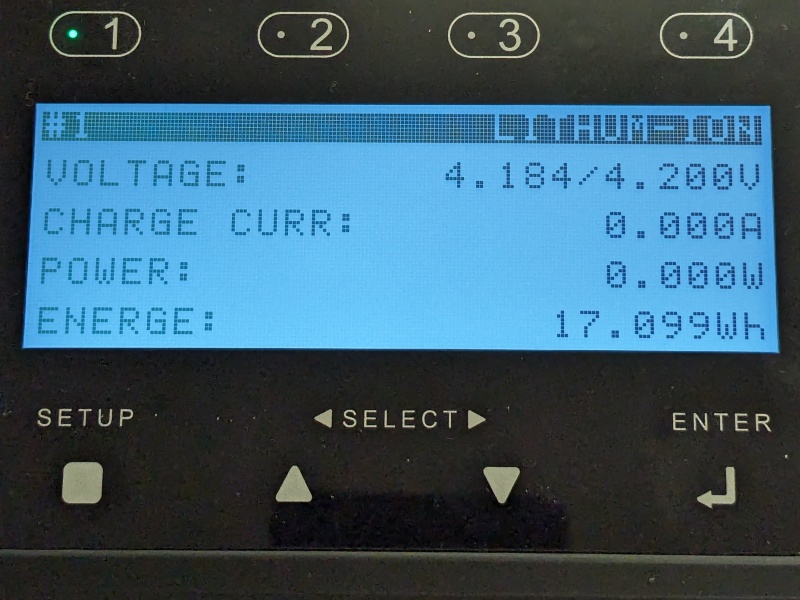
Please update the firmware to V66.
1 Thank
Good afternoon
I will of course be going through this whole thread but I have a question
I recently purchased one of these chargers and after using it a couple times updated the firmware to the latest version. Since then I can’t figure out how to save a setting. Is there a how to anywhere? video?
so far other than this, I am liking this charger.
I’m making a video. The user manual and quick-start guide within it has some good instructions for saving programs. It’s worth reading from cover to cover a few times. There are only about 32 pages and some can be skipped over (e.g. battery info) if you’re just trying to read about the features.
You can configure about 28 programs in Professional mode. 4 programs are for the Simple mode.
You can only save a temporary program in Normal mode.
The first 0 to 9 programs can be accessed quickly from the main screen.
0 to 28 programs can be accessed by selecting a channel view and then by scrolling through the program numbers.

2 Thanks
Hi Tim
Great video, very helpful so thanks for that.
Any chance of getting an offline version so that you don’t have to be logged on to view it?
1 Thank
Thanks for doing that. Very helpful!
1 Thank
If you use an Android application like Grayjay, it will let you download the video and export it to your phone. The video resolution can be selected when downloading.
Thanks Tim
1 Thank
I’ll be watching your video.
I think my problem is that my unit is old stock and the UI with the new firmware looks nothing like the manual. I tried to DL the manual from their site and failed, but I’ll try again.