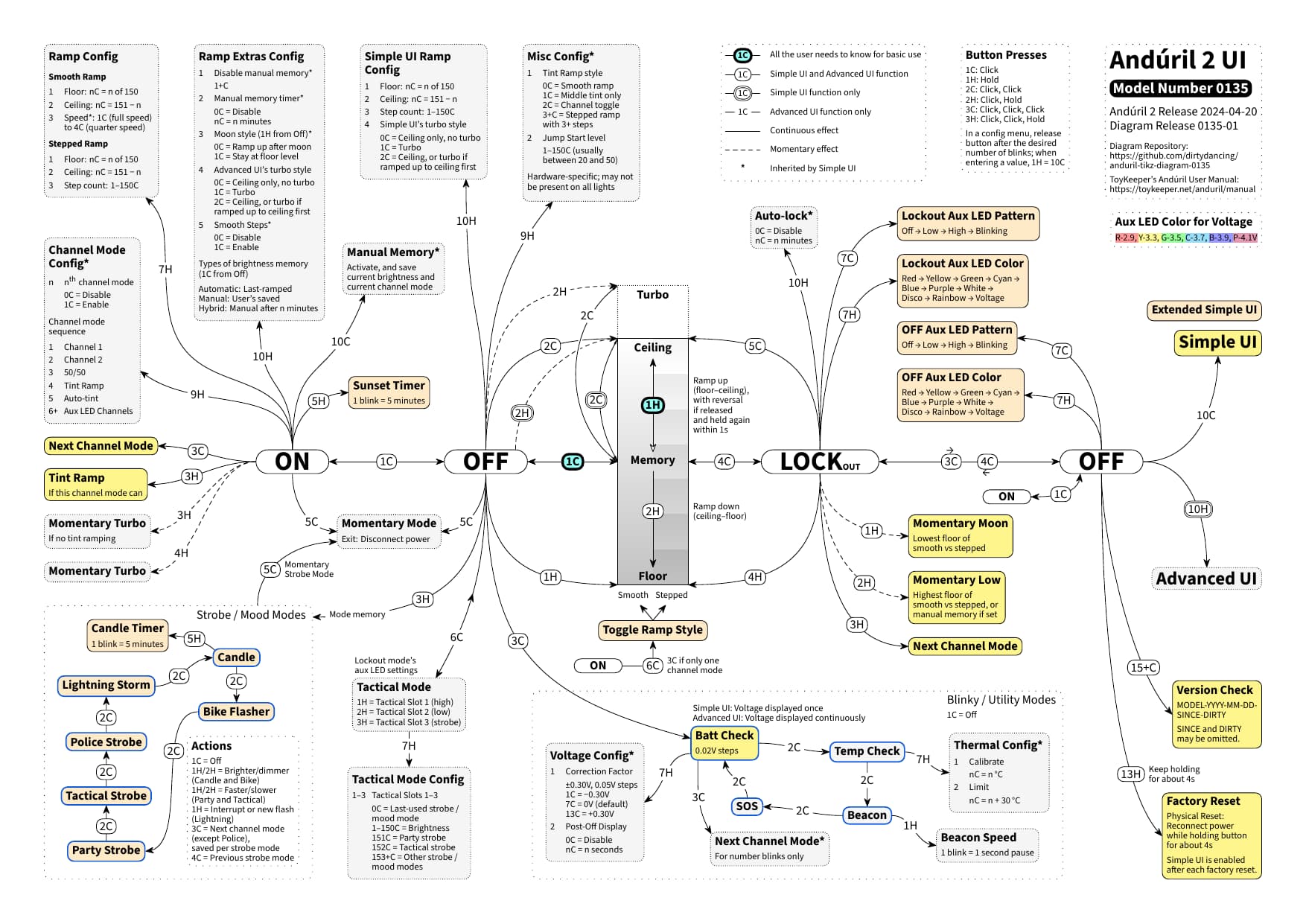
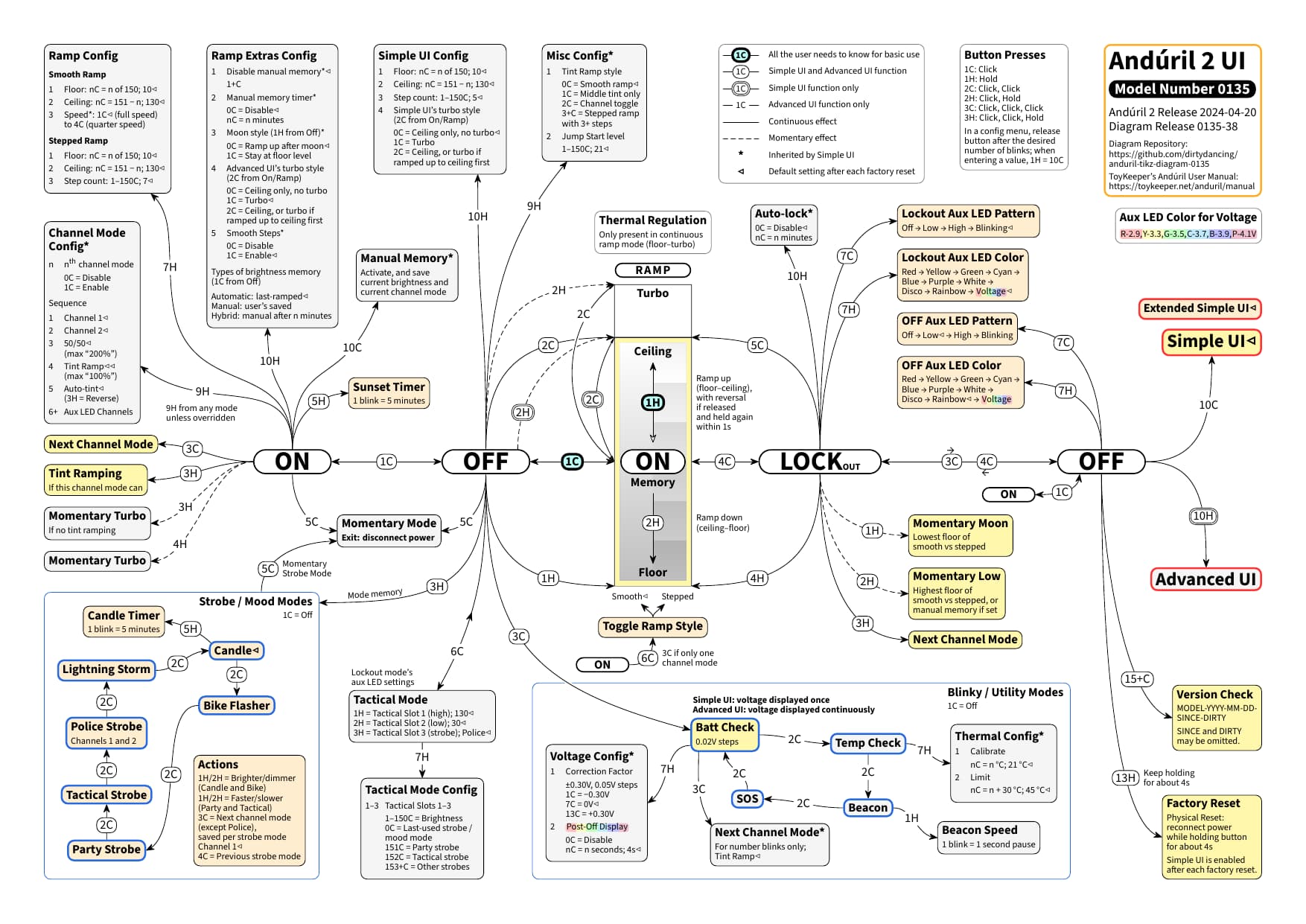
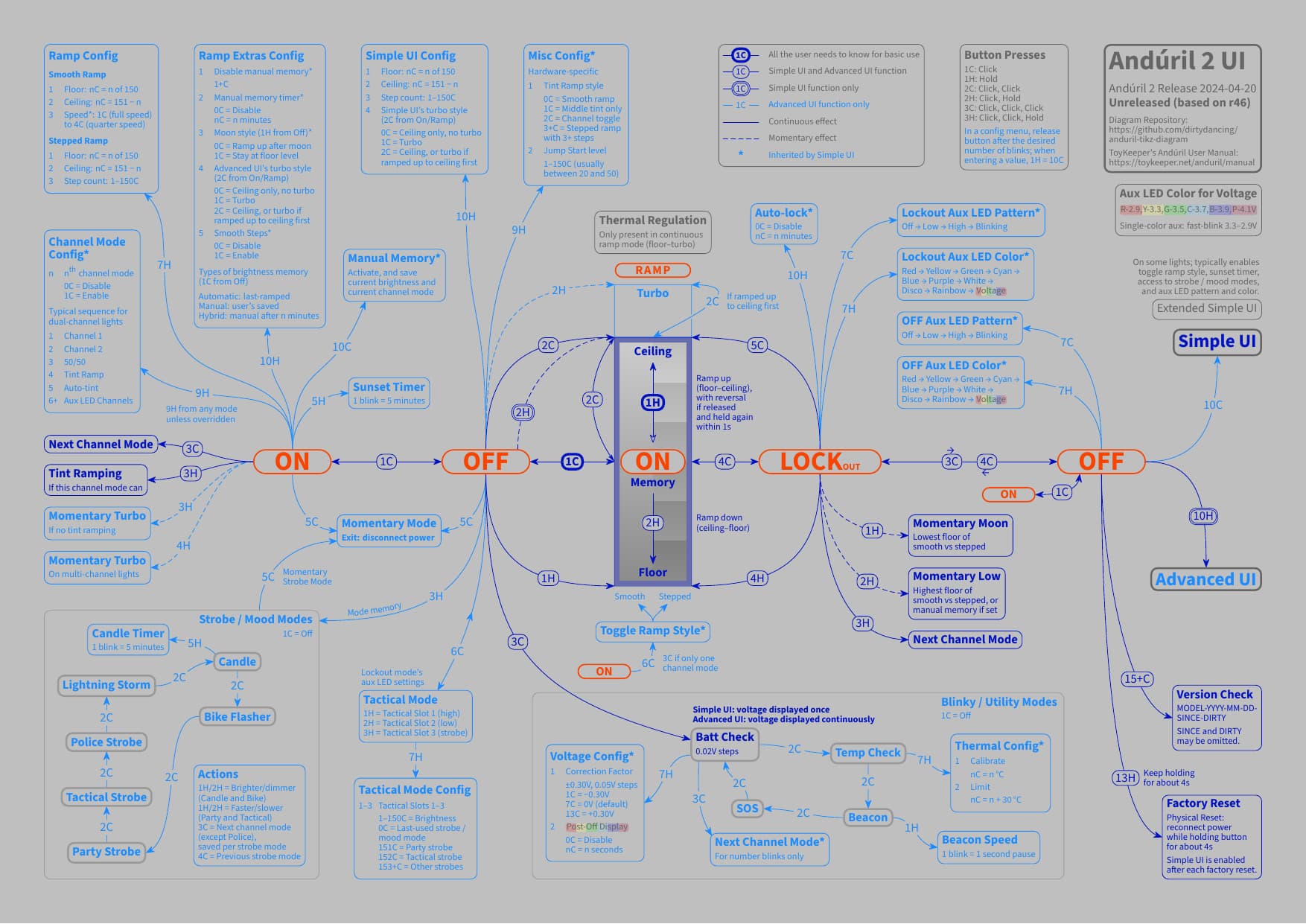
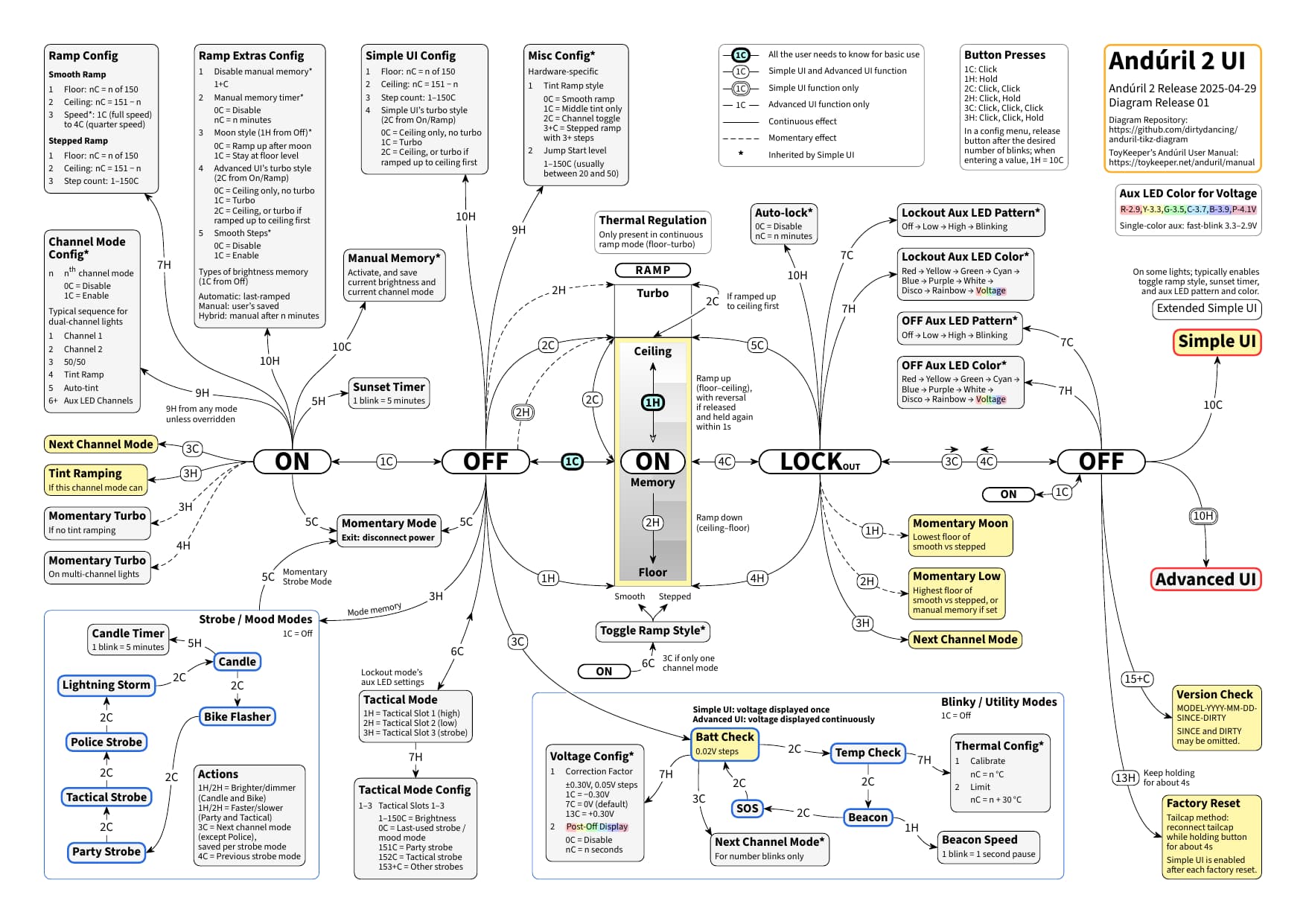
Quick diagram update: by now, I have also adapted the exemplary model-specific diagram-0135 for model number 0135 to the updated generic diagram. This exemplary model-specific diagram (for Anduril 2 release 2024-04-20 only) includes Extended Simple UI features, Anduril 1 turbo style, and the model-specific default settings.
It has gone from the initial diagram release 0135-01:
Hi folks, for those interested in modifying the colors of this Anduril 2 diagram by myself, here is a quick dive into the source TEX plain text file, as not everyone may be familiar with TikZ for LaTeX (cf. also the Instructions in the Readme):
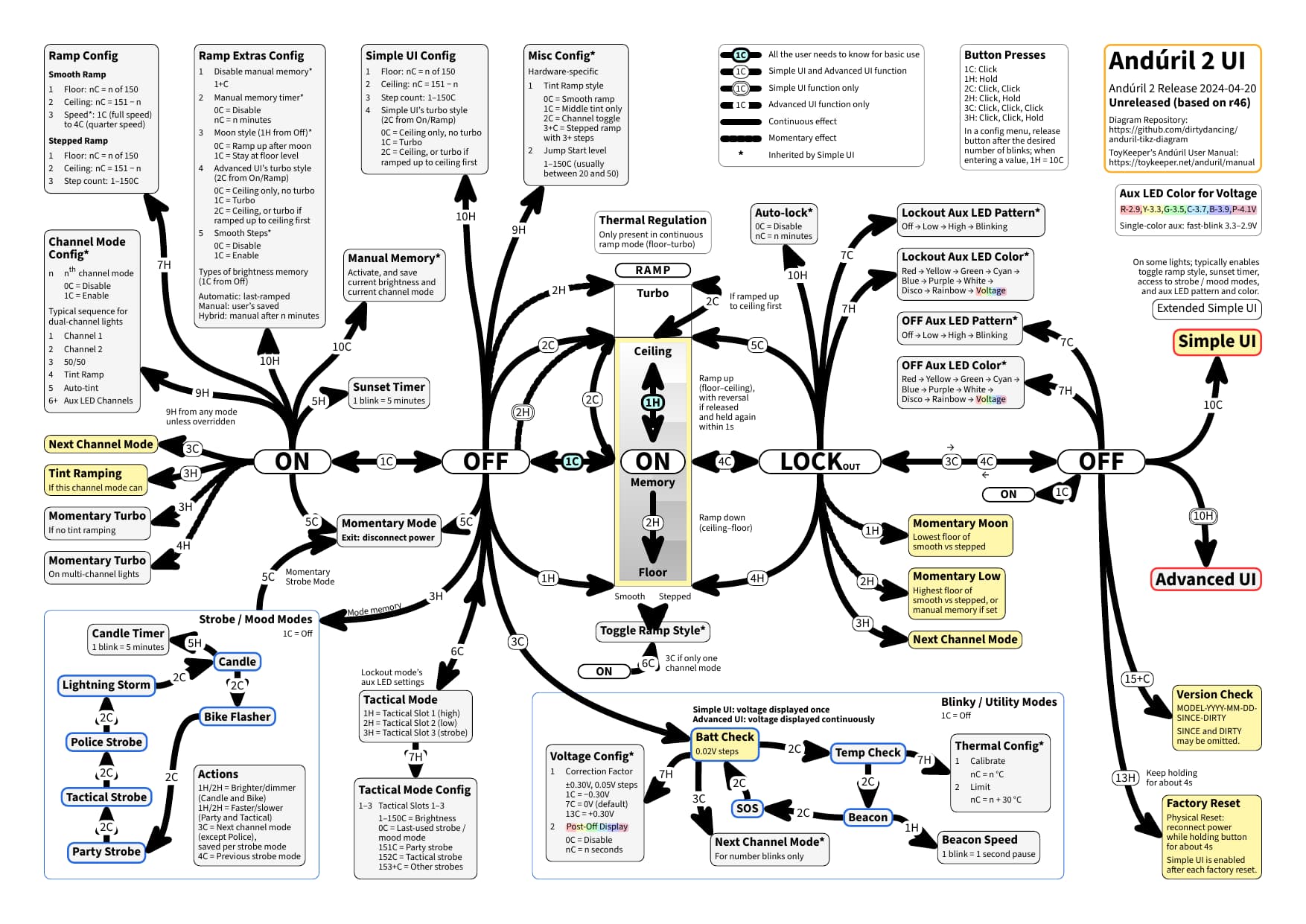
To help with orientation, by now, not only the body (the actual content) of the document comes with a table of contents, but also the preamble (basically a set of style instructions for the body). For the look of the diagram, let’s start with a simple example: the width of the arrow lines. By changing this one line for anyline from thin (predefined default of 0.4pt) to line width=4pt for demontration purposes (plus changing one more line for the diagram release info), all the lines in the diagram will change to this new width:
This is because all the lines in the diagram are defined based on anyline. In general, there are style settings for line, button, and config (for the text boxes), and these style settings are available for any (for Simple UI and Advanced UI) and for advanced (for Advanced UI only). So in a next step, let’s change the color of the advanced lines to light gray, by adding draw=lightgray to advancedline after anyline. With this, all the lines for Advanced UI only will change to this new color:
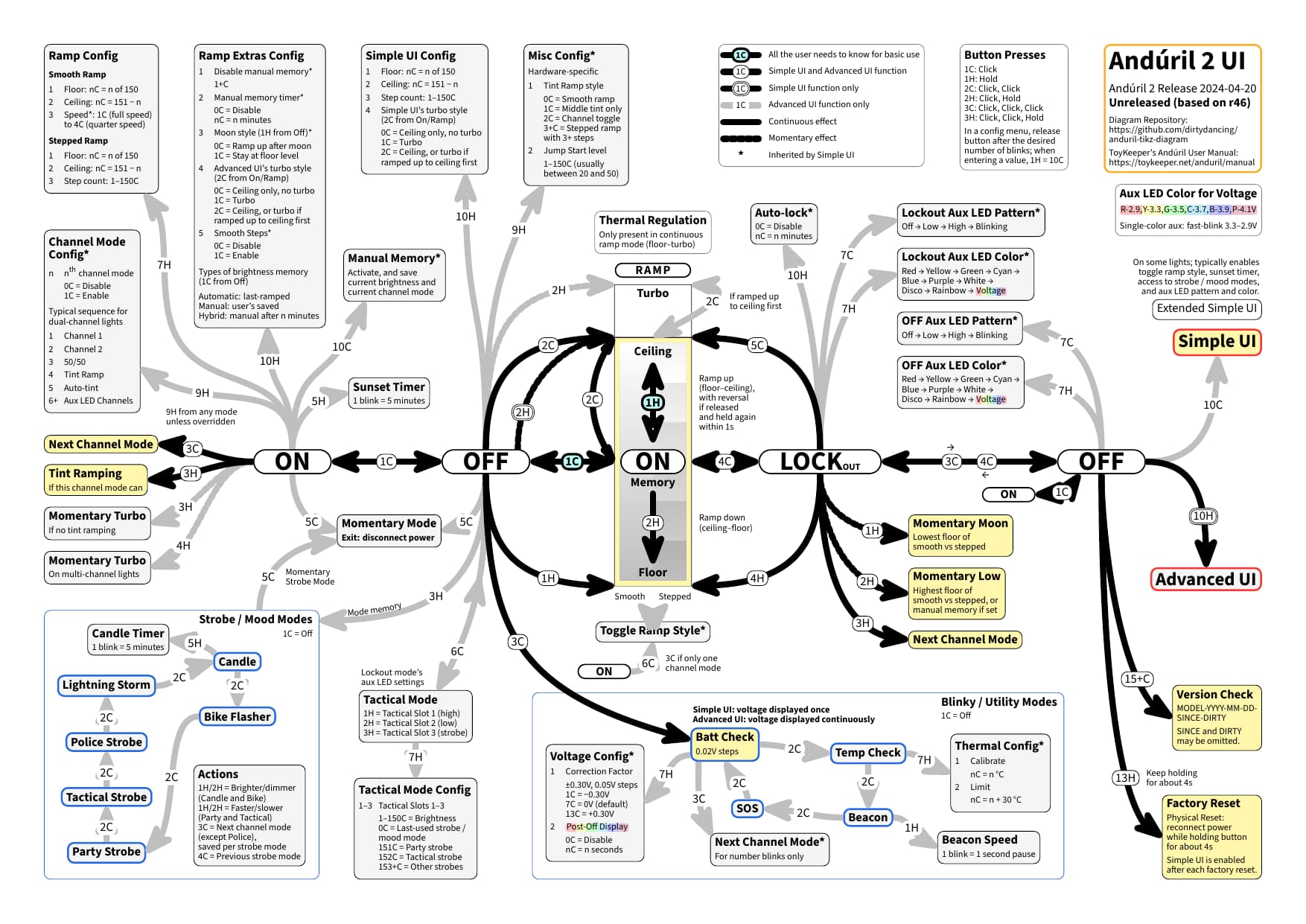
Visual detail: please note that the Simple UI lines are displayed above the Advanced UI only lines. I have recently added a couple of layers to make this work out of the box. OK, I figure you got the idea, the difference for “drawing” being that you edit the source text, rather than drawing on-screen. Now, you could go ahead and modify a diagram detail, or you could go all in with a high-contrast dark color scheme. Or, to provide an example, you could turn to a light gray variant and end up with a diagram looking like this:
In order to keep on preventing a possible information overload, this is to share a “dimmed” Anduril 2 diagram which emphasizes the basic use (cf. the manual), just with click and hold, 1C and 1H, embedded in a full diagram.
Thank you, my brother-in-law works at MIT. I sent him the PDF of Anduril 2 and, not only did he not understand it, but when he gave it to his colleagues at MIT to read, many of them are now in hospital with a stroke.
There were a few members who made a much simpler diagram, essentially text and simple arrows only, a more classic flowchart design. They were very clean, extremely easy to understand.
Now, this kind of thing is exactly why I included the basic use variant; had they been exposed to this one first, maybe they would have skipped the hospital trip.
Thank you for your feedback. Still, I am somewhat at a loss here, as I was supposing that the diagram above consists of text and simple arrows?
Are you having in mind a diagram like this one by @containerfan for Anduril 1? I figure that ship has sailed, and that Anduril 2 calls for a different visual approach.
Yeah that’s the one, lol. The one up top is more efficient for page area usage, but the stylization by containerfan is easier to follow for me.
A list/bullet point style guide is easiest for me to follow, but I have no issue following the lines on all current iterations of Anduril 2 flowcharts.
Do we have any accomplished/established graphic/industrial designers in here? A spreadsheet might also work as listed:
State/Operation/Function/Conditional
Off—/------1C------/Memory/last mode or manual
Off—/------3C------/Batt------/-------------
Batt-/-------2C-----/Cycle-----/Temp
That way, you can sort by what function each set of clicks does, and the state you’re in plus what conditions are in that current state.
For Anduril 2, jameshome (as far as I can tell not a BLF member) has employed a somewhat similar stylization; unfortunately, this diagram is outdated. Moreover, if you are interested in an impression of all the kinds details that an Anduril 2 diagram entails, you could have a look at the 18 open and 12 closed issues that I created for this diagram about 2 years ago. I have taken inspiration from this diagram, and it would be great to see an updated version of it at some point in time.
One major motivation for me to create the diagram with TikZ for LaTeX is that this is as open-source as it gets: it is a purely text-based diagram; to modify it, you have a look at the source TEX file and edit it directly with any text editor (arguably preferably with syntax highlighting and brace matching). I just wanted to mention this diagram aspect, which is not directly design-related.
Although static, the UI Reference Table at the end of ToyKeeper’s Anduril User Manual might come close to the kind of list that you are referring to. This reference table comes with Mode, UI, Button, and Action.
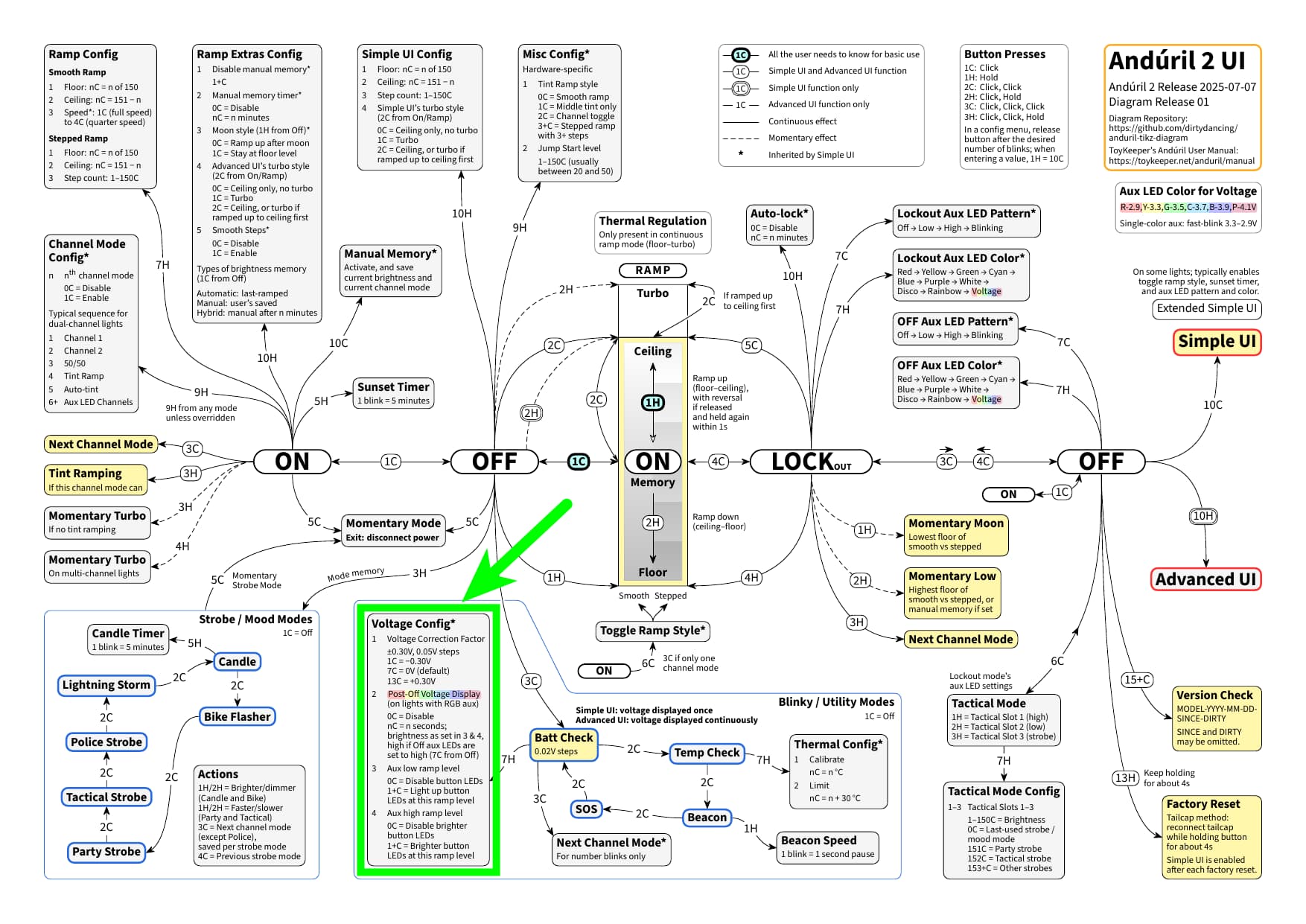
Here is a quick diagram update: I have released a diagram for TK’s latest Anduril 2 release 2025-07-07, including two new options in the voltage config menu:
For those interested in some more information about these two options, besides the manual here and here, see TK’s answers to a few detail questions I had over at GitHub here and here.
Reading about this new update made it sound like rgb buttons would now have the ability to be on the same time the main emitters are, just like single colour buttons.
It is just like @jon_slider said. For some more details, see TK’s answer to a question of mine about this over at GitHub here.
By the way, the triple-channel D4K is a special case in this regard, because the RGB button LEDs are on while the main LEDs are on, see this part of the source code.